
Description

Reviews (3 cached)
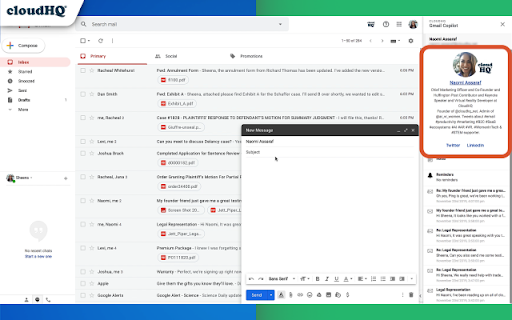
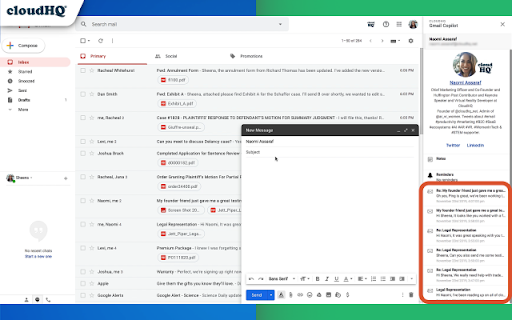
I have reported errors in this product multiple times to CloudHQ support. I understand that I am a "free user" - however when your product is pulling WRONG details and I have shown you proof of the inaccurate data and nothing is done about it - this is a PROBLEM that your other users need to know about. I LOVE this GMail Add-on - but man it drive me bonkers when I open emails from a business partner EVERY DAY - and EVERY DAY I have to look at incorrect data for the info on this person. This app accurately shows the interactions for the email address in question - however in the top section where it shows Name, Profile, & Links to social media accounts - it shows 100% WRONG data! WRONG name, WRONG profile info, WRONG social media links Screenshot: https://drive.google.com/file/d/1EO_F-bJG1iNIVS979SPHfobEX_YGA8mP/view?usp=sharing PLEASE FIX THIS CRITICAL ERROR! If these details show up wrong for me as a FREE user - then this is also happening to your PAID users - who again need to know that there are significant problems with this product! The reply I got from Support was to: - refresh cached images - restart my chrome browser - it might be that some other extension is conflicting with us (for example, Giphy, Zoho, and Dropbox for Gmail) I clear my browsing info quite often - and multiple times after being asked to do so in their reply. I restart my Chrome Browser almost daily - in fact, every time I shut down my computer - I start fresh the next time I turn it on! I don't have any of the other extensions or add-ons mentioned by support. In fact, almost ALL of my other extensions/add-ons are CloudHQ extensions!
NOT WORKING I have used many cloudhq extensions and they have all just got going immmediately. This one - NOTHING is showing when receiving or composing an email to a contact. I did try closing out and opening - didn't change any restults. Any help out there? Thank you.
Two problems as mentioned in other reviews: 1) how to hide copilot and 2) and reminders won't save. A more expansive video might be helpful.
Permissions (3)
Permissions
Details
| Version | 1.0.2.7 |
| Updated | Nov 29, 2025 |
| Size | 807KiB |
| First Seen | Mar 27, 2026 |
More by cloudHQ





Popular in communication





Popular Extensions



