Search all Tabs icon

Search all Tabs

by lunu.bounir

v0.6.3 Updated Jul 7, 2025 865KiB
CWS
10K
Users
★ 4.64
64 reviews
#5374
of 207.1K
tools
#989 of 64.4K
Highly rated

Description

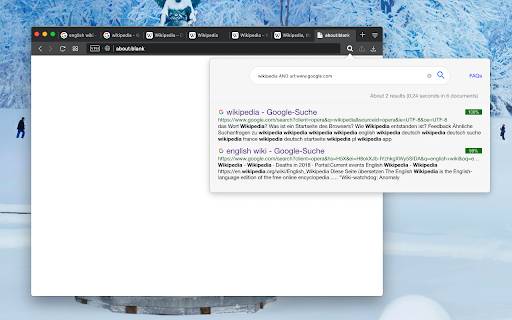
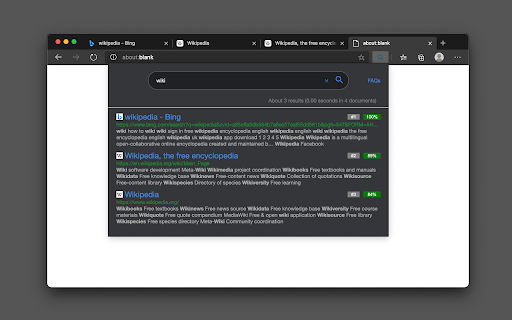
Preview: https://www.youtube.com/watch?v=ks0PDxFBrA0 This extension provides a powerful content searching tool for you to easily find the relevant tab among many open ones. Like all search engines, this extension supports search operators like "AND" and "OR". You can use this extension to find the relevant content when there are many open tabs like a normal tab manager extension. It is also possible to index local files as well. This extension supports parsing content from around 30 languages and displays a preview (snippet) for the matching result. You can click on each search entry to directly activate the container tab. Notes: 1. Make sure to read the FAQs page to get yourself familiar with the search operators and keywords. 2. This extension works offline and stores the indexing database in your browser memory. There is no server-side interaction whatsoever. 3. This extension supports two different indexing engines: Xapian (a C++ engine) and Lunr (a pure JavaScript engine). Features: 1. Copy all URLs to the user's clipboard 2. Group all matched tab as a new window 3. Keyboard-only controls 4. Supports dark theme 5. Do not search on duplicated tabs 6. Search inside PDF tabs 7. Supports deep search: display more matching snippets for a single tab 8. Close the selected tabs from the search results
Search all Tabs screenshot 1Search all Tabs screenshot 2Search all Tabs screenshot 3Search all Tabs screenshot 4Search all Tabs screenshot 5

Reviews (7 cached)

★★☆☆☆2024-09-16
gbzorro

It's okay, but a much better search tab chrome extension is the suburb tab manager, TABLI, which, in a side-by-side comparison with this app, showed many more open and closed tabs with the search word.

★★☆☆☆2024-08-20
WhatsThePointOf NickNameIfGoogle (AlwaysLeakMyRealName)

Indexing all pages from start once the search page is closed and opened? Is that by design or am I missing something?

★★☆☆☆2022-12-20
Daylin Sairs

Only found results in pages sometimes. I would later look through each page individually, and find the results I was looking for even though it did not appear in the search.

★★☆☆☆2022-10-25
p

Most of the time it simply fails to search.

★★★☆☆2025-09-25
Dave Trost

It searches all tabs quickly and yet fails to be usable ... I need a utility to bring me to the tab (or tabs) with a match for my search term, and when I get there, I expect to see the matches highlighted. This tool does NOT do that, although it seems a simple thing. It simply opens the tab and then I have to use ctrl-f in that tab and type my search all over again to locate the position in the tab where the matching text is. Also, the tool fails to record history of previous searches. User experience would be much improved if the previous search remained available when re-opening the extension to iterate and perfect the search and get more targeted results.

★★★☆☆2021-04-23
Nushrah Yanida

It searches through websites quite effortlessly but my main problem it that it cannot go through the tabs on chrome with pdfs open and I feel like that is an essential feature that should be added ASAP

★★★☆☆2019-06-19
O CS

unfortunately, doesn't search on open PDF's on chrome, thats whats i was wanting

Permissions (6)

Permissions

contextMenus Can add items to the right-click menu favicon scripting Can inject scripts into web pages storage Can store data locally in your browser tabs Can see your open tabs and their URLs unlimitedStorage

Details

Version 0.6.3
Updated Jul 7, 2025
Size 865KiB
First Seen Mar 31, 2026