
Description

Reviews (9 cached)
simply does nothing. I have activated, created profile, tested several setups, reload Chrome, uninstalled the previous audio extension, reset the chromebook.... never got any boost on volume or control on frecuencies. (I was reaaly happy with my previous audio extension, but become not compatible after the latest chrome automatic update) Actual version 133.0.6943.132 (Build oficial) (64 bits)
NOT WORKING
doesnt work
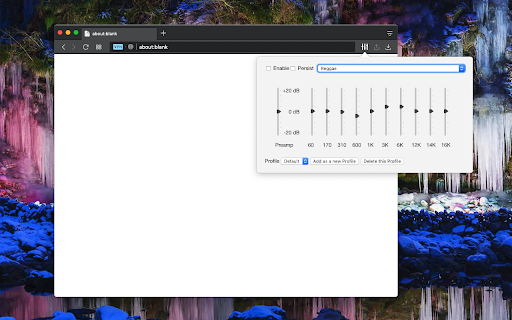
All the 3 latest versions 0.2.0, 0.2.1 and 0.2.2 fail to work on my Chromebook. They just won't turn on and toggling "Enable Equalizer" on and off makes no difference. Tried re-install, still no luck. So I re-installed version 0.1.4 and it works perfectly but only for about an hour or so because it gets updated automatically to the latest version which sucks. I am therefore back to square one and at my wits end. I am constantly uninstalling the latest version, re-installing version 0.1.4 , uninstalling, re-installing, on and on. Very frustrating indeed! Does anybody know how to block this extension from auto-updating?
If you're trying to make YouTube videos louder, this extension won't help you. I just tried it and it has no effect on YouTube at all. I haven't tried other sites, but if it won't work with YouTube, then it's pretty useless to me.
Not useful or functional. Reinstalled to encourage people not to install.
0.2.2 doesn't seem to work for me
I am really torn on this one. It's better than another volume control extension I've tried, but it causes issues with playback on some sites. Bandcamp is one example. I opened an album, played the first track fine, but then it would not play audio from anything after. Even after unchecking "enable equalization" in the extension and force refreshing the site. I had to disable the extension to overcome the problem.
It works
Permissions (3)
Permissions
Details
| Version | 0.2.3 |
| Updated | Dec 2, 2025 |
| Size | 77.79KiB |
| First Seen | Mar 26, 2026 |
More by lunu.bounir





Popular in workflow


Popular Extensions

