
Description



Reviews (12 cached)
This is the WORST Mail Merge tool ever: 1) I set up 14 test mails to my own account and there was always something missing or not merged well. Problem is, this tool has NO WHATSOEVER option to quickly check the individual emails in a scroll through way so to make sure it's all correct before you send out mass mails. 2) (after 14 Test emails and all setting quadruple checked:) It pulls in the name of the email address into the merge tag FIRST NAME. All these emails out for nothing. How embarrassing if someone receives an email like that it'll land in Trash for sure. 3) Not enough with all that, it pulled ALL emails into a Bcc field and everyone received the original email template "Hi Name" I mean, seriously, how many things can go wrong in setting up a campaign with this tool? So disappointing..
Not working perfectly , always link crash i will not recommend anyone
UPDATE: After leaving this review, CloudHQ blocked my account and IP address and didn't refund me the remaining subscription. I had to call my bank to get a refund. Unethical company that uses fake reviews to boost their ego. MailKing isn't for business or professional campaigns. Emails are sent on the weekends, at night, and to the same sender more than once. There aren't any options to change this so I canceled my plan. I can't imagine any reputable business using MailKing to send campaigns given the lack of critical features. May it is for personal use for things such as family reunions. The support isn't helpful and they didn't respond to ALL of my emails. I guess only one person works in support (the same name over and over).
Our company owns 10 licenses and we have had an extremely difficult time getting in contact with customer service representatives. We've had issues with email metrics for months. Sometimes the numbers would be completely incorrect and other times the metrics would not load at all. When we contacted support about these problems they would take days to respond. When we finally heard back from them they would tell us that the issue would be fixed in a few days, but the issues have continued and we have not heard back from them. We currently have not had email metrics for over 2 weeks and have not been able to receive a solution from the support team.
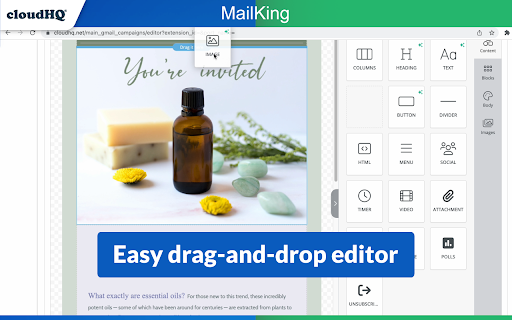
Everyone says it's easy but it's not. At least not for me. It doesn't save my changes and I'm always having to double check if it took my edits even though the option to save later is there. Then there's moments when it would not even let me back in so I can't even send out the email I need to. If in a rush, I'm not sure I can depend on this to work.
Mass emails won't send for me, I'm sure it's a technical issue but support won't respond. Save your $10 and try something else. I usually don't leave bad reviews but when you are trying to find the best way to send mass emails and you can't even get a response within 24 business hours...it ends up being a waste of time. Sorry mail king, I wanted this to work out.
It keeps sending after the limit is reached. Also i can only send 100 emails per day. I contacted support. but no reply.
When i add my contacts i loose my designed email campaign. All it sends is a page that says loading...
Spent a lot of time creating a campaign only to find that the SAVE FOR LATER button does not work. Lost EVERYTHING! Very disappointing.
We have been having some issues and reached out to support and have heard nothing back yet. Really hoping for some assistance.
Greetings Simple to use but not easy to upgrade and use the same template once again.You should start from zero if you have to re-build a next campaign. I believe you should have been able to store your template once its done and re-use as much as you want. i have not been able to upgrade my plan because when you select and click on the individual product to Premium upgrade ,you cant purchase the product that you want to upgrade,you will have 2 choice only ,either you buy all products or the Entrepreneur Package which normally i will not use. Kindly solve this problem
Mailking was great until now. I've lost my icon my gmail account, which means I can't send campaigns. Is there another way to send campains without the "Campaigns" icon?
Permissions (3)
Permissions
Details
| Version | 1.0.2.4 |
| Updated | Nov 28, 2025 |
| Size | 562KiB |
| First Seen | Mar 29, 2026 |
More by cloudHQ





Popular in communication





Popular Extensions



