
Description
Reviews (16 cached)
Appalling Support and Lack of Compliance Regarding Privacy and Functionality Review: I am beyond frustrated with my experience using Dashy. Despite the app's promise of being an all-in-one productivity solution, it has become a significant source of stress due to broken features and a total lack of professional support. My attempts to resolve issues—specifically regarding configuration saving and widget failures—were met with dismissive and unhelpful responses from the development team. Furthermore, I have serious concerns regarding how user data and settings are handled, as the promised "real-time syncing" frequently fails, leading to data loss and a complete breakdown of the intended workflow. The developers seem more focused on marketing their "Pro" subscription than ensuring the core product actually meets Google’s quality and support standards. When I reached out to report these bugs, I was ignored or given "troubleshooting" steps that do not work for standard installs. This app is not stable, and the developer’s refusal to address these technical failures feels like a violation of the trust users place in Chrome Web Store extensions. Google needs to investigate this app for compliance issues regarding its advertised functionality versus the actual, broken user experience. Avoid this extension if you value your time and data.
The widgets are quite poor, merely for show, and lack real practical use. There has been no response at all to complaints or refund requests submitted through the extension’s contact form. Customer service is extremely disappointing.
Most widgets need a subscription... This world we live in..
I can't find any widgets that I don't have to pay for. You say they exist, but I can't find them. The upgrade is not expensive, but I don't really know why I would need it. If some of those pro widgets were free, I might get started and update later if I liked the app. Unfortunately, you have discouraged that by making all the widgets I might use "Pro widgets". I am not going to upgrade right from the start, just to try it out.
Far from FREE nothing works unless you pay $5 a mo. Ill stick with new tab and yall can eat a D
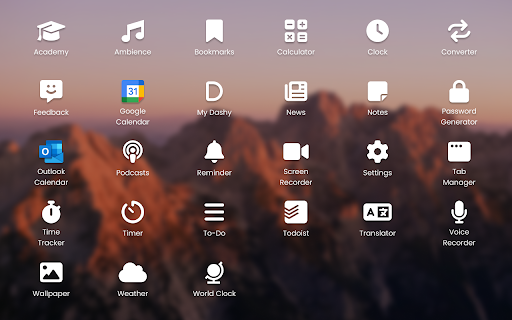
Decent aesthetics, but almost every widget is behind the pro paywall. For reference, I tried: Google Calendar, Translations, Notes, Weather, To-Do, News, World Clock, Converter, Podcasts...I stopped trying at that point, because it was clear that all of the functionality that I desired was only for paid usage.
The layout is ok, but all the important stuff you need to pay. DON'T USE IT IF YOU DON'T WANT TO PAY $10 FOR LIKE A MONTH.
You have to pay to get your original "new tab" back, otherwies it'll getting override by the extension.
Calendar widget doesn't have a *Calendar* display option... really? ToDoist widget cannot show custom filters... or be customized in pretty much any useful way. I guess it's pretty... but not functional.
App collects and stores personal data Extension looks useful, but they collect, store and sell user data... No way...
Hot trash. The AI is worthless, the widgets offer no value. Worst of all no way to close you account.
I installed this Dashboard, I checked more than 10 or 15 different and this one was the best.. It has all features you may need. So I purchased it. And all works fine, except...... except To Do list not sync with Microsoft account. It will ask you again and again to login into Microoft account, grant permission and all this staff... it works fine with Google Tasks though.. So I wrote couple of time to support so maybe they could fix it...... nothing, no any answer received. So if you think there will be support - forget. But dashboard is really good, I put 2 star so maybe support will see it and give an answer and if the do - I will change it to 5 stars.
There is no option for a user to put his/her own picture as wallpaper.
Instagram widget keeps showing "No Internet connection"
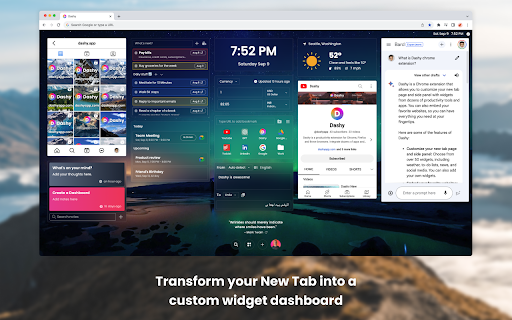
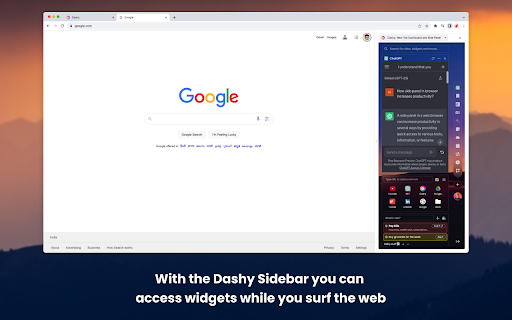
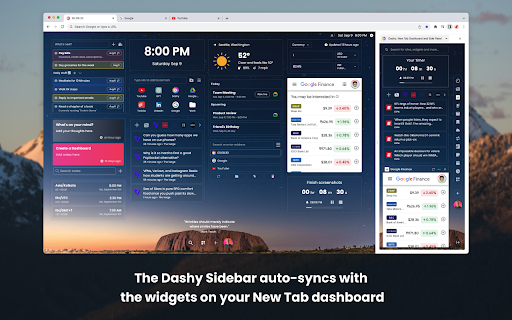
It looks great but the user experience is not. Definitely a great concept, super pretty UI, but needs more optimized UX. Layout: There are a bunch of weird layout issues in both the new tab and the side panel. For example, the bar that appears when you hover over a widget lays on top of another widget, making things feel really cluttered and not spaced properly. It also appears at the top or bottom depending on how much space there is, which is unpredictable. Scaling: I use 4 screens at home and work, all with different resolutions and sizes. The layout of Dashy looks entirely different on each screen. Widgets: ChatGPT: Using ChatGPT within Dashy to find my conversations works great, which is nice. Google Keep: Google Keep, on the other hand, is a different story. I can't see any of my labels no matter how I resize the widget (it also seems to have a max width). Side Panel: The side panel functionality feels essentially like the new tab page just crammed into a smaller space, and it looks and feels forced. When you scroll through the side panel with these website widgets enabled, you end up scrolling through the content within a particular widget instead of scrolling to the bottom of Dashy. Limited Customization: Lots of these cards/widgets can't be resized. Deleting one doesn't rearrange anything. At one point I added Youtube and Youtube Music and then played with the horizontal and vertical alignment settings - somehow both of those widgets just vanished? Not sure what happened there. YT Music was playing, I tried to rearranged, then poof, gone. Missing the Basics: All these cool fancy widgets are fine and all, but for people switching from Infinity New Tab (which looks like a dinosaur compared to Dashy), the basic functionality of having your most used websites a single click away is sorely lacking. Dashy has all these fancy features but the most basic one isn't there. If it had this basic functionality, I'd be willing to put up with the somewhat frustrating layout system until it's optimized, cuz there's more cool stuff too. But for now, simple efficiency beats aesthetics.
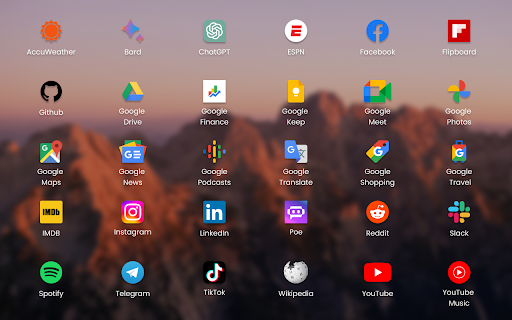
Only offers 26 widgets. Limited news sites. Unorganized documentation page, which is really just a list of articles.
Permissions (11)
Permissions
Details
| Version | 6.0 |
| Updated | Jan 7, 2026 |
| Size | 14.6MiB |
| First Seen | Mar 26, 2026 |
Popular in tools



Popular Extensions




