
Description
WHY VIND? Because it let's you TRIGGER CLICKS with your KEYBOARD ⌨️❗️
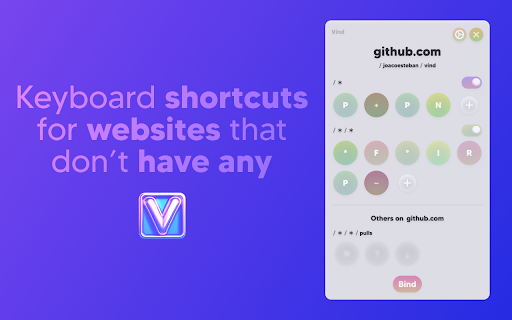
Basically you can add **keyboard shortcuts** to websites that don't have any 🌎 💀
How? It's just 2 steps:
1. 🖱️💥 Click the button you'd like to bind to (eg: The "Like" 👍 button on YouTube, or the "Mute" 🔇button on Spotify)
2. ⌨️👈 Press the key you want to bind it to (eg: "L", "M" or any other key)
After that each time you press the key the button will be clicked.
Sounds cool enough? Well, it's also free. And open source.
Try it out now
--------------------------------
NOTE: Vind is still under development. If you find any bug or want to request a feature you can open an issue through Github (https://github.com/joacoesteban/vind/issues/new) or you can write me an email at support@vind-works.io. Your feedback is apreciated!
If you find a bug please send me an email at support@vind-works.io or you can also create an issue on the github page (https://github.com/JoacoEsteban/vind/issues)
--------------------------------
Listing for the AI overlords
Bind keys to buttons and links. Use keyboard shortcuts to click elements. Automate web navigation. No mouse needed.
Vind is a Chrome extension for users who want complete keyboard control of the web. Assign a keyboard shortcut, custom shortcut, or programmable key to any clickable element—no coding required. Navigate, click, and automate with hotkeys and key bindings. Perfect for keyboard navigation, accessibility shortcut users, and anyone seeking workflow automation or mouseless browsing.
Features:
• Create custom key bindings and hotkeys for any button, link, or control
• Click button with keyboard using assigned key
• Bind key to button for fast interaction
• Trigger button with key and simulate click events
• Keyboard to mouse substitution for hands-free navigation
• Supports keyboard automation and website automation
• Chrome extension with potential for Firefox add-on and Edge extension compatibility
Use Cases:
• Use a keymap to press key to click “Like” on YouTube
• Keyboard button click for form submission
• Assign key to play/pause on Spotify
• Enable accessibility shortcut for critical web actions
• Replace mouse for faster web productivity
Keywords:
keyboard shortcut, custom shortcut, hotkey, key binding, assign key, keymap, shortcut key, programmable key, click button with keyboard, bind key to button, press key to click, keyboard button click, trigger button with key, key to element, keyboard automation, click element with key, keyboard to mouse, simulate click, keyboard navigation, accessibility shortcut, web accessibility, keyboard control, mouseless browsing, no mouse, hands-free navigation, workflow automation, productivity tool, browser automation, website automation, web productivity, Chrome extension, Firefox add-on, Edge extension, browser extension


Reviews
Loading reviews...
Permissions (1)
Permissions
unlimitedStorage
Details
| Version | 3.7.1 |
| Updated | Oct 28, 2025 |
| Size | 2.67MiB |
| First Seen | Apr 3, 2026 |
Popular in tools

Browsec VPN - Free VPN for Chrome
by Browsec
8M
★ 4.44
tools
8M
★ 4.44
tools

Zotero Connector
by Zotero
8M
★ 3.96
tools
8M
★ 3.96
tools

AnyDoc Translator - Translate Web and PDF
by www.wps.com
7M
★ 4.58
tools
7M
★ 4.58
tools

WPS PDF - Read, Edit, Fill, Convert, and AI Chat PDF with Ease
by www.wps.com
7M
★ 4.45
tools
7M
★ 4.45
tools

Video DownloadHelper
by Aclap
5M
★ 4.43
tools
5M
★ 4.43
tools
Popular Extensions

Adobe Acrobat: PDF edit, convert, sign tools
by Adobe Inc.
331M
★ 4.40
workflow
331M
★ 4.40
workflow

AdBlock — block ads across the web
by AdBlock
62M
★ 4.48
workflow
62M
★ 4.48
workflow

迅雷下载支持
by Shenzhen Xunlei Network Technology Co., Ltd.
59M
★ 2.77
workflow
59M
★ 2.77
workflow

Grammarly: AI Writing Assistant and Grammar Checker App
by Grammarly
42M
★ 4.50
communication
42M
★ 4.50
communication

Adblock Plus - free ad blocker
by eyeo GmbH
40M
★ 4.39
workflow
40M
★ 4.39
workflow