
Description


Reviews (16 cached)
after the 1.4 update it no longer works
sad, stop working, was great when was working
stopped working on vivaldi after it got a major update. Keeps saying "Error occurred while generating audio".
Not working
With this application, I used to have my texts read aloud and I created my audios, which was a huge help to me. But since July 17th, the reading time has been limited to 10 minutes. If the text is longer than 10 minutes, it stops reading. I asked other friends who use the same app, and they all say the same thing. It’s very unfortunate because there are visually impaired or elderly people for whom this was very helpful. To the technical support team, I am writing regarding a recent limitation in your application. Since July 17th, the reading time for texts has been limited to 10 minutes. If the text exceeds this time, the reading automatically stops. This creates a real issue, especially for visually impaired or elderly users who relied on your app to listen to longer content. Several users have confirmed they are experiencing the same problem. I would appreciate it if you could look into this issue and, if possible, restore a longer reading time or explain if there is an alternative solution. Thank you in advance for your assistance. Sincerely,
takes a long time to load files. MS edge
not working error red
this used to work... now it stopped and I get an error. bummer.
not working for me
It is very hit or miss on whether or not it will work at all. When it does work it's five stars. I really wish I could rely on this because it is my favorite when it works the narration is very natural sounding.
Hello! Could you tell me why I get "Error occured while generating audio"? It used to work alright some time ago. Updating didn't help.
It doesn't work anymore for me it just says "error occurred while generating audio"
its not working it's showing an error everytime now
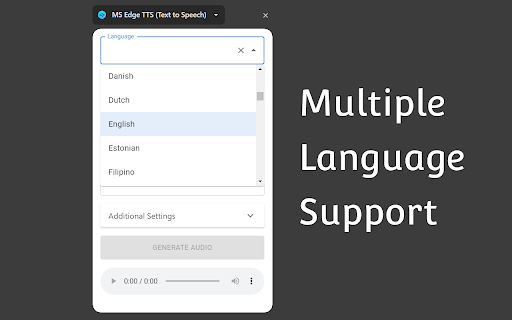
pros: it supports many languages and voices, can change speed or download audio, select text Cons: Very very super slow have to wait for 30s to start for larger texts, does not highlight spoken word
it's really my own fault for not realizing it with the pictures, but it doesn't actually read directly from the page. you have to copy-paste the text into a box for it to process and then read... you could easily do that on a website. don't need an extension for that.
Has potential, but badly implemented. The extension forces you to have the extension's side panel open. I just want to read aloud selected text without having a sidebar or popup panel. The settings are hard to get to as well. The rate and pitch should be on the main menu, not buried in a secondary window. And the volume option should be a long slider like the rate and pitch sliders are. One problem is that the voice volume setting is never remembered. If you change it, it will reset to 100% if you close the side panel. There should also be faster ways to play selected text. Like a button you can left-click on, and/or some shortcut hotkeys. One good thing about this extension are the voices. It looks like the extension developer somehow added SAPI-5 or similarly natural sounding voices.
Permissions (5)
Permissions
Details
| Version | 1.4.0 |
| Updated | Dec 20, 2025 |
| Size | 204KiB |
| First Seen | Mar 31, 2026 |
More by yacine-bens


Popular in tools



Popular Extensions




