
⚠️Not updated in over 2 years
Description
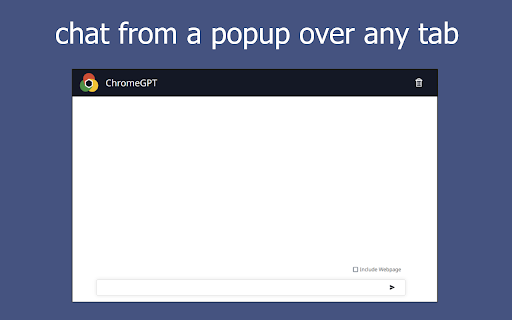
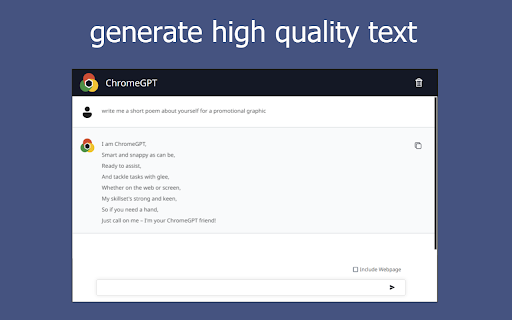
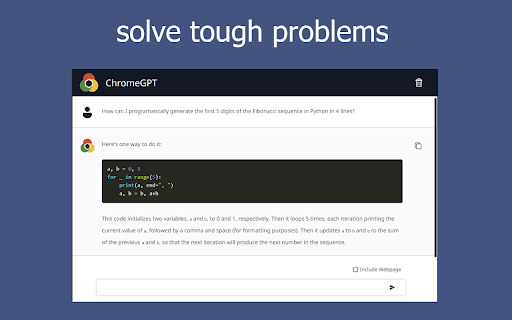
ChromeGPT is an intelligent chatbot powered by OpenAI that you can chat with from a popup panel.
With just one click from any tab, ChromeGPT can be easily accessed from any tab to assist you in every step of your web browsing. Our virtual assistant leverages cutting-edge technologies to understand your needs and personalize your experience. Whether you need help with research, writing, decision making, planning, or navigating the internet, our virtual assistant is here to help.
Looking for a quick summary of a long article? Want to augment the essay you are writing? We can process your requests in real-time and provide instant, accurate responses. Whether you are a student, a researcher, a professional, or just a casual internet browser, this extension can help you save time, boost productivity or have a nice conversation. With its intuitive interface and straightforward approach, anyone can use it, no matter their tech savviness or internet browsing experience.
No integration with an existing OpenAI account is required. With a quick installation and sign up, try ChromeGPT today and start browsing smarter!
🚀 How to Get Started:
1. Install and pin the extension.
2. Click the icon in the top right of your tab to open the popup panel.
3. Sign up with your email.
4. Chat away.
5. (Optional) Check the "Include Webpage" checkbox to show the chatbot your current webpage with your next message.
Features:
😋 Sign up to use it for free.
💬 Chat with a virtual assistant that is one click away from any tab.
☁️ Log in to Chrome and the extension to access your chat across multiple devices.
☑️ Include your current webpage content in a request for help with whatever you are looking at.
*ChromeGPT is an independent Chrome extension that is not legally affiliated with Google or OpenAI but uses ChatGPT directly.


Reviews
Loading reviews...
Permissions (3)
Permissions
activeTabℹ Can access the current tab when you click the extension scriptingℹ Can inject scripts into web pages storageℹ Can store data locally in your browser
Details
| Version | 0.0.0.7 |
| Updated | Jan 19, 2024 |
| Size | 3.05MiB |
| First Seen | Mar 30, 2026 |
Popular in tools

Zotero Connector
by Zotero
8M
★ 3.96
tools
8M
★ 3.96
tools

Browsec VPN - Free VPN for Chrome
by Browsec
7M
★ 4.44
tools
7M
★ 4.44
tools

AnyDoc Translator - Translate Web and PDF
by www.wps.com
7M
★ 4.59
tools
7M
★ 4.59
tools

Video DownloadHelper
by Aclap
5M
★ 4.43
tools
5M
★ 4.43
tools

Microsoft Bing Homepage & Search for Chrome
by Microsoft Corporation
4M
★ 3.72
tools
4M
★ 3.72
tools
Popular Extensions

Adobe Acrobat: PDF edit, convert, sign tools
by Adobe Inc.
331M
★ 4.40
workflow
331M
★ 4.40
workflow

AdBlock — block ads across the web
by AdBlock
62M
★ 4.48
workflow
62M
★ 4.48
workflow

Grammarly: AI Writing Assistant and Grammar Checker App
by Grammarly
42M
★ 4.50
communication
42M
★ 4.50
communication

Adblock Plus - free ad blocker
by eyeo GmbH
41M
★ 4.39
workflow
41M
★ 4.39
workflow

Chrome Remote Desktop
by Chrome Remote Desktop Release Managers
38M
★ 3.14
workflow
38M
★ 3.14
workflow