
Microsoft Bing Homepage & Search for Chrome
Description
Reviews (16 cached)
DO NOT USE!!! This is a browser hijacker! it was bundled with this weird wallpaper app I got and it was always this thing called Bing and not Google. If you like Bing use Microsoft edge.
i hate that it makes my browser the bing one also i know that chrome made this so that it can sport bing but it sucks for me also it kinda makes my whole entire browser to microsoft edge so thats my review.
worst app at windows i recived pop up to install wallpaper app from microsoft i installed everything was good untill microsoft mdfk installed this useless extention to my 2000 edge profile 20 chrome profile and 7000 brave profile now everytime i open my brower profile i recive pop up to enable this useless extention never install any app from microsoft all are uselesssssssss bugs and poo
For two days now my drop down menu is NOT WORKING! It is beyond frustrating.
Only interested in ChatGPT Copilot for Chrome if not would use Edge. Don't like Bing search results compared to Chrome or like Bing forcing to use as default search engine or else can't use.
You should give us permission to change the default search engine otherwise I will permanently remove your extension from chrome.
"The new bing AI in chrome" except once you install it you're told you can only use it in edge. Expectedly underwhelming experience.
Spammed to install, I don't care for spam so it's a 1 star for me.
I don't mind it changing my search engine, but it also changed my homepage setting from "where I left off" to Bing. I don't need to search right when I open my browser, plus I generally go back to the same place when I reopen my browser. The ONLY way for me to change it back was to remove it.
When I removed it the homepage was still there.
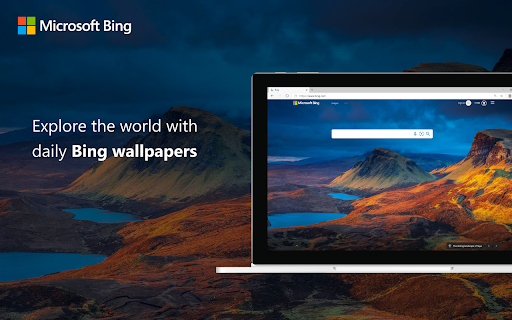
Even after uninstalling the extension, the new tab page and possibly other settings it changes still remain in the browser. Even worse, it seems that there is no simple way to revert it (tell me if I’m wrong). You either have to reset all your settings, manually edit config files or use 3rd party software. The extension frankly behaves like malware/adware, uninstalling it should be removing all changes. It’s a shame because I like the different wallpapers it provides. Edit: Okay, you just have to change the default search engine back from Bing and that fixes it. Still, it is not the obvious solution if you ask me.
must remove most visited page. because its annoying. thats why i m uninstalling it.
there wer were bug please fix these issues or I not used it
How to restore?
I can`t turn off the button "Show the most visited website". when I turn it off ,it will turn on again and again automatically.
this extension is scam but please add darkmode to bing
Permissions (8)
Permissions
Details
| Version | 1.0.0.27 |
| Updated | Jul 25, 2024 |
| Size | 1.33MiB |
| First Seen | Mar 22, 2026 |
More by Microsoft Corporation




Popular in tools




Popular Extensions




