
Description
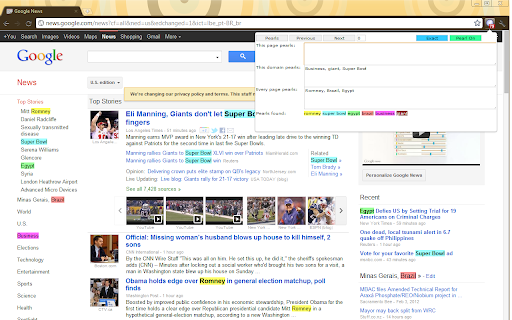
Reviews (6 cached)
I don't understand the Jargons. What is "Pearl on"? like, "game on"? Not easy to use. I have no idea how this works. Have been trying to figure how this thing works. can anybody share proper instructions?
Does not highlight multiple words, even after refresh
Thanks, but the efTwo extension provides many more options.
What is the use of next /previous button. I hope it will navigate me to next match on page but it doesn't do anything
The application concept is a great idea. It would be a Game Changing Feature, to allow the user to Default Colors. Using the Example "News Article[Red]"; "News Article" would be the Pearl & "[Red]" would be the Pearl Color. This would allow Users to be able to Identify Key words by an exact Color Match.
Please make "Pearl ON" button BIG and include a shortcut key to open Pear extension. I'm using Chrome. This extension is good but please make it awesome.
Permissions (4)
Permissions
Details
| Version | 1.0.9.3 |
| Updated | Mar 20, 2026 |
| Size | 35.24KiB |
| First Seen | Mar 28, 2026 |
Popular in tools



Popular Extensions




