
⚠️Not updated in over a year ⚠️Requests 1 sensitive permission
Description
This is meant to allow users with small screen real estate (laptops) to maximize their workspace.
Main feature: Quickly converts regular window (with omnibar, bookmark bar, and other UI elements) to minimalistic window (popup window) and vice versa (while keeping the coordinates and height/width of the origin type the same), using keyboard shortcut: Ctrl + Shift + Period (default value, but modifiable in "chrome://extensions/shortcuts". On MacOS, it also uses "Ctrl" not "Command").
Display status in Title Bar: Although meant for having workspace in minimalistic windows, this extension displays the most current URL on the title bar in addition to the original title of the current page. This feature can be toggled with Ctrl + Shift + Alt + T, which might be useful when users want to save page to PDF or print page with original title.
Copy URL to clipboard: For convenience, users can quickly copy the current URL to the OS's clipboard with Ctrl + Shift + Alt + U.
Preset size and location: This extension would quickly popout the current tab, then resize the new popup window to preset locations onto your current monitor: try Ctrl + Shift + "1 - 9", these shortcuts will be removed in future versions to give way for new experimented features as a more useful set of shortcuts are now available "Ctrl + Shift + ArrowLeft/Right/Up/Down". These will move the current window to the edge of the current display. It will intuitively move to the next monitor if repeated. "Ctrl + Shift + Alt + ArrowLeft/ArrowRight" will move the current window directly to the adjacent display. This feature is implemented in the injected content script of the current page. That means it will not work on pages that do not allow content scripts (such chrome/edge://*/*, including chrome://new-tab-page, Chrome Web Store).
Hard reload: Sometimes users might want do "hard reload" of a page (bypassing old, cached data of a page). There is a way to do so within the devTool page, but this extension quickly allows hard reload with Ctrl + Shift + Alt + R.
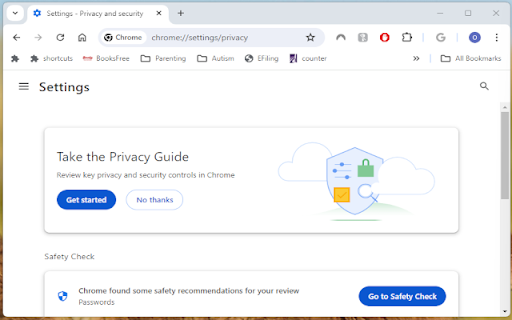
Auto-popout: this extension will automatically pop a tab out when users visit youtube.com, edge://*, chrome://* (except for "chrome://new-tab-page'" and "edge://newtab"), file:///* (if extension allowed local file access), *.(pdf|jpg|png|gif|tiff). Other domains will be added such as Netflix, Prime Video, Disney Plus. They will be modifiable in the options page in future versions.
This extension is in beta stage, which is being actively updated with new features. If the extension becomes too packed with features, they might be broken up into multiple extensions later. It is based on previous versions of Ett Chung's work (https://chromewebstore.google.com/detail/popup-window/nnlippelgfbglbhiccffmnmlnhmbjjpe) which is a purer implementation of the main feature without bells or whistles, or keyboard shortcut pollution.

Reviews
Loading reviews...
Permissions (9)
Permissions
activeTabℹ Can access the current tab when you click the extension clipboardWriteℹ Can write to your clipboard contextMenusℹ Can add items to the right-click menu favicon managementℹ Can manage other installed extensions storageℹ Can store data locally in your browser system.display tabsℹ Can see your open tabs and their URLs webNavigationℹ Can monitor navigation events
Details
| Version | 2024.6.6 |
| Updated | Jun 7, 2024 |
| Size | 184KiB |
| First Seen | Mar 26, 2026 |
More by drbxho


Popular in tools

Zotero Connector
by Zotero
8M
★ 3.96
tools
8M
★ 3.96
tools

Browsec VPN - Free VPN for Chrome
by Browsec
7M
★ 4.44
tools
7M
★ 4.44
tools

AnyDoc Translator - Translate Web and PDF
by www.wps.com
7M
★ 4.59
tools
7M
★ 4.59
tools

Video DownloadHelper
by Aclap
5M
★ 4.43
tools
5M
★ 4.43
tools

Microsoft Bing Homepage & Search for Chrome
by Microsoft Corporation
4M
★ 3.72
tools
4M
★ 3.72
tools
Popular Extensions

Adobe Acrobat: PDF edit, convert, sign tools
by Adobe Inc.
331M
★ 4.40
workflow
331M
★ 4.40
workflow

AdBlock — block ads across the web
by AdBlock
62M
★ 4.48
workflow
62M
★ 4.48
workflow

迅雷下载支持
by Shenzhen Xunlei Network Technology Co., Ltd.
59M
★ 2.77
workflow
59M
★ 2.77
workflow

Grammarly: AI Writing Assistant and Grammar Checker App
by Grammarly
42M
★ 4.50
communication
42M
★ 4.50
communication

Adblock Plus - free ad blocker
by eyeo GmbH
41M
★ 4.39
workflow
41M
★ 4.39
workflow