
Description


Reviews (10 cached)
latest UI change is horrible.
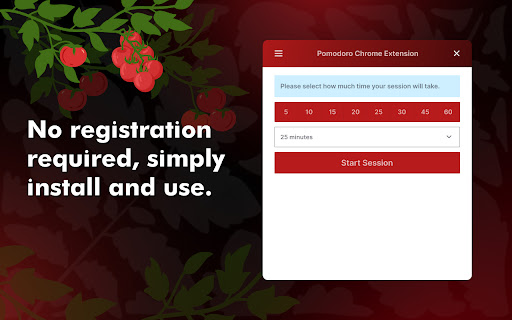
just a regular timer. Not sure why it says pomodoro. Doesnt do anything with the 25-5-25-5-25-15 min schedule, just a basic timer lol
There is nothing about this that is "Pomodoro". It is just a timer. That's all. With this extension: you set an alarm for how long you want to work, start it, work the session, it ends. You then manually start it again. With a Pomodoro timer: you may select work and break session lengths but switching between work and break is automated. The second break can be longer. Example: work 30 mins, alarm for break, automatically switches to break, break for 15 minutes, alarm for work sessions, then work session starts automatically again, rinse and repeat.
works, but should allow ANY time interval, not only 5 mins! What if I want to take a break of only 1min?
The extension simply doesn't have the most common pomodoro timebox, the 25min timebox. But, you can use it like a custom pomodoro timebox.
Perhaps not the issue of the extension developer but no sound plays at the end of a timer. Even made sure the extension had permission for audio
I like that it's a simple extension that doesn't use too many resources or collect your data, however, the page that opens every time you finish a timer gets annoying/distracting and there should really be an option to disable it.
as a pomodoro extension it should be 1 star because it is not a pomodoro timer at all. It is just a simple timer. I saw the author responding to some reviews saying he is considering adding the actual pomodoro functionality, that's why 3 stars. It's a simple timer that works well. But for now calling it pomodoro extension is misleading
really great extension but I think there should also be breaks at certain intervals, would be really helpful to be able to take a break every once in a while.
I really like the pomodoro chrome extension and have been using it for a long time because it's simplicity and effectiveness. I notice after the new update, whenever a session was done, the extension always opening itself in a browser new tab. I'm not sure if this is a bug or intended, but I think the new tab defeats the purpose of an extension and it becomes troublesome because I always need to close that tab after each 30 minutes session. I like the 'confetti' effects, but it makes the app runs slower. -> for debugging purpose: it always open up this tab whenever a session is done: chrome-extension://iccjkhpkdhdhjiaocipcegfeoclioejn/pages/blank/index.html
Permissions (2)
Permissions
Details
| Version | 2.2.2 |
| Updated | Jul 23, 2025 |
| Size | 1.56MiB |
| First Seen | Mar 26, 2026 |
More by Chromane


Popular in tools



Popular Extensions




