
Description
Reviews (25 cached)
worst one yet - did nothing but take away the page I was on
Does not work at all.
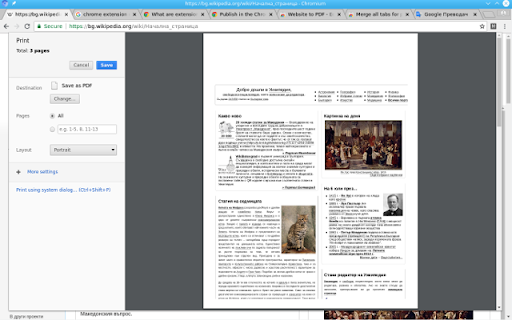
No instructions. Poor interface. As far as I can tell, it simply loads your site into a frame with a print button. Then you use your browsers ability to create a PDF which is kind of a joke. It's just a print button. For those saying that it works, I'm guessing they didn't know that their browser would already save a web page as a PDF. In my testing, there is no added value. If there is more functionality, then I would expect instructions or settings. Do not bother.
not works
remove it.... not works
Does not work, nothing happen. If developer wants to take a look, this is the multi page website I tried to get the pdf: https://www.fordservicecontent.com/Ford_Content/vdirsnet/OwnerManual/Home/Index?Variantid=8281&languageCode=IT&countryCode=ITA&div=f&buildtype=web
didn't work.
sorry, it didn´t work for either.
doesnt work. I use this extension to save the entire website's pages as PDFs. https://chrome.google.com/webstore/detail/website-to-pdf-converterb/llonmmijihonahfilmaiemdjbfhgioof
Nothing happened
doesnt work
Terrible. Once I reloading a page, it would capture the pdf but there was no option to download it which was the whole point of adding this. I usually don't bother with reviews of this type, but this is a frustrating waste of time
As many other reviewers, it did absolutely nothing. The only thing that worked was right clicking on it and getting to the webstore. Perhaps this is for an older version? I am using up to date chrome as at 03 March 2121. Would of been really handy tool if it worked. Good luck in getting it right.
It does not work. it just copy a llitle part of the page. Waste of time.
I usually never write negative reviews and this is probably the first one I've wrote on the Chrome Web Store. It doesn't work. I'm reading a book through archive.org and no matter how many times I press the icon, nothing appears. Please don't waste your time getting this if you're reading a book online or any of that sort. Especially if you're trying to test this out on archive.org. I've wasted 20 minutes of my time waiting and having so many attempts for getting it to work.
not working
broken
useless!!
One of the worst extension
It doesn't work. You click on the icon and nothing happens. It doesn't capture the website.
Does noting.
It does not work. I keep on pressing on the icon but nothing happened. Waste of time!
doesnt do anything...
It's kinda good, it turn every page of a website in once to pdf, but... everithing is overlapped... so it's useless
Windows 7 Home Premium 64-bit The page display worked fine, but printing from Chrome failed. It overlaid pages on top of each other. By saving as HTML and opening with Edge, I managed to print to a pdf. Why only 3 stars? It did what Nikolay says it does, but I need to convert a 1000-page doc at https://docs.gimp.org/2.10/en/ I tried Veeva. It converted only part of the doc. I'm too much of a pinchpenny to pay a monthly subscription for the paid programs I stumbled on, but I might spring a few dollars for a one-time payment.
Details
| Version | 1.4 |
| Updated | Mar 10, 2025 |
| Size | 130KiB |
| First Seen | Mar 31, 2026 |
More by Nikolay Gechev

Popular in tools



Popular Extensions




