
Description

Reviews (32 cached)
doesn't work, no pop up.
No instructions for adding search engines other than pressing ctrl and alt, which doesn't work for important sites like google. Mycroft project no longer works either. It's my favorite extension aside from this new and rather massive hole in functionality.
Spy app? It often opens a pop-up, but only when entering a password. This seems like a security risk to me!
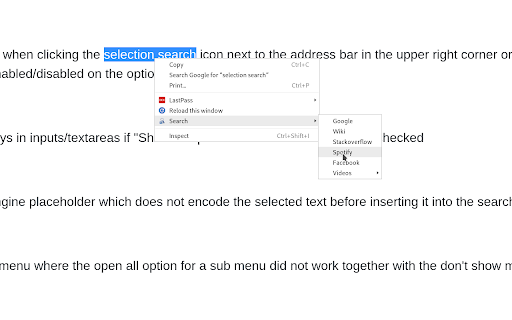
This doesn't work but if it did I would want it to bring up in the Right click menu since that's where all my other "Right click search" extensions show after highlighting text and right clicking. I only need this for Reddit since I have other extensions for everything else and couldn't find one specifically for Reddit. I would also like to click "Search this term on reddit" directly from the right click menu rather than having to go into an second context popup for Selection Search to find the option to click. Hopefully it's working again soon and please notify me when it is.
I have no idea how this will work. Maybe it's not working because of other extensions.
It turns to be a series of numbers in the POST method when you search it in multi-languages.
This doesn't work for google chrome isn't it? The is no way I can add any good search engine like amazon, it seems to be built only for Firefox.
Abandonware! Needs to be updated desperately. The mycoft plugin site no longer works in tandem with this once useful search tool. Search plugins break and need updating but can't be. Middle mouse button support has never worked and the context menu won't even come up anymore automatically. Looking for a suitable replacement as this one has clearly been abandoned.
Doesn't work on Vivaldi.
didn't do anything!
Not work on pdf viewer.
Does not work for me at all.
Does not work at all out of the box. Must be conflicting with another extension considering the good reviews. I'm disappointed, I need an easy and nice selected text search extension :(
Why can't this plug-in be set on the web page to specify the number of lines in a line and then break the line?
Backup import doesn't work in Edge 134.0.3124.72 (Official build) (64-bit). :-(
Every time you add a search engine the settings change and i have to rechange them all to the settings i like.
doesnt have copy to clipboard doesnt automatically pop up on select its an inferior option functionality wise, but design wise its great
I wanted a search tool that you can use by just pressing shortcut keys. But this is so frustrating to use. Does the keyboard + mouse activation even work? I tried many combinations but none of them worked for me. At least add a setting for touch pad users.
too bad popup doesn't work on pdf viewer
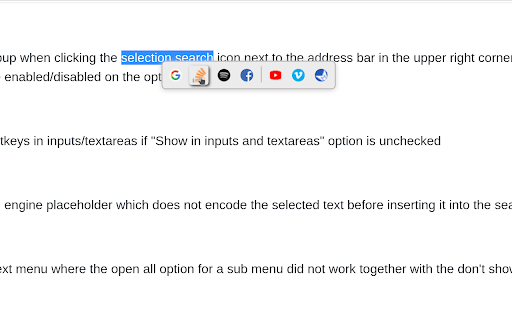
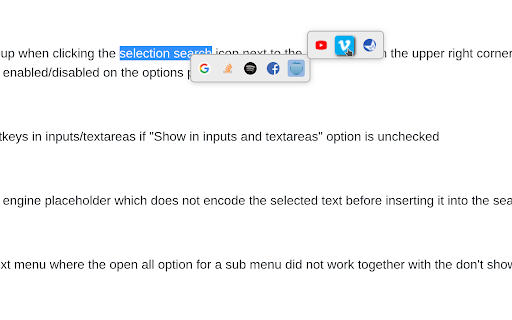
Nice. It needs two features. A copy icon/button to copy the selected text. An option to make the pop up menu to make it horizontal.
It's not always showing icons of the sites, so if you're using icons only theme then you won't be able to use it half the time. It's like a glitch of some sort.
copy would be fine
It's not perfect. Addon with ugle design 😕
not working any more. cant add new search
There is a problem with how Search Engines search. For example, in IMDb and Wikipedia, I copy the url from the previous extension, Search Context Search, such as https://www.imdb.com/find?q=, and when I open imdb from the pop-up options of this extension, it does not search for the word which I have chosen, but the web site open with just the search empty. It's good exten. but this, makes the extension essentially non-functional. Can you fix it? Thanks
DevTools Protocol " chrome " cannot be used. I had to make a system to search history using HTML with this extension.
can't search by image
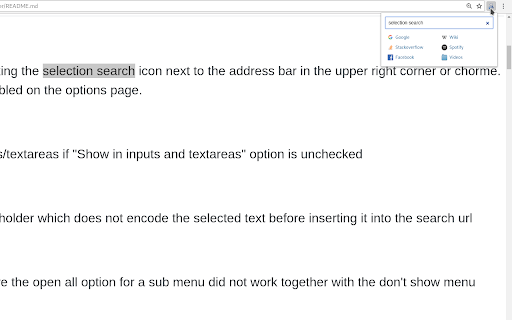
This plug-in is great, but it block search bar to predict user input. Of course, sometimes.
Everythings ok, but it lacks: -dark theme/transparency for icons only -smaller bezzel option -there is 0,5second lag between selecting and popup window apear.
It keeps losing my settings!! Really annoying because it takes me +-10min to set it up will all my search links I created!! Please fix this.
This is a great program once you've figured it out. The problem is the developer didn't add any tutorial or explanation on how to use this. Just spent the last 10 minutes trying to figure out how to add a new search engine. What you need to do is search something with the search engine you want to use, copy the url (excluding the search term), and add %s at the end.
Does the job, but I'd like an option to directly search. I was looking for a way to add the feature of "search google" when I middle-clicked selected text, and this almost does it, since it opens the popup to search, but I'd like it to open a new tab and search immediately, without the menu.
Permissions (6)
Permissions
Details
| Version | 0.9.8 |
| Updated | Jun 10, 2025 |
| Size | 168KiB |
| First Seen | Mar 31, 2026 |
More by Pitmairen

Popular in tools



Popular Extensions




