
Description
Reviews (17 cached)
The extension randomly blocks access and you have to remove the extension and add it back in. Ironcilly, it impates google meeting and everything else works. If there was a zero star, I would have given it.
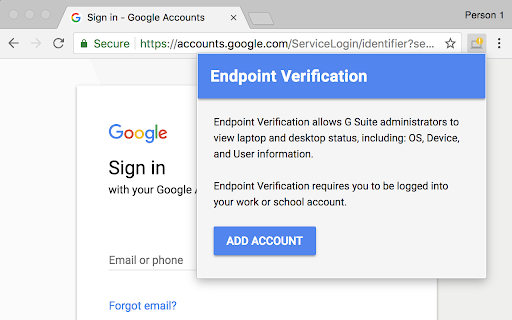
got added to my Chromebook a while ago but it doesn't do anything and when I click "sync now" nothing happens and all I know is that it has our profile picture data and chromeOS build & version data. It says "The extension needs access to client certificates and keys on ChromeOS" too so I don't think its set up correctly. the icon doesn't match the picture here, instead it has a red ! instead of a green check mark.
it sucks
dude istg. if i see one more block. IM GONNA FREAK OUT. MY ADMINSTARTOR ADDED THIS AND IM GETTING MORE PISSED OFF WHEN I SEE A BLOCK!!! worst exestenstion ever.
only works in google chrome
Missing Incognito Support
It does not properly detect on Ubuntu, even if the helper app is installed. The helper app does detect the stuff, but the extension is not able to pick up the information from the helper app.
Does not work for ubuntu 22.04. "Can't sync to ... acount"
No support for rpm based systems such as Fedora or RedHat. Only debian based ones https://support.google.com/a/users/answer/9018161?hl=en#linuxhelper
Why Google hate Linux users?
No support under Linux.
tested many combinations, this addon seems to be causing regular freezes of google meet videos
No Linux Support, and that is strange because Chrome OS is build on Linux.... Google common.
There is one major problem with this extension, which could make it perfect if that was fixed. This extension also works with Microsoft Edge and Brave browsers; however you cannot use those browsers if you have initially used it with Google Chrome or lated decide to use Chrome. The moment you use Chrome, it will break Edge and Brave, and you won't be able to use the extension. The only hack is to delete from Keychain, start over, and never use more than 1 browser, as long as you use just 1 browser it works, if you have 2 or more Chromium based browsers, it breaks. This is probably because of how Chrome saves the data in the local MacOS Keychain in a way that other browsers cannot use it. I guess an easy fix would be to have one keychain entry per browser, for example, the extension should know which browser it has, if it is chrome, append or prepend the word Chrome to the Keychain entry, so that each browser will have its own storage. It is already hard to deploy in an organization where many users still prefer Safari and Firefox, that are not supported, and this bug makes things really complicated for IT Teams to deploy this extension without having issues reported by users with multiple browsers.
This extension was working well and proper until today. Now it requires Chrome version 110. We run ChromeOS LTS branch 108 (which was the latest LTS branch up until 12 days ago when 114 was released on 09/23/2023). We have not updated all of our ChromeOS devices in our enterprise in just 12 days and now this extension was removed for lack of compatibility with 108 LTS already and broke a large number of our users with our only option for continued endpoint verification and context aware access is to push a full ChromeOS update to all of our users without proper testing/pilot
Confussed - I get all this information listed in devices already without this installed.
Can't get this to work with most Macs. Even managed browser macs, this isn't reporting the device password setting properly. Defaulting to "no password", even when there is one.
Permissions (13)
Permissions
Details
| Version | 1.140.0 |
| Updated | Mar 2, 2026 |
| Size | 1.31MiB |
| First Seen | Mar 26, 2026 |
More by google.com





Popular in workflow




Popular Extensions
