
R20Exporter icon

R20Exporter

by KaKaRoTo

v0.11.0 Updated Oct 23, 2025 1.32MiB
CWS
10K
Users
★ 4.44
16 reviews
#4369
of 164.8K
tools
#808 of 51.1K

Description

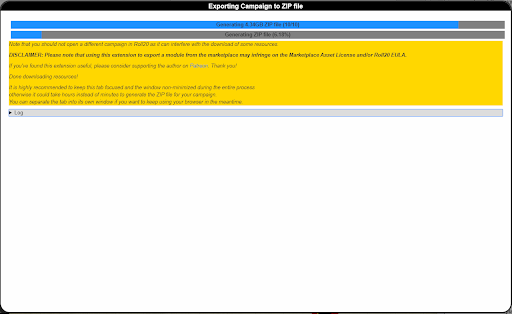
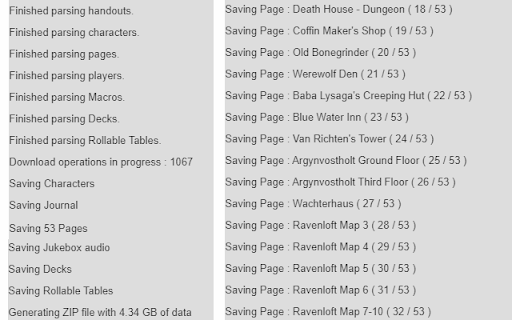
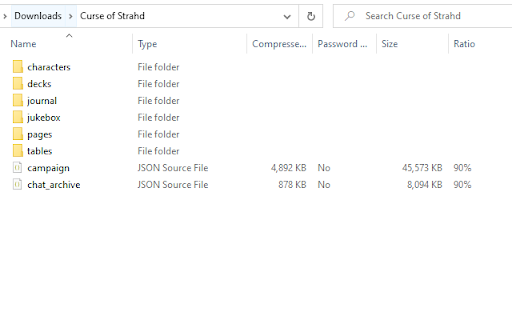
R20Exporter allows you to export a Roll 20 campaign and all of its assets into a ZIP file for backup/archiving purposes. To export your campaign go to the settings tab in the Roll20 page (the gear icon on the far right of the sidebar) and at the top you should see a button "Export Campaign to ZIP". Simply click on it, then wait until the ZIP file is generated and downloaded. While generating the ZIP file, do make sure you have the campaign tab focused in chrome (separate it in its own window if needed), otherwise the download speed of the zip will drop to very very slow transfer speeds since the javascript that generates the zip on the fly will be running as a low priority background process. The dialog that opens will show you the various steps the script is undertaking and you can click the Log button to see a more detailed log of what is happening. That dialog window will also prevent you from messing around with the campaign. It is best to let the script do its thing unhindered and to not open another campaign in another window. Once the export process is complete, that window will close on its own and the ZIP file will be downloaded automatically. To report any issues, please go to the GitHub issue tracker : https://github.com/kakaroto/R20Exporter/issues
R20Exporter screenshot 1R20Exporter screenshot 2R20Exporter screenshot 3

Reviews (2 cached)

★☆☆☆☆2022-07-28
Greg Huey

This just locks up in the middle of the ZIP archive creation - 100% of the time. One starts it going, it goes for a while, then just stops. One gets the little "Page Unresponsive: You can wait for it to become responsive or exit the page." window popping up. It has "Exit Page" and "Wait" buttons. One clicks "Wait", the window disappears, but reappears after a few minutes. This repeats in an infinite loop. Right now I have it sitting at "Saving Journal Handouts (5/10)" and "25 operations in progress", and has not changed in approx 30min. This extension is broken useless garbage.

★★☆☆☆2022-12-21
Mezzarius

So I can get to the creation of the ZIP file then it stops saying that it would exceed the application storage quota. WTH!?! so at first the zip file was gonna be 2.28 GB, the nI deleted some stuff and got it down to 1.78GB, then even down to 668MB, no go. Any help or just outdated?

Details

Version 0.11.0
Updated Oct 23, 2025
Size 1.32MiB
First Seen Mar 26, 2026