
Description


Reviews (28 cached)
It only works on wikipedia. nowhere else i've tried works... this would be really cool if it worked!
This does not work on Mac.
Doesnt work
Doesn't work
It's not working, if it worksfor anyone please help me, how can i use it_
Does not work on mac
I needed a fix, and this does nothing. Holding control, right clicks my cursor, so I can't highlight anything. Does not work.
I'm seeing that it will work the first round, and then my copy function gets impaired. I find my Multiple Selection extension much more reliable.
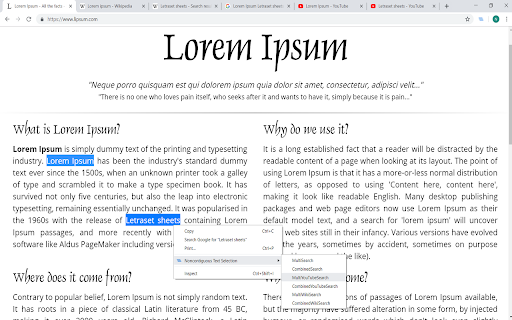
Doesn't work on Mac. In desperation I tried both holding ctrl and holding cmd. On a web page, I select some text in paragraph 1. I then go down to paragraph 2 and hold cmd while selecting text there. The first selection in paragraph 1 instantly is unselected. The functionality is exactly as if the extension weren't installed at all. Chrome version: 92.0.4515.107 (Official Build) (x86_64) I have my Mac set to use three-finger drag for text selection. I don't see how that could be the problem, but I thought I'd mention it for completeness. I am bitterly disappointed because I REALLY REALLY would love for this extension to work!
Doesn't work... can't select only parts of text...
not working :(
Doesn't work on Chrome.
Does not work on Chromium Version 76.0.3809.132 (Official Build) snap (64-bit) any website and after restarting browser and shift refreshing pages.
Works to select text, but breaks input boxes for no apparent reason. Had to uninstall.
Hope they fix it ! it does only work in few sites ....
As another review recently noted, this only works on selected websites. I was able to get it to work on Wikipedia, but I couldn't get it to work elsewhere, including PDFs opened in Chrome, the Chrome Web Store, or Google search results. On Wikipedia, it worked wonderfully, so if you were able to add that functionality across other sites, too, this would be a great extension. As it stands, it's not very useful.
So far as another reviewer points out it only works on Wiki. Does not work on PDF's so far. Does work on Google search landing pages. I wonder why & why they have not noticed/fixed this hole in the extension. . I've been trying extensions for quite a while looking for this functionality. Disappointing. Let me know when you fix it.
Do not allow me to use pasting into select boxes, unless I click and start type into it.
it is not working after the recent chrome update
Works ok but for some reason this extension will make the youtube search bar lose focus(searchbar becomes unwritable for 3 seconds, need to reclick on the searchbar again to begin typing) on reloading the page or entering the site. It took me some time to realize what extension was the culprit and this was it.
Stopped working
Not working in some websites.
Not working with sites built on frames (tag <iframe>).
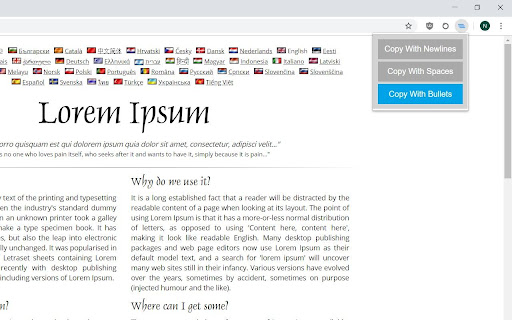
Copy with spaces does not work. I mean no paragraph structure stays. It removes all paragraph spaces. can you add copying with paragraph spaces. Thanks
Doesn't work to print the multiple selections with Control-P.
The idea is so great but it doesn't work for PDF files opened in browser and some sites. Hope this functionality will appear sometime
I enjoy the ctrl and ctrl lock addition that I can now use, however, if you lock it and highlight something you don't want to highlight, you can't unhighlight that specific area while keeping what you do want highlighted. Could a de-select option be added or is there a de-select extension known that could be used? Furthermore, I have noticed that you cannot drag-and-drop highlighted text from a webpage. Could this be fixed? Thank you in advance.
It was working on some other sites, but it's not on blogger.com. I always write an article using the blogger text editor. I tried this extension, but it's not working. Hopefully, you will support multiline text selection on blogger. Thanks.
Permissions (3)
Permissions
Details
| Version | 14 |
| Updated | Sep 5, 2023 |
| Size | 68.36KiB |
| First Seen | Mar 27, 2026 |
Popular in tools



Popular Extensions




