
Description

Reviews (39 cached)
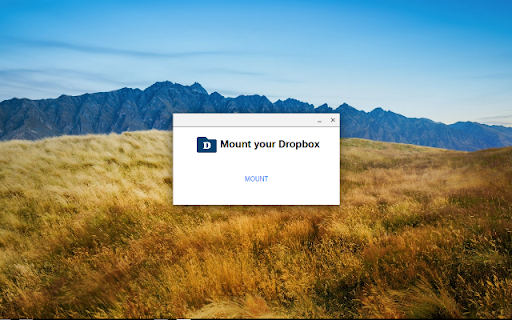
This has stopped working. I have a pixel slate. On trying to mount dropbox, the login box flashes up, then immediately disappears, with the message "Failed to mount. Authorization page could not be loaded." This happens no matter how many times I attempt to mount dropbox.
Wow, the app can't even start. It literally can't function on my chromebook. When I click "mount dropbox," literally the first action you can take after launching the app, I immediately get an error message. What a mess.
This literally doesn't work.
I have an Acer Chromebook R 13 and this app does not work. You cannot login.
Although it may work for some, this extension does not work for me on my Lenovo C340 Chromebook with updated apps and OS. I have tried the 'continuous click' method to get my Dropbox mounted but does not work. Hope this bug will be solved soon! Anyway, thanks to the developer to try to make this extension available for the users!
always says that "FAILED TO MOUNT, AUTHORIZATION PAGE COULD NOT BE LOADED" can someone fix this? Thank you
I'm sure it used to work, but now it just says it couldn't load the authorization page when I try to mount my DropBox.
It has yet to work. I keep getting error "Failed to mount: authorization page could not be loaded." The promised close integration of Dropbox was one of my main reasons for getting a chromebox in the first place.
Getting error "Failed to mount: authorization page could not be loaded." Used to work like a charm. Will come back and change my review if it ever starts working again.
Kept getting the Failure to mount error. Nothing I could do to get it working.
Getting error "Failed to mount: authorization page could not be loaded"
since last chrome os update (acer r11), will no longer stay connected. upon restart, i have to re-link my account every time. works fine after that, until i restart again, but it is incredibly annoying to have to log in every time now. makes this effectively useless.
Stopped working after Chrome update. Keep getting message asking if I want to abort. Files no longer seem to be syncing to my Dropbox account if I work on them using my ASUS C302 Chromebook.
Doesn't work at all with ASUS Flipbook. ChromeOS pops up constantly with a message that it's taking too long and asks if I want to abort.
App doesn't work with chromebook at all.
too slow.
icon doesnt open the app
This is junk. If you have a lot of files it takes a ton of time to see a list of them and accessing files ends up hanging things up. This is not useful. It is better to use the web interface for Dropbox and drag the files your using to downloads.
Tells you it's for chrome os after you click to install - waste of my time.
Doesn't work. Clicking the app's icon doesn't do anything. I never see the dialog to mount my Dropbox.
Used to work and was very nice- now wont mount :-(
This is great when it works. But I am constantly getting notifications that say "An operation is taking longer than expected. Do you want to abort it?" It has been like this for months. I have contacted the developer who didn't help. It's bad enough that Dropbox won't sync as a result of this, but no matter how many times I "abort" the operation the notification comes back an infinite number of times so it is always occupying part of my screen. I can't ever get rid of it unless I restart and then it eventually comes back.
Can't connect beyond the Sign In pop-up, though Dropbox recognises that my computer is accessing it.
Like it--- but like others-- I have to remount the dropbox multiple times a day! It almost makes it no better than logging into their web based file system. Please fix asap!
It drives me crazy!! allways popup saying it needs to be restarted and its just bad! chrombook hp 13.3 g1
shows dropbox in the file explorer but I cannot save files to dropbox using this app
Cannot download attachments from Gmail. Keep getting error message that download not successful. This is the main reason that I wanted to use the application. Other than that, it shows all file in dropbox and allows me to attach files from dropbox
This program intergrades dropbox not flawless in to the filesystem of chromeos. it keeps the files in the cloud. so no local(offline) storage of dropbox files. program would be even better if it could store selectables folders offline although that is not really the idea of chromeos. the flaw that if ound was that when using pixlr i werent able to open pictures from dropbox
Does not save the files offline like it does on Windows and Linux. Most of the time it's easier to just open the Dropbox website.
It says failed whenever I try to download an image. Waste of time.
I'm getting zillions of notifications saying error status = 0 on my Chromebook since I've added this to my local Files app. Solve this, many people complain about it.
This app never remembers my username and password after I restart my computer. It's ridiculous.
I found it worked great. I found it easy and very useful. It maximized the usability of dropbox on chromebook........then I upgraded to dropbox for business. and it now fails. It doesn't access business folders. Furthermore, it appears to be overly time consuming to get the attention of support.
I love this extension, but a new bug has made it much less useful. As the previous review mentions, a new chrome os update has hamstrung this extension-- now requires me to remount my dropbox almost every time i open my computer after an hour or so of inactivity. This is extremely frustrating and I hope the dev will update soon to fix this!
It's valuable for me reaching my Dropbox from the Chromebook file system. But, I would like the ability to share files and upload them (now they are just stored locally in my Dropbox folders). Also, there is a problem: A notification showing up in the lower right corner: A task (?) is taking longer than expected. Do you want to interrupt it? This notification box always shows as soon as I open this app.
It does the job, but every time my Chromebook wakes from sleep, I have about 6 notifications saying "File System for Dropbox Error: Status=0".
It's alright. When it works, it works well enough. When it doesn't work, it has notification diarrhoea. I hope this is being updated, or I hope Google or Dropbox are working on their own so it offers a more seemless integration.
For simply uploading and downloading to dropbox via the stock local files apps, it does the job...barely. What it doesn't do well at all is stream content. I tried to view a string of uploaded pictures and encountered a buggy/glitchy interface and the pictures loaded much too slowly especially compared to Google Drive's speeds.
How to remove the ongoing notifications when the Internet connexion is slow ? One time is enough. If I remove it, I do not want to see it again 10s after.
Permissions (7)
Permissions
Host Permissions
Details
| Version | 1.4.2 |
| Updated | Jan 9, 2020 |
| Size | 207KiB |
| First Seen | Apr 1, 2026 |
More by Yoichiro Tanaka



Popular Extensions




