Holmes icon

Holmes

by jesse

v3.4.0 Updated Oct 11, 2025 563KiB
CWS
10K
Users
★ 4.45
160 reviews
#4061
of 151.5K
tools
#733 of 47K

Description

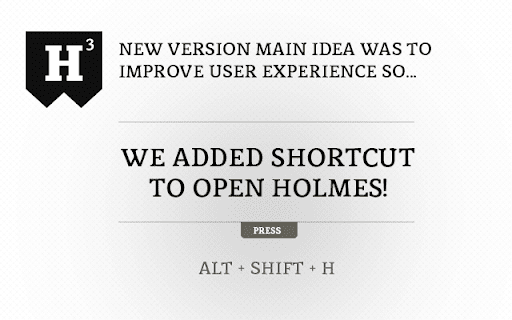
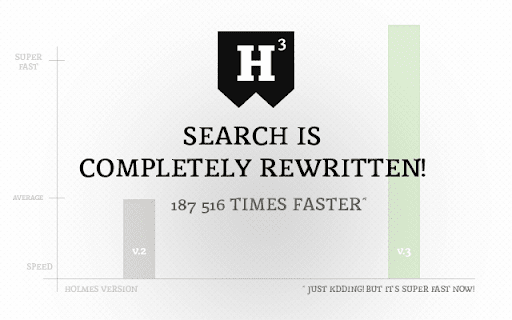
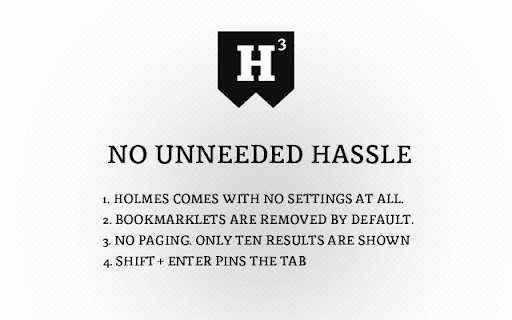
Got bunch of bookmarks in Chrome? Never find the bookmark you're looking for? Holmes is here to search for your bookmarks! Omnibox integration is back! You users missed Watson so bad so we thought to bring him back! And he is faster than ever! As always, you find him from url bar. Just type * and press tab and you're ready to search! Holmes also activates by keyboard shortcut! Press Alt+Shift+H and you're ready to go! You can always change the shortcut for your liking. Go to Chrome Menu > Tools > Extensions. Scroll down to bottom, press "Keyboard shortcuts" link and add custom shortcut to Holmes! ** NEW in version 3 ** * Completely rewritten search engine * Shortcut Alt+Shift+H added! * 10 results are shown * No settings * Bookmarklets are removed by default * Much cleaner, hassle free look ** Version info ** v.3.4 * Upgraded to manifest v3 v.3.3.0 * Holmes now autofocus input field by default v.3.2.1 * "NEW" label bug fixed v.3.2 * Fuzzy search implemented both Holmes and Watson - big thanks to krisk's Fuse library -> https://github.com/krisk/Fuse v.3.1.7 * Fixed omnibox bug when only one result opens bookmark in Google search * Fixed Holmes input autofocus v.3.1.6 * Holmes website link added to extension v.3.1.5 * Default shortcut wasn't working! Now it does! * Added guide to change default shortcut. See top of this text for more info. v.3.1.4 * When bookmark was added or removed Holmes didn't recognize the changes. Now fixed. v.3.1.3 * Minor bug tackled v.3.1 * Omnibox integration rewrited from ground up! v.3.0 * Completely rewritten search engine * Shortcut Alt+Shift+H added! * Only 10 results are shown * No settings * Bookmarklets are removed by default * No omnibox integration anymore * Much cleaner, hassle free look v.2.2.2 *Blog link removed from the start. v.2.2.1 *FIXED a bug from clicking bullet page navigation. Now it works properly. v.2.2 Welcome message changed. v.2.1.1 Compatibility update for the upcoming browser versions v.2.1 *NEW Showing info when Holmes is upgraded to higher version *NEW Logo updated...again :) * Minor UI changes. v.2.0 *NEW - Watson, the Omnibox search integration - Type asterisk(*) and press tab in url bar *NEW - Logo typography change v.1.2 * NEW - Added keyword "new:". * Smallest icon redesign * Minor fixes. v. 1.1 * NEW - Options added. Toggle from seach field right corner. * Remove bookmarklets from search (bookmarks that starts with 'javascript:'). * Save last state. Continue from last point. * UI improvements. Maven Pro from Google Fonts are loaded as main font. * Matched search string is higlighted in results as red. * History search is depracated. Chrome has so nice history search so this is not a needed feature. Let's focus on bookmarks! v.1.0.1 * Ctrl+D is deprecated. Preventing Windows users to create bookmark by pressing the combination. v.1.0 * Initial release
Holmes screenshot 1Holmes screenshot 2Holmes screenshot 3Holmes screenshot 4

Reviews (14 cached)

★☆☆☆☆2014-08-29
Steffan Chen

can not work

★★☆☆☆2018-08-14
Rebecca White

Not even close to being practical if your bookmarks are in the 10,000's

★★☆☆☆2016-08-06
Fabio Prado Lima (Fábio Prado Lima)

I loved that I could easily search for my bookmarks. I didn't enjoyed that the extension only brings 10 results max per search :(

★★☆☆☆2013-07-30
JoonYeob Kim

removal of omnibox intergramtion make me unconfortable for using Holmes. i want it back

★★☆☆☆2013-07-30
Mathieu Matheod

What to say ... before v3 it was a really good extension. Now it's ... hum ... less good :-(

★★☆☆☆2013-07-28
Tim Pulver

Before the last update Holmes was great. I am missing the omnibox integration. The shortcut does not work on Mac OS X 10.7.

★★★☆☆2021-05-17
תמיר נקר

Very nice extension, yet It has a big flaw. SEARCH IS LIMITED TO 10 RESULTS. To bypass that limitation I reccomand - HIVE extension. https://chrome.google.com/webstore/detail/hive-bookmarks/mgpaacedpjkjfnmjhbfiolffpmpdebdo

★★★☆☆2016-01-03
He Long

can not work on hign version 47+

★★★☆☆2014-04-18
Dominic Cheung

Would be nice to show a list of the favourite bookmarks on the pop up

★★★☆☆2014-03-22
Andrea Accalai (InternetSemplice-it)

*** Fast, BUT (#1) results very small (UI persp + my normal eyes) (#2) limited number of results (only 10). If the blackfish improve those points it can be very useful. Thanks anyway!

★★★☆☆2013-11-03
Morgan Shepherd

It is a nifty little tool that is almost there, but not quite for what I needed it do. I was hoping to be able to find 'all' the subjects I originally bookmarked quickly and easily with a single app, just like a regular search engine. I thought this was it, but the limit of only '10' per search out of my thousands of bookmarks rendered this app useless to me, as it only reached skin deep. I just have to uninstall and stick with the original "Bookmark Search", until I find something that does what I need it to do. Update: Neater Bookmarks does that, even though it is not as fast as Holmes, it just gives more results which is what I need. If Holmes can offer the option to show more than 10 or all results, then I would definitely switch back to this little app, as it is fast and smooth but limited.

★★★☆☆2013-08-28
Jon Smithers

This was fantastic. However, I have experienced a reduction in functionality on both windows and linux such that Holmes is no longer keyboard-friendly. The "*" omnibar shortcut does nothing with Holmes when you press Enter. It only works when you click the results. I've tried the Alt-Shift-H shortcut as a substitute, but even that seems fickle; it doesn't always work. (on a positive note, the new, cleaner look is very nice) I'm switching to "Bookmark Search"

★★★☆☆2013-07-26
Ven dethiel

Great extension, sadly the omnibox integration removal makes it far less useful now (and ctrl shift h doesn't seem to work) :(.

★★★☆☆2013-02-21
Nisatorn Kraitrakul

"*" omnibar shortcut does nothing...

Permissions (3)

Permissions

bookmarks Can read and modify your bookmarks favicon storage Can store data locally in your browser

Details

Version 3.4.0
Updated Oct 11, 2025
Size 563KiB
First Seen Mar 28, 2026


