
Description
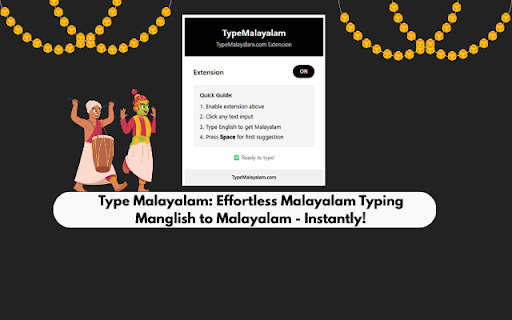
Transform your Malayalam typing experience with this powerful Chrome extension — Type മലയാളം effortlessly using English letters through intelligent transliteration, a virtual keyboard, and dual input modes designed for speed and accuracy.
Key Features
Experience seamless typing with Smart Transliteration that instantly converts words like malayalam into മലയാളം, powered by Google’s intelligent suggestion engine.
Use the Virtual Malayalam Keyboard for a full on-screen typing experience with clickable Malayalam characters, or switch to Physical Keyboard Mapping for direct English-to-Malayalam key input (for example, K → ക, A → ആ).
Enjoy Dual Input Modes that let you switch easily between click-to-type and physical keyboard usage. The extension is universally compatible, working smoothly on Gmail, Facebook, WhatsApp Web, Google Docs, and virtually all websites.
With Intelligent Suggestions, you get multiple Malayalam word options with quick numbered shortcuts, and Auto-Save ensures your content is never lost.
How to Use
Install the extension and enable Malayalam typing.
Click on any input field across the web and start typing in English — instant Malayalam suggestions appear as you type.
Press Space to select the first suggestion or use 1–5 keys to pick an alternative.
Toggle the Virtual Keyboard for on-screen typing, or switch to Physical Mode to type directly (for example, typing “K” will give you “ക”).
Perfect For
Ideal for writing Malayalam emails, social media posts, and online documents.
Perfect for students learning Malayalam script, content creators, and professionals working with Malayalam text.
A simple solution for anyone who wants to type Malayalam without complex keyboard layouts.
Installation Instructions
Get started instantly — download the extension from the Chrome Web Store, click “Add to Chrome,” pin the extension icon, and begin typing in മലയാളം right away.
Explore More
Visit TypeMalayalam.com
for more tools, including Malayalam converters, font utilities, and document processing solutions. Unlock advanced features like batch processing and document conversion for all your Malayalam content needs.

Reviews
Loading reviews...
Permissions (2)
Permissions
activeTabℹ Can access the current tab when you click the extension storageℹ Can store data locally in your browser
Details
| Version | 1.4.1 |
| Updated | Nov 11, 2025 |
| Size | 59.26KiB |
| First Seen | Mar 28, 2026 |
More by im404z

Popular in communication

Grammarly: AI Writing Assistant and Grammar Checker App
by Grammarly
42M
★ 4.50
communication
42M
★ 4.50
communication

Loom – Screen Recorder & Screen Capture
by Loom
8M
★ 4.58
communication
8M
★ 4.58
communication

QuillBot: AI Writing and Grammar Checker Tool
by quillbot
5M
★ 4.69
communication
5M
★ 4.69
communication

DeepL: translate and write with AI
by team-browser-extensions
4M
★ 4.73
communication
4M
★ 4.73
communication

Fathom AI Note Taker for Google Meet
by Fathom
400K
★ 4.95
communication
400K
★ 4.95
communication
Popular Extensions

Adobe Acrobat: PDF edit, convert, sign tools
by Adobe Inc.
331M
★ 4.40
workflow
331M
★ 4.40
workflow
Grammarly: AI Writing Assistant and Grammar Checker App
by Grammarly
42M
★ 4.50
communication
42M
★ 4.50
communication

Chrome Remote Desktop
by Chrome Remote Desktop Release Managers
38M
★ 3.14
workflow
38M
★ 3.14
workflow

Microsoft Single Sign On
by Microsoft
36M
★ 2.27
workflow
36M
★ 2.27
workflow

Cisco Webex Extension
by cisco.chromestore
23M
★ 2.34
social
23M
★ 2.34
social