
Vertical Tabs in Side Panel
Description


Reviews (23 cached)
First line on top of the browser should be the address bar not all the tabs. I don't want a shortcut to horizontal tabs. Seems that Firefox is way ahead of Chrome.
Button does nothing
Why does it regularly UNPIN my pinned tabs?! 🤬 I'm very angry on it
Wastes about 2.5X more space than necessary = typical 'touch screen smart phone interface for tapping with your big toe' nonsense. Who makes a 'tabs list' with 'wide view' option & single spacing? Mail an answer to me at 'balkanguy (at) live (dot) com'.
Takes up 1/3 of my screen! Handle does not move the sidebar smalled/bigger
PLEASE DISABLE DOUBLE CLICK TO CLOSE TAB!!!!!!!
This is a good plugin but the double click to close functionality is the worst idea. Please fix and release a new version where it is disabled by default.
The sidebar is too wide for smaller screens, it needs a lower minimum size (or none as all).
Why on earth would you include an animation for opening the side-bar and not make it optional? My browser window starts shaking when I open this; I really don't know why everyone loves making their life harder...
very handy tool to keep hundreds of tabs in one window and manage them on the side in separate groups, its a nice workflow problem is , it closes a tab if double clicked on it , which is very frustrating . !! also , after a week use, noticed chrome doenst put any tabs to unused anymore, I suspect this extension has somethign to do with it !!! I wish it had a feature to put all the tabs outside of group to a new group , would make the experience even better
beautiful and useful but it takes 1/4 of the screen because the column cannot be more narrow. i dont understand why the programmer didn't allow to make it narrow, like you can do in Edge. Just because of this it is not really useful on my screen (24 inch).
Everything is good, but the fatal problem is that Chrome's vertical tabs still can't be resized. Edge and Brave officially allow to resize vertical tabs, but Chrome doesn't allow any vertical tab extensions to resize them. Is this because of Chrome's own policy? It's quite fatal for users with small monitor screens.
Can't have any keybind I want
The tabs and tab groups at the top of the browser are still visible. So now they are visible both at the top and and at the side. How do I get rid of the copies at the top?
Still shows tabs across the top, so all it does is waste more space. If the browser can't actually implement the features, then what is the point of this extension?
it would be super clean if we could use less width for the side bar, it took too much space of the screen.
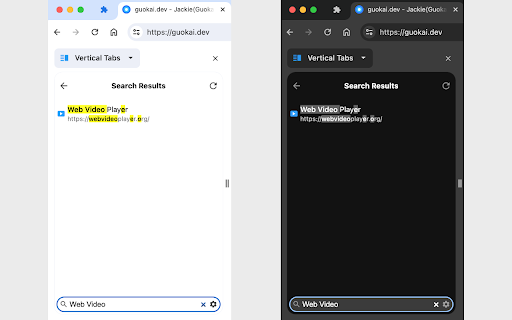
Okay. Not so many features. Also when searching tabs it doesn't maintain the actual order of tabs in the search results.
Pros: * It works. I can see the tab title which is great when I have many tabs open. * I can adjust the width, allowing me to see the full tab title. Cons: * It doesn't show /closed/ tab groups, only those on the standard horizontal tab bar. * Speaking of the standard tab bar I have no idea how to hide it so I'm essentially seeing the same tabs twice.
When I move tab between groups the scrolling position of sidepanel "jumps" up. No "Move tab to group..." selector menu item.
A very professional looking vertical tab manager. But the default width is fixed and it far to wide for me. Needs an option to let the the user control the width to a smaller size of their choice. PS - Shame on Google for leaving out a critical component all the other browsers offer.
giving 3 stars, it would have been great if the side panel could be adjusted according to need, where as it is having minimum fixed width
This is useful except the UI needs some margin everywhere, as it is now it cuts the eyes in half. (using dark theme) I would really prefer if this followed the same look and feel of the other built-in side panels. Thanks.
Does not seem to work with Groups.......expanding, contracting or clicking tab address in Group to switch to that tab.
Permissions (5)
Permissions
Details
| Version | 1.0.7 |
| Updated | Feb 23, 2026 |
| Size | 39.08KiB |
| First Seen | Mar 27, 2026 |
More by Jackie(Guokai) Han




Popular in functionality




Popular Extensions


