
Description
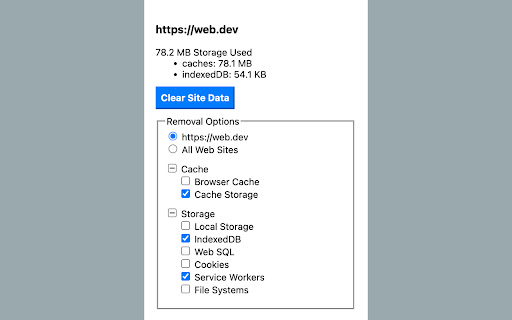
Reviews (5 cached)
Doesn't work. I am still logged into site.
Please add a “White” and “Black” list feature to your extension so that sites and domains can be added. For example: *.google.com or /(^|.)google\.com/
Outdated. This extension has not been updated since August 2022, which is more than a year ago. Most of its features are already integrated into Chrome natively. It is important to note that this extension has the potential to cause disruptions. For example, I have specified certain websites where I do not wish to view media such as images. Despite blocking these through my website permissions, this extension overrides those settings. In conclusion, it's my opinion that this extension does not provide any significant value and is not worth the effort to install.
The only advantage this has over the native Chrome site data cleaner is the ability to set exclusions. But there are no good instructions for how to do it. That's why only two stars. I see Exclude Origin. But what does that mean? Do you separate items with a comma or what? I don't have time to mess with this when there's another similar extension that makes it very easy.
I see this extension no better than CCleaner. In fact, it's quite limited. Most of the features of this extension are within your Chrome Settings: chrome://settings/clearBrowserData I still have issues with many sites being broken after disabling all my extensions like anti-fingerprinting and adblocks. This is why I have a vanilla Chrome portable browser that I use in these situations. Otherwise, only a fresh install of Chrome will work with the sites which are inaccessible due to extension residue.
Permissions (4)
Permissions
Details
| Version | 0.0.9 |
| Updated | Aug 23, 2022 |
| Size | 11.13KiB |
| First Seen | Mar 27, 2026 |
More by Jackie(Guokai) Han





Popular in developer





Popular Extensions


