
✅Recently updated
Description
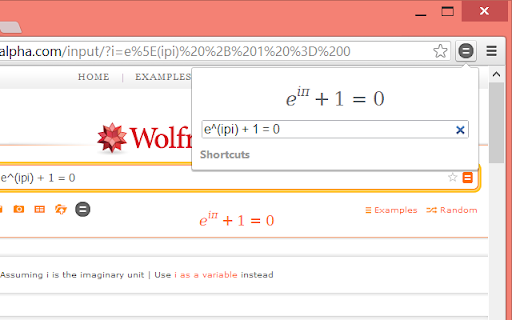
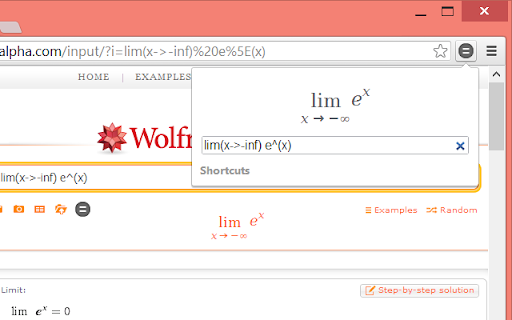
This is a fast equation editor/viewer that allows you to type equations quickly using helpful shortcuts and see them as you do. No more do you have to worry about missing a bracket or mistyping your equation with the real-time preview. You can then search for the equation on WolframAlpha to solve it or see more information. You can also copy or save the equation as an image by right-clicking it, or by dragging in sites such as Google Docs.
You can use the extension directly on the WolframAlpha website by clicking the Quick Equations icon on the page.
To access extension options, right-click the extension button and select "Options".
You can use Quick Equations on any WeBWorK site by enabling that feature in the extension options.
The extension also supports Google Forms and that can be enabled in the options. To add an equation as part of a question, click the image button in Google Forms and then drag the equation from the extension popup to the drop area. You can also preview equations while answering questions or viewing responses by clicking the Quick Equations icon next to them.


Reviews (1 cached)
★★★☆☆2026-03-10
Graham Cale
As a Math teacher, absolutely, previously, one of my favourite extensions. Using this extension to include equations in Google Slides was a dream. There was a recent update that now has the extension (and it's output) following the theme rules (dark/light) which I desperately wish to turn off. Also, this most recent update reduced the image quality to an unusable degree. I've started looking for alternatives.
Permissions (2)
Permissions
scriptingℹ Can inject scripts into web pages storageℹ Can store data locally in your browser
Details
| Version | 1.7.1 |
| Updated | Mar 13, 2026 |
| Size | 70.02KiB |
| First Seen | Apr 1, 2026 |
More by mohd.akram


Popular in education

Google Translate
by google-translate-chrome-extension-owners
38M
★ 4.24
education
38M
★ 4.24
education

Kami for Google Chrome™
by Kami
19M
★ 4.56
education
19M
★ 4.56
education

EndNote Click
by EndNote Click
5M
★ 4.06
education
5M
★ 4.06
education

Equatio - Math made digital
by Texthelp
5M
★ 3.89
education
5M
★ 3.89
education

Promethean® Screen Share
by classflow
4M
★ 2.98
education
4M
★ 2.98
education
Popular Extensions

Adobe Acrobat: PDF edit, convert, sign tools
by Adobe Inc.
331M
★ 4.40
workflow
331M
★ 4.40
workflow

AdBlock — block ads across the web
by AdBlock
63M
★ 4.48
workflow
63M
★ 4.48
workflow

迅雷下载支持
by Shenzhen Xunlei Network Technology Co., Ltd.
59M
★ 2.77
workflow
59M
★ 2.77
workflow

Grammarly: AI Writing Assistant and Grammar Checker App
by Grammarly
42M
★ 4.50
communication
42M
★ 4.50
communication

Adblock Plus - free ad blocker
by eyeo GmbH
41M
★ 4.39
workflow
41M
★ 4.39
workflow