
Description


Reviews (54 cached)
The extension doesn't save the change for each site, so you have to change the size every time. Also, why would you EVER split 1 extension about font sizes into a font size increase and a font size decrease? They should be 1 extension.
There's no way to decrease the size after increasing it. You need a different extension to decrease the size.
Barely works. Absolutely sucks. Please remove this extension from the store.
didn't do one thing
Only makes fonts larger, if you go too far there's no way to go back, you have to keep enlarging endlessly. Only enlarges certain parts of page if any. Not good.
its doesn't increase font size on Facebook chat!
Doesn't work well.
Almost always fails to enlarge the font most needed to enlarge. Could probably be improved with better coding, but is a waste of space as of Oct-8-2016
Only worked on a few sites and no way to reverse it.
doesnt work at all
Does not change the font size of all text in a web page
It enlarged the text for the Ads but not the text I wanted to read! Good grief!
Only works on some Web pages
worked on only 10% of text on any page
Only adjusts text size in a limited part of the screen--usually a useless header. This extension is useless
It does NOT work on my installed Google Chrome browser. Does almost nothing. Removed it. One Star for trying
Only changes the font-size of the <body>. Only children elements that inherit font-size or have font-sizes set in em will be changed. Therefore, doesn't work well with elements that have font-size set in px or rem. Cannot recommend this for web users or developers.
Using an iMac with Yosemite and Chrome (since Apple has totally ruined Safari). Need text enlarged sometimes, but this app only enlarges some text on a page, not all of it proportionally (that's about the only thing on Safari that still works correctly). Big mess with giant text overlapping other text that never changed size. Apparently it works for some, so try it, but no luck for me.
Doesn't save your settings, cannot decrease font size, and doesn't work well with HTML5
Doesn't change anything
I use the latest chrome on Windows 7. Iv read other users reviews and found bout 1/2 & 1/2 on the issue of whether or not it works. WHY doesn't work @ ALL for ANY website @ ANY time for me? It does nothing. Iv been to the support page & it tells me to DISABLE ALL OTHER EXTENSIONS then try it to see if it works! Now why should I have to do that to get a simple app to work? Ridiculous. I'm disabling/Uninstalling and DONE w/this review. Made me so mad I actually DID a review! SHEESH!!
Doesn't work. Nothing happens when I click the toolbar button.
Not working in some wordpress sites :(
doesn't work!
No keyboard shortcuts No reset zoom No zoom out Only works on some texts
not working!!
doesn't work on some sites, and horribly broken on others
Only work in first paragraph or doesn't work at all. This ext. is a joke.
Absolutely useless. Haven't found a page that this actually works on.
The only text on a page that was effected by it was the title, the rest of the page stayed the same, great idea though, but just doesn't work as described
It's just a zoom button - does full page zoom, including images... so pretty much useless. :(
Dosen't work
Too many parts of webpages or whole webpages that don't respond to this extension. I'm going back to A+ Font Size Changer Lite.
Doesn't work on all sites. Example: https://code.blender.org
it pushes the page content together so I can not read it at times the box I need to check is mixed up with others and I cannot get to where I need to.
Didn't worked on first trial... Ubuntu 14.04, Chromium.
Doesn't always work, & I haven't figured out why it does sometimes and doesn't others.
I'm not sure about this "font size increase" This extension caused my anti-Virus malware and spyware alarm to go off.
This extension barely works. On several pages it either does nothing or just increases the spaces between lines of text, not the text itself.
It's not good, it doesn't have any settings for increasing or decreasing font size of a website, just increasing font size
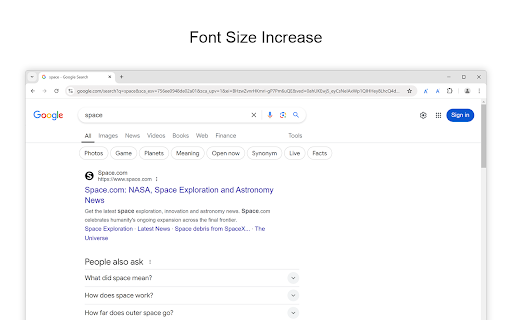
Doesn't work. Try it on a simple google search
does not increase font on websites. Useless app for surfing websites at least.
works incorrect
Didn't work for me on the site I added it for.
Doesn't work :( What a pity.
now i need to search how to decrease font size........................... if you go too crasy(i accidentally did it as it was my first time and im just figuring out how to use) it cannot be reverse. I cant even see properly on my screen now..
Far from perfect but it often helps with some aspects of the screen.
I was under the impression it would increase the font type ... I wear glasses and i need a magnifier to see this little type....
i do like it, but it would be great if it was improved with more options & flexibilities. thank u
First page I tried it on, it performed as advertised, but only on the words on the left and right margins. The words to the actual article, in the center, remained too small to read. Pity. I ended up using Magic Reader, which is better for my aging eyes.
Permissions (4)
Permissions
Details
| Version | 1.1.3 |
| Updated | Dec 4, 2025 |
| Size | 345KiB |
| First Seen | Mar 24, 2026 |
More by Stefan vd





Popular in functionality




Popular Extensions




