
Description

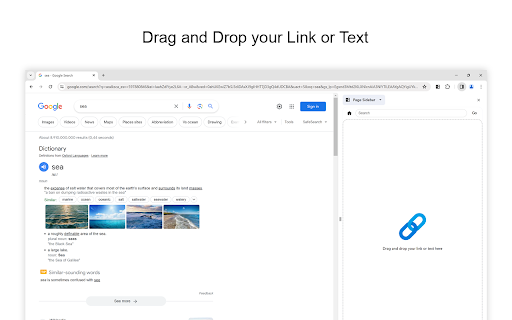
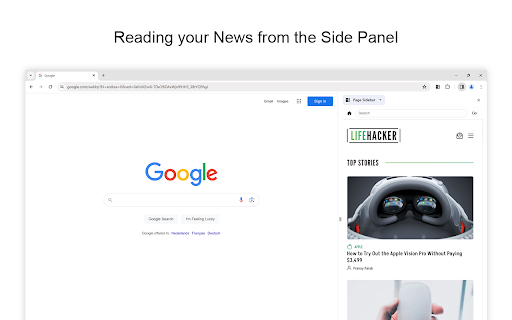
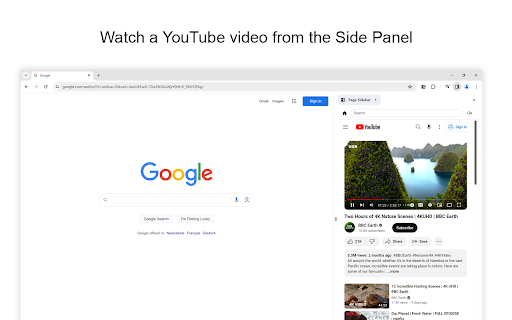
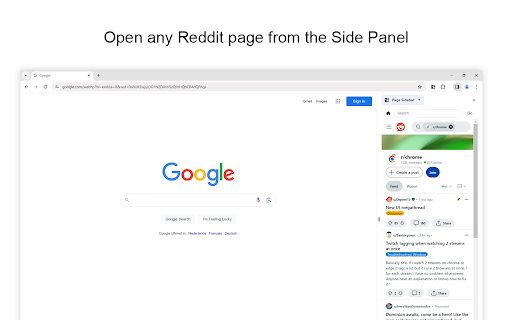
Reviews (12 cached)
Why must I 'Allow on All Websites'? I just want to enable it on a few websites. But when I went to the Chrome Extensions and set Page Sidebar to only work on 'Specific Websites' and then added i.e. https://justnotepad.com, anytime I open up the Page Sidebar it tells me "Allow the host permission to show any website here in the sidebar." I would feel safer if I could limit the extension to specific websites, and I just don't understand why that isn't an option. I even went to Page Sidebar Options and set the start page and homepage to https://justnotepad.com and that still didn't work. I don't know what 'Content Security Policy' is, but disabling that did not help either.
Doesn't work. The instructions are not relevant to the extension. Don't bother with this.
this is a scam. fake extension. All the websites I need, one of them is Google Keep, are only showing this message: 403. That’s an error. We're sorry, but you do not have access to this page. That’s all we know. and most of of the website i need
Great idea... but no website I try load actually opens? The home button does not take you anywhere , search does not yeild any results. cant open google calendar in the side panel cant open web.whatsapp in the sidepanel?
This extension effectively disables CSP enforcing on websites. Why is that?
why this doesn't work with https://translate.google.com.br/
Could be useful, although the fact it doesn't integrate at all with my browser theme (for some reason) it makes it difficult to justify keeping it around.
It would be nice if this extension can open local file or viewing html from visual studio code live server.
Amazing plugin but something with the cookies seems to be wrong. I am in the European Union and each time I load a website (for example Perplexity, Claude, ChatGPT etc.) I get this annoying cookie banner where I allow all cookies but when I reload it pops up again. This is especially weird as I am logged in to the sites and I remain logged in.. Could you please check if you can fix something about the cookies? I tried other Sidebar plugins (which I didn't like as much) where this issue doesn't exist. I happily adjust my rating to 5 stars after that is fixed. Thank you and appreciate.
It doesn't allow for any search engine or even the browser's default search engine. It just allows the ones listed in the extension, which is a disappointment. I wanted to use it to pin my webmail (Fastmail) into a sidebar, but when the website tries to load inside the sidebar, it says "the website refused connection". It has a bookmark view, but I think the bookmark view looks bad. Otherwise, it works well enough.
Works fine, only if there was a way to save the urls for easy access, right now have to copy every url, everytime
Could be 5-stars if they can fix it to where it doesn't hide when you click onto another page... basically, if it were more like Vivaldi's Web Panels. Also, I have to de-activate it and then re-activate just so that it will show up again. I also couldn't figure out how to save sites. I don't think it does. But it's still early in development, so if they get that fixed, then it will probably be one of my favorite extensions and a 5-star if it was also open-source ... Sadly, due to all of the malicious extensions, I am limiting myself to only using open-source extensions on sites like GitHub. Technically, they are all open-source... meaning that you could easily review the code. But then one day they sneak in a malicious update that you can't review until it is updated on your system. Let me know if you would like any help. Do you have a GitHub? I love the idea... It's one of the 3 major reasons that I use Vivaldi over all other browsers.. 1. Web Panels / 2. Tile Tabs into one single tab view / 3. Much more customizable
Permissions (5)
Permissions
Details
| Version | 1.2.22 |
| Updated | Nov 17, 2025 |
| Size | 369KiB |
| First Seen | Mar 24, 2026 |
More by Stefan vd




Popular in functionality




Popular Extensions




