
⚠️Not updated in over a year
Description
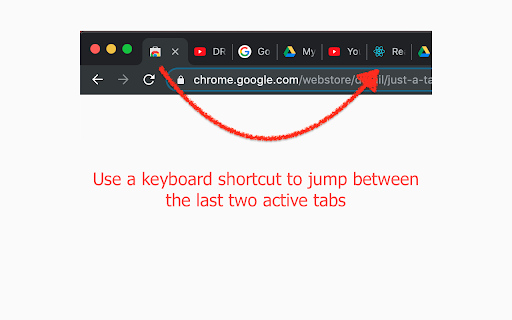
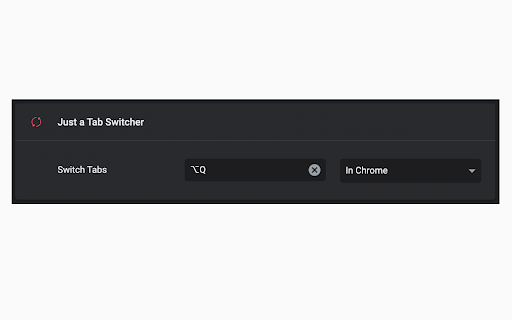
Easily switches between the last two active tabs using the "Alt + Q" keyboard shortcut ("Option + Q" on macOS).
If you wish, the keyboard shortcut can always be changed by going to Chrome > Extensions > Keyboard shortcuts.
The idea behind this plugin is to replicate the "Alt + Tab" shortcut for jumping between browser tabs.
100% safe and private. No tracking and no permissions required to run. Also, completely free.
Once you try it out, this will become your most used shortcut in the system.
---
Free plugin icon used from https://icons8.com
Reviews
Loading reviews...
Permissions (1)
Permissions
storageℹ Can store data locally in your browser
Details
| Version | 1.3.1 |
| Updated | Aug 11, 2024 |
| Size | 34.53KiB |
| First Seen | Mar 27, 2026 |
More by Smukov doo


Popular in workflow

Adobe Acrobat: PDF edit, convert, sign tools
by Adobe Inc.
331M
★ 4.40
workflow
331M
★ 4.40
workflow

AdBlock — block ads across the web
by AdBlock
63M
★ 4.48
workflow
63M
★ 4.48
workflow

迅雷下载支持
by Shenzhen Xunlei Network Technology Co., Ltd.
59M
★ 2.77
workflow
59M
★ 2.77
workflow

Adblock Plus - free ad blocker
by eyeo GmbH
41M
★ 4.39
workflow
41M
★ 4.39
workflow

Chrome Remote Desktop
by Chrome Remote Desktop Release Managers
38M
★ 3.14
workflow
38M
★ 3.14
workflow
Popular Extensions
Adobe Acrobat: PDF edit, convert, sign tools
by Adobe Inc.
331M
★ 4.40
workflow
331M
★ 4.40
workflow
AdBlock — block ads across the web
by AdBlock
63M
★ 4.48
workflow
63M
★ 4.48
workflow
迅雷下载支持
by Shenzhen Xunlei Network Technology Co., Ltd.
59M
★ 2.77
workflow
59M
★ 2.77
workflow

Grammarly: AI Writing Assistant and Grammar Checker App
by Grammarly
42M
★ 4.50
communication
42M
★ 4.50
communication
Adblock Plus - free ad blocker
by eyeo GmbH
41M
★ 4.39
workflow
41M
★ 4.39
workflow