
Description



Reviews (13 cached)
Chatgpt doesn't work right if this extension is on. I cannot click on my profile icon. Abd yes, i checked all my extensions one by one and this was the one to blame. Without it ChatGPT works just fine
This is not an Inbox extension, despite its title. It filters by "received" email which it defines as all messages except in sent and few other filters as follows: -(in:sent) -(IS:SOCIAL) -(IS:PROMOTIONS) -(IS:UPDATES) -(IS:FORUMS) So when I click on the filter, I get 100 of Many messages, of which only a handful are in my inbox. The rest are a bunch of messages received that I auto filtered or archived manually...messages I don't need to see again. I need to manage my inbox which this extension does not do. The extension is implemented outside of the standard labeling system so you can't modify their filters. This deceptively named extension is really rather useless since it doesn't limit it's interaction to the Inbox nor does it make it possible to fine tune their settings. Nice idea, terrible implementation.
Doesn't work at all. I've tried installing and uninstalling the extension many times now. But nothing happens except for refreshing the gmail page. No new label is created as per the description. Frustrated to not find any extension that can sort my inbox according to sender
I used to really like this company and it's extensions. The last 3 weeks I have been having challenges with CloudHQ extensions not working when my ExpressVPN is running. None of the Gmail extensions work for me. I sent in a support email with images... Never heard back, at all... There popup suggested I turnoff my VPN... Yeah, for a extension... I removed all CloudHQ extensions...
It doesn't index anything. Even if you remove the extension, the folders on the left bar on gmail remain. I have tried several times to add and delete the extension.
Doesn't work. Tried everything on the troubleshooting page and still can't sort.
Doesn't work, every time I click a sort filter button, I just keep getting spammed with the promotional video on how this plugin works, even if I click the "don't show this for this account" check box.
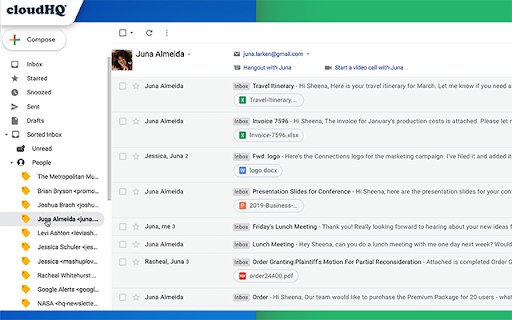
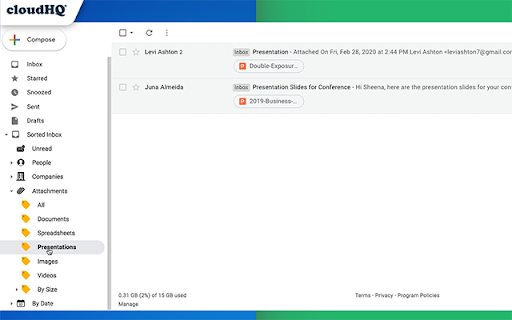
This is a misrepresentation on so many levels. If you're looking for a solution to clean out a bulk of old emails, this isn't it. 1. It FILTERS your inbox. It does not sort. You have to pick what group of emails you want to look at. Sort would mean you see ALL categories. 2. The video says it 'sorts' by people, but the current label is contacts. Therefore you don't see email groups from ALL the people who have emailed you. 3. It 'sorts' by company, but they must have a strict definition of company because I'm pretty sure I have emails from more than 45 companies. More than half of the list has less than 10 emails each.
Worked well...now it is not, receive no support if not paying. Only the dates are working now. I used to use a lot more of their extensions (cloudhq) but as time passes they're not working well or slow my mail down, and despite reaching out multiple times on many extensions, no help given. I suspect to receive any I will need to pay - which I understand, but don't say you support us if we don't pay.
It looks useful however it doesn't do what it says on the tin, sort the inbox. From their old youtube video it appears that once upon a time in the distant past it did do that.
Wasn't what I was looking, maybe if they add sort emails by sender I'll re-install.
If your gmail inbox is used for a single gmail address, you may find this app useful, i didn't test it far enough to know for sure how good it is. But if your gmail is used as a mail client for multiple email accounts, this isn't going to be the answer to your inbox organisation. My inbox receives mail from a dozen or more work etc accounts, only a small percentage is addressed directly to the holding gmail address. The result is that when i sort by company (domain name) for example, the extension will sort the 5% of my inbox that was sent directly to its main account correctly, but the remaining 95% are shown to have been received by 'gmail'. Obs this makes the whole exercise pointless. There may be a way to overcome this, but that leads to the second problem, pricing for support. I love what cloudhq try to do, but i find their pricing just bonkers, support is only available for paid versions, and if you added up the cost of the tools you might find useful, though many of them probably only once or twice a year, you'd be into the thousands of euros every year. And every tool is a separate extension, and there is no doubt in my mind that cloud hq have a real slowdown effect on your inbox. A single gmail suite of tools with a reasonable price that didn't bring my inbox to a grinding halt and i'd probably go for it. As it is i'll be spending another half hour extricating myself from its many tentacles.
I like this add on but it isn't quite functioning all the way yet. Hopefully, some fixes are in store?!? In my Contacts sections, (Sent, Received, and All Mail) it doesn't show all the way through the alphabet. One gets to O, another gets to T, the third gets to K. Also, there is no way to remove a contact. This is great if I want to find someone in the first half or third of the alphabet. What if I need Zane or Williams? It would also be nice to be able to remove multiple names at a time. When you have more than 10 to 15 of something, clicking each one is ultra time consuming. Another feature request would be when removing an email address, have the option to not track it again.
Permissions (3)
Permissions
Details
| Version | 1.0.2.8 |
| Updated | Nov 29, 2025 |
| Size | 764KiB |
| First Seen | Mar 24, 2026 |
More by cloudHQ





Popular in communication




Popular Extensions




