
Description
Flonnect Capture Chrome simplifies the creation and sharing of step-by-step guides and process documentation. Now users do not need to create lengthy tutorials and cumbersome explanations. With Flonnect Capture, you can streamline your workflows and empower your team to excel.
How to Use?
>> Install: Install the Flonnect Capture Chrome extension
>> Start Recording: Click on the Flonnect Capture icon to begin recording your process. It captures every step you take, including clicks and actions.
>> Annotate and Explain: Add comments, highlights, and annotations to specific steps to provide clarity and context.
>> Generate Guide: Once you've completed the process, Flonnect Capture automatically generates a comprehensive guide with images and instructions.
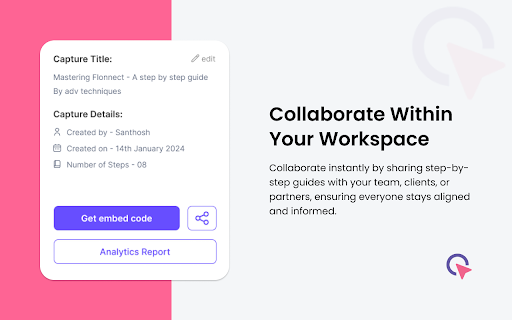
>> Share and Collaborate: Share the guide instantly with your team, clients, or collaborators. You can also embed it in your documentation.
Key Features and Benefits
>> Effortless Recording: Capture processes in real time with just a few clicks, eliminating the need for manual documentation.
>> Annotations: Enhance guides with annotations, ensuring your audience understands each step clearly.
>> Instant Sharing: Share guides instantly with colleagues, clients, and partners, fostering seamless collaboration.
>> Time Efficiency: Save valuable time by creating guides up to 15 times faster than traditional methods.
>> Clarity and Precision: Ensure accuracy and consistency by visually showcasing each step of the process.
>> Integration: Flonnect Capture works seamlessly with tools like Share point, Notion, and Confluence, enhancing your existing workflow.
>> Customization: Edit, rearrange, and refine guides to match your specific requirements.
>> Accessibility: Empower your team with on demand access to guides, reducing the need for repeated explanations.
>> Multi Format Export: Export guides as PDFs, HTML, or Markdown for versatile sharing and integration.
>> Enhanced Productivity: Boost team productivity by up to 25% with easy to follow guides and reduced learning curves.
V 2.0.2
>> UI/UX improvement
V 2.0.0
>> HTML Capture/ Demo mode added
V 1.3.0
>> UI/UX overhaul
V 1.2.0
>> Bug fixes/performance improvement
V 1.1.0
>> Integrated with flonnect dashboard
V 1.0.2
>> cursor change reverted
V 1.0.1
>> Bug fixes




Reviews (1 cached)
★☆☆☆☆2024-04-23
Oliver Broßette
Never. recorded content is uploaded to the Flonnect server and available publicly, for anyone, anytime. Read the data privacy.
Permissions (3)
Permissions
scriptingℹ Can inject scripts into web pages sidePanel storageℹ Can store data locally in your browser
Details
| Version | 2.2.4 |
| Updated | Jan 5, 2026 |
| Size | 653KiB |
| First Seen | Apr 1, 2026 |
More by Flonnect



Popular in workflow

Adobe Acrobat: PDF edit, convert, sign tools
by Adobe Inc.
331M
★ 4.40
workflow
331M
★ 4.40
workflow

AdBlock — block ads across the web
by AdBlock
63M
★ 4.48
workflow
63M
★ 4.48
workflow

迅雷下载支持
by Shenzhen Xunlei Network Technology Co., Ltd.
59M
★ 2.77
workflow
59M
★ 2.77
workflow

Adblock Plus - free ad blocker
by eyeo GmbH
41M
★ 4.39
workflow
41M
★ 4.39
workflow

Chrome Remote Desktop
by Chrome Remote Desktop Release Managers
38M
★ 3.14
workflow
38M
★ 3.14
workflow
Popular Extensions
Adobe Acrobat: PDF edit, convert, sign tools
by Adobe Inc.
331M
★ 4.40
workflow
331M
★ 4.40
workflow
AdBlock — block ads across the web
by AdBlock
63M
★ 4.48
workflow
63M
★ 4.48
workflow
迅雷下载支持
by Shenzhen Xunlei Network Technology Co., Ltd.
59M
★ 2.77
workflow
59M
★ 2.77
workflow

Grammarly: AI Writing Assistant and Grammar Checker App
by Grammarly
42M
★ 4.50
communication
42M
★ 4.50
communication
Adblock Plus - free ad blocker
by eyeo GmbH
41M
★ 4.39
workflow
41M
★ 4.39
workflow