
Description


Reviews (78 cached)
Does not do anything. This is false advertising.
Useless extension. Just press F11...
what is the point of this Extension? you literally can press F11 on your keyboard and it will fullscreen
This extension is the equivalent of pressing F11 This does NOT fullscreen video being played how "Fullscreen Anything" did
just press f11
useless you can just press f11
Maybe I'm mistaken about the purpose of this extension, but it appears to be non functional. Google needs to add an easy way to report junk extensions like this, but probably won't, since it swells the number of extensions available, which probably pleases the marketeerng department more than the idea of a big broom sweeping away the cruft to make their browser easier to use.
For my purposes, I need the "Auto Full Screen" feature to maximize the video to my screen not maximize it within the browser window. There isn't a setting for that. You can only set the fullscreen behavior for when you click on the full screen button manually. This seems like something that should have been easy to implement.
This is literally just F11??? What's the point of this?
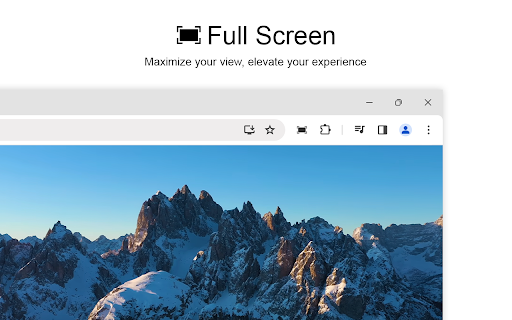
It just puts your screen on full mode the same as if you pressed F11 on your keyboard, no screenshot tools or anything.
Edit: not work in my android opera or android chrome . Dev must test on áll device . Project alive or is dead ?
DOES NOT WORK ON MOBILE OR YANDEX AND CHROMIUM BROWSERS...
Doesn't work properly on Opera GX - stuck in fullscreen. I suggest to avoid if on that browser
The only function that works is that it will full screen your web browser. The main feature I installed this extension for was the "AUTO FULLSCREEN" of video options, of which this feature does not work sadly.
all it does is press the f11 key for you?
I really want to like this extension, however, its malfunction is rendering that impossible. I've spent a good amount of time trying to figure out why the extension resizes (minimizes) my window before and sometimes after going full screen. The adjustment creates a need for an additional step taken before the window is positioned in full screen mode, thus making the one-click method inapplicable. Does anyone have any thoughts on why the screen minimizes priors to expansion and after exiting full screen? In addition to the extension minimizing upon exit, the Auto full screen feature has too failed. The extension needs to be re-examined it is infested with bugs.
LITERAL HOT GARBAGE.
Totally misleading. This doesn't provide anything extra to the user experience. The app instantly demands access to all your site data even though it should default to just when clicked. I was looking for something that would full screen a video within a snapped chrome page. This doe not do that. This just full screens your video same as clicking full screen on it would anyway. DO NOT DOWNLOAD.
Chrome already lets you make it fullscreen XD haha
This is literally pointless. Does nothing that you can already do. Again, LITERALLY DOES NOTHING NOOOOOOOOTHING THAT YOU CAN ALREADY DO.
left my full screen, no able to find taskbar ot desktop. jjunk software, ull scree doe NO mean forever full. press Fsounds about right.... stay away, unless youknow how to work around your desktop being inaccessible...
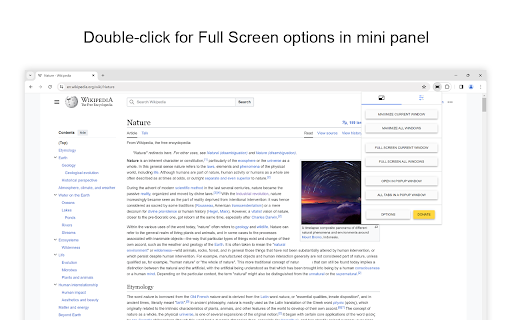
This used to work great, but now it just maximizes the screen like F11. To the Developer: Instead of replying with useless general replies about how we can get help on your poorly designed website, just reply to this review with clear instructions on how to hide the toolbar and tab-bar as it used to. I have not seen any such option in the Fullscreen option menu. Vague replies don't help anyone.
It dose not work. I have Quit Chrome several times after disabling all other Chrome extensions and clearing cookies and cach. I have it on the Option "This maximized the browser..." but nothing happens. I wanted it to fill the whole browser with netflix so that i could watch movies on a smalles browser window over acrobat on a secound screen. Like screen on screen. but the tabs take all the space when its that small...
Rubbish, doesn't do anything the browser can do anyway
Totally useless. It does the same as F11 key. Not recommended.
All it does on OSX is the same as the "View/Enter Full Screen" menu. In other words it doesn't remove the browser tabs, nav bar, bookmarks bar, etc. Making this a useless extension for making web pages *full* *screen*!
Only occasionally works as advertised - when set to always automatically fullscreen YouTube videos, only the first video of playlists/autoplay/etc is actually fullscreened, and even then only if you MANUALLY click "play" instead of letting the video "start on its own". Literally all I wanted this plugin for was for every YT video to always go fullscreen automatically, so I can second-screen my laptop to the TV without having the Chrome or Youtube UI take up half the screen. Still haven't found any plugins that accomplish this.
It disables other extensions during its fullscreen mode?!...
intrusive and non-functional. Loses "full screen" mode with each page change.
Doesn't work and tries to get you to install other crapware
Doesn't even work.
Sadly, I thought this was the app fullscreen. I was very disappointed.
better than others... it wont go full screen when i press f11 so that isnt great because i have to press full screen button and esc button...
another bullshit
I click the icon. I click full screen. It shows an ad. I close the new tab. I click the icon. I click full screen. It shows an ad. I close the new tab. I click the icon. I click full screen. It shows an ad. I close the new tab. I click the icon. I click full screen. It shows an ad. I close the new tab. I click the icon. I click full screen. It shows an ad. I close the new tab. I click the icon. I click full screen. It shows an ad. I close the new tab. I click the icon. I click full screen. It shows an ad. I close the new tab. I click the icon. I click full screen. It shows an ad. I close the new tab. I click the icon. I click full screen. It shows an ad. I close the new tab. I click the icon. I click full screen. It shows an ad. I close the new tab. I click the icon. I click full screen. It shows an ad. I close the new tab. I click the icon. I click full screen. It shows an ad. I close the new tab. I click the icon. I click full screen. It shows an ad. I close the new tab. I click the icon. I click full screen. It shows an ad. I close the new tab. I click the icon. I click full screen. It shows an ad. I close the new tab. I click the icon. I click full screen. It shows an ad. I close the new tab. I click the icon. I click full screen. It shows an ad. I close the new tab. I click the icon. I click full screen. It shows an ad. I close the new tab. I click the icon. I click full screen. It shows an ad. I close the new tab. I click the icon. I click full screen. It shows an ad. I close the new tab. I click the icon. I click full screen. It shows an ad. I close the new tab...
Doesn't Full Screen most videos
not working!
Does not work with any video streaming service I have tried. Waste of time
Does nothing.
Not working for HTML5 youtube player embedded in FB.
Apparently doesn't work with Mac... when ever I click the button, the Chrome window goes into fullscreen only... and when there is a any Video/Flash Game it just goes white...
Doesn't work, no shortcut. I'm using the latest Chrome.
HINT HINT! INSTEAD OF SLOWING DOWN CHROME WITH ANOTHER EXTENSION JUST PRESS F11!!!
This doesn't do anything.
After come back from full screen it change the browser's window size. It is so annoying...So simple app and it is so inconvenient to use.
Doesn't show seekbar or buttons in "Set the video player to full screen in the current web browser window size" option.
I liked it but when I when full screen mode I couldn't "Exit Full Screen" with the F11 or any F buttons. When I made it full screen the new tab a made also went full screen. The only way to exit the full screen was to delete the tab that I used full screen on.
Useless extension. F11 toggles full screen mode just as easy as reaching for an onscreen button without adding extra memory usage to the browser.
Didn't work for me. I tried clicking on the icon and restarting the browser a few times. Even tried messing around with the options. Would really like this extension to work. Thanks for your hard work.
Why not a keyboard shortcut like youtube's 'f' ?
Permissions (5)
Permissions
Details
| Version | 1.8.8 |
| Updated | Dec 18, 2025 |
| Size | 676KiB |
| First Seen | Mar 28, 2026 |
More by Stefan vd





Popular in accessibility





Popular Extensions




