
Description

Reviews (24 cached)
Was working great, I'm using it from last many years until yesterday update. It's messed up.. sad to uninstall. bye
Creating a new profile for a new form is extremely complicated. Where is the "Create" button?
Maybe I'd dump but I don't understand how to add tell addon to remember the data I've enetered
worst
It so bad, it doesn't work... I just migrated to Easy Autofill
useless garbage
useless, cant set my own values, everytime there is email address in every field
Nothing works. Useless. I am so happy I move to Firefox. Tons of good stuff there.
It does not work, nothing is saved, cannot create a new profile. Totally useless. Don't waste your time on it.
useless
Doesnt work. Does not fill in even one spot on any online form. What a waste of time
Doesnt work
doesn't work in the latest chrome. no 'add profile' button, duplicate profile doesn't persist
It doesn't automatically fills the form and it doesn't save updated autofill data.
not as good as other options
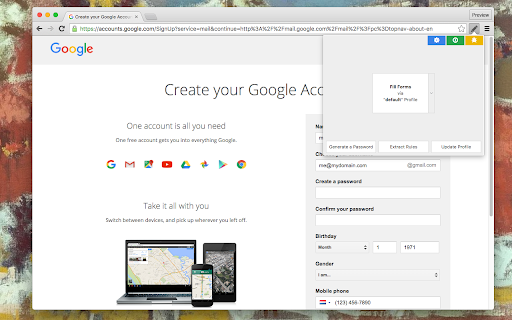
The default profile of the extension is pre-loaded with filler data and rules, for example, email: me@mydomain.com. So when you go use it it auto fills the email field with that email, even if you have already filled that part of the form. So you will have to fill out all those parts again since it is not obvious the extension does this when you first use it. The filler data should not be there. The extension should have suggestions in place of actual filler data.
Clumsy and difficult to use. Too much manual steps. I have tested so many form data recovery extensions and by this capable to fill out new forms by known data - and I found none at the quality of Form History Control. I have a lot of respect of every developer providing free extensions. Thank you. But common, we have 2024.
Seems to work half the time for whatever reason. Doesn't always fill the correct lines when it does.
Was able to change default profile to my data. But though I deleted fields I didn't needed, they still appeared in right-click menu. Also in Google Forms Autofill didn't work and even as right-click menu inserted my data - it wasn't recognized by GF as filled. Good old copy paste works faster, so uninstalled.
i want this auto fill forms when ever i reload a pages
tons of bug
The UX is quite complicated and I myself wanted a simple and easy extension which after trying many I didn't find what I was expecting so I finally built one improving all the issues with an amazing UX. Check it out here https://www.mockfill.com/
Can be a great, but can also screw things up by not reading the full intent of a label. For instance, "Position Title" was filled in as name "Title", removing company method and other automated fill ins.
only work partially
Permissions (5)
Permissions
Details
| Version | 0.4.9 |
| Updated | Nov 10, 2025 |
| Size | 88.44KiB |
| First Seen | Mar 25, 2026 |
More by tlintspr


Popular in workflow




Popular Extensions
