
⚠️Not updated in over 2 years
Description
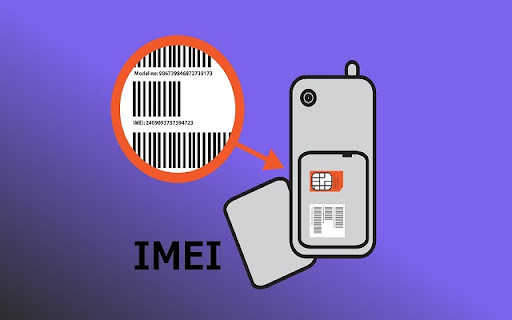
Who doesn’t know the concept of IMEI number? The IMEI number is basically a unique identifier of your mobile phone. It is used to identify the mobile phone and it is a serial number assigned to every device.
If you are the owner of an Android phone then you should know about the IMEI number of your phone. Because in case of a lost or stolen device you can block its access by blocking the IMEI number. You can also block your SIM card if it is lost or stolen.
To check IMEI number of your Android phone, you need to go to your settings and tap on about phone. A popup window will appear on your screen which will show you the information about the IMEI number.
If you're looking to check the IMEI number on your Android device, there's an easy way to do it using a Chrome extension.

Reviews
Loading reviews...
Details
| Version | 1.0.3 |
| Updated | Nov 22, 2022 |
| Size | 21.54KiB |
| First Seen | Mar 30, 2026 |
More by swathifizz2108


Popular in social

Cisco Webex Extension
by cisco.chromestore
23M
★ 2.34
social
23M
★ 2.34
social

LINE
by LY Corporation
4M
★ 3.51
social
4M
★ 3.51
social

vidIQ Vision for YouTube
by vidIQ
3M
★ 4.48
social
3M
★ 4.48
social

7TV
by 7TV
3M
★ 4.57
social
3M
★ 4.57
social

Google Mail Checker
by Chrome Developer Relations
2M
★ 4.12
social
2M
★ 4.12
social
Popular Extensions

Adobe Acrobat: PDF edit, convert, sign tools
by Adobe Inc.
331M
★ 4.40
workflow
331M
★ 4.40
workflow

AdBlock — block ads across the web
by AdBlock
62M
★ 4.48
workflow
62M
★ 4.48
workflow

Grammarly: AI Writing Assistant and Grammar Checker App
by Grammarly
42M
★ 4.50
communication
42M
★ 4.50
communication

Adblock Plus - free ad blocker
by eyeo GmbH
41M
★ 4.39
workflow
41M
★ 4.39
workflow

Chrome Remote Desktop
by Chrome Remote Desktop Release Managers
38M
★ 3.14
workflow
38M
★ 3.14
workflow