
Description
Recently Closed Tabs Recovery
最近关闭标签页恢复
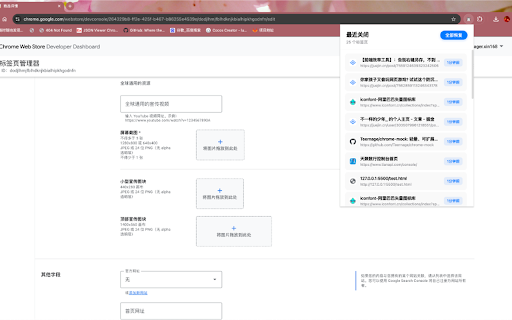
Restore recently closed tabs with one click—supports both single and batch recovery, displays website icons and closing times, and shows up to 25 records.
一键恢复最近关闭的标签页,支持单个恢复或全部恢复,显示网站图标和关闭时间,最多展示 25 条记录。
Why do you need this extension?
为什么还需要这个扩展?
Browser history only shows "recently opened" tabs, not "recently closed," making searching inefficient.
历史记录展示的是“最近打开”而非“最近关闭”,查找低效。
The shortcut Ctrl/Cmd + Shift + T restores tabs one by one—you can't precisely choose which tab to reopen.
快捷键 Ctrl/Cmd + Shift + T 只能逐个撤回,无法精准指定。
The history panel (Ctrl + H) sorts by visit time, not closing time.
Ctrl + H 的历史面板按访问时间排,不按关闭时间。
Chrome’s native “Recently Closed” menu is limited (usually up to 8 items) and offers restricted interaction.
Chrome 原生“最近关闭”入口条目有限(常见最多约 8 条),交互也受限。
This extension clearly lists up to 25 recently closed tabs at once, supports both single selection and one-click batch restore. It’s perfect for scenarios like “accidentally closed a bunch of tabs” or “want to precisely recover a specific tab”—making tab recovery fast and efficient.
这个扩展一次性清晰列出最多 25 条,支持单选或一键全恢复,在“误关一堆标签”“想精确恢复某个标签”的场景下效率直接拉满。
Reviews
Loading reviews...
Permissions (3)
Permissions
favicon sessionsℹ Can access recently closed tabs and windows tabsℹ Can see your open tabs and their URLs
Details
| Version | 1.0 |
| Updated | Nov 19, 2025 |
| Size | 17.64KiB |
| First Seen | Mar 27, 2026 |
More by teenager.xin168


Popular in tools

Browsec VPN - Free VPN for Chrome
by Browsec
7M
★ 4.44
tools
7M
★ 4.44
tools

AnyDoc Translator - Translate Web and PDF
by www.wps.com
7M
★ 4.59
tools
7M
★ 4.59
tools

Microsoft Bing Homepage & Search for Chrome
by Microsoft Corporation
4M
★ 3.72
tools
4M
★ 3.72
tools

IE Tab
by Blackfish Software
4M
★ 4.31
tools
4M
★ 4.31
tools

Monica: All-In-One AI Assist & Smartest AI Agent
by Monica Team
3M
★ 4.89
tools
3M
★ 4.89
tools
Popular Extensions

Adobe Acrobat: PDF edit, convert, sign tools
by Adobe Inc.
331M
★ 4.40
workflow
331M
★ 4.40
workflow

Chrome Remote Desktop
by Chrome Remote Desktop Release Managers
38M
★ 3.14
workflow
38M
★ 3.14
workflow

Microsoft Single Sign On
by Microsoft
36M
★ 2.27
workflow
36M
★ 2.27
workflow

Cisco Webex Extension
by cisco.chromestore
24M
★ 2.34
social
24M
★ 2.34
social

Kami for Google Chrome™
by Kami
19M
★ 4.56
education
19M
★ 4.56
education