
YouTube Shorts Progress Bar
v1.1.0 Updated Apr 6, 2024 78.28KiB
⚠️Not updated in over a year ✅Highly rated
Description
Immerse yourself in the world of YouTube Shorts with our YouTube Shorts Progress Bar extension. As creators continue to innovate in their storytelling through this exciting format, we believe you should have complete control over your viewing experience.
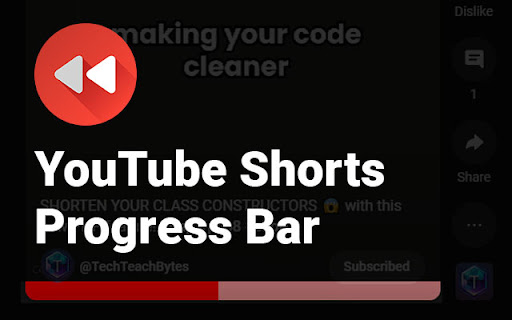
This extension introduces a much-needed feature to the YouTube Shorts player - a video progress bar. This gives you the ability to see where you are in the video, down to the second, and enables you to skip to a specific part of the video without having to restart or watch the whole thing.
Key Features:
1. Video Progress Bar: Clearly visualize your progress through any YouTube short.
2. Skip & Rewind: Jump ahead to your favorite parts or go back to rewatch moments you may have missed, all with a simple click on the progress bar.
3. User-friendly Design: The progress bar is integrated seamlessly into the YouTube Shorts player, making it easy to use and non-disruptive to your viewing experience.
4. No interruptions: Our extension doesn't interfere with the original functionality of YouTube. Enjoy all the features you love, with added control.
To start using, simply install the extension and start watching YouTube Shorts. The progress bar will automatically appear at the bottom of the player. You can then click on any part of the progress bar to skip forward or backward in the video.
Our YouTube Shorts Progress Bar extension aims to enhance your YouTube Shorts experience, providing you with the control to view content your way. Install today and revolutionize your YouTube Shorts viewing experience!
Reviews (9 cached)
★☆☆☆☆2024-07-28
Francesco Amendola
doesn't work
★☆☆☆☆2024-05-05
Schuyler Krizay
does not work
★☆☆☆☆2024-03-15
Jayden
Stops working each time you get an ad
★★☆☆☆2024-07-29
lostangel
Used to work but a youtube update broke it. youtube used to let you scrub without needing this extension as well but then stopped allowing it. Don't know why. hope this gets updated again.
★★☆☆☆2024-03-30
Akira
works fine ig, but why does the bar have to be so big
★★☆☆☆2024-03-18
Tristian Clark
It was working great but it broke a few days ago.
★★☆☆☆2024-01-07
alex Available
to big and bar doesnt disapear while mouse is still
★★☆☆☆2023-08-24
August Crossroads
As visually pleasing as it is, it obstructs the frame. So I kinda hope there's an option to turn on auto hide when not hovering over. Also there's no fast forward navigation hotkeys. Also it's really laggy and doesn't support drag to scrub through like the alternatives do..
★★★☆☆2024-04-23
S3XY SKULL
it worked great but now it keeps bugging out
Details
| Version | 1.1.0 |
| Updated | Apr 6, 2024 |
| Size | 78.28KiB |
| First Seen | Mar 31, 2026 |
More by TechTeachBytes

Popular in social

Cisco Webex Extension
by cisco.chromestore
23M
★ 2.34
social
23M
★ 2.34
social

LINE
by LY Corporation
4M
★ 3.51
social
4M
★ 3.51
social

vidIQ Vision for YouTube
by vidIQ
3M
★ 4.48
social
3M
★ 4.48
social

7TV
by 7TV
3M
★ 4.57
social
3M
★ 4.57
social

Google Mail Checker
by Chrome Developer Relations
2M
★ 4.12
social
2M
★ 4.12
social
Popular Extensions

Adobe Acrobat: PDF edit, convert, sign tools
by Adobe Inc.
331M
★ 4.40
workflow
331M
★ 4.40
workflow

AdBlock — block ads across the web
by AdBlock
62M
★ 4.48
workflow
62M
★ 4.48
workflow

迅雷下载支持
by Shenzhen Xunlei Network Technology Co., Ltd.
59M
★ 2.77
workflow
59M
★ 2.77
workflow

Grammarly: AI Writing Assistant and Grammar Checker App
by Grammarly
42M
★ 4.50
communication
42M
★ 4.50
communication

Adblock Plus - free ad blocker
by eyeo GmbH
41M
★ 4.39
workflow
41M
★ 4.39
workflow