
Notebook Web Clipper – Sticky Notes & Save Articles
Description

Reviews (92 cached)
The main reason I chose Zoho Notebook was because of the web clipper. I installed it. I did absolutely nothing. I toggled it on and off and on again. Still does nothing. I uninstalled and reinstalled. Still nothing. As others are reporting, it is non-functional. I guess the developers don't care since this is apparently and ongoing issue.
Been looking for a replacement for Evernote, and read some good reviews for Zoho web clipper. I signed up for an account and ran the import from Evernote function overnight (Windows 10). It worked, but the results are very clunky. Formatting is way off on many notes. It did bring over my notebooks, and the contents appear to be there. But only PDFs look normal. Web pages are broken up and missing all of the original pictures. And there are blank duplicates of many pages. Worst of all, I downloaded and added the Web Clipper, which is the point of all this. It is totally non-functional. Click on the extension (in Chrome) and nothing happens. Right click on the extension and get a menu, click on any of the choices and nothing happens. Seems like a piece of junk software to me.
Nor working as an extension
I've used this for years. It's often glitchy, but I have the free version, so I've dealt with it. HOWEVER I have now have a little sticky note icon that stays on my screen all the time and I cannot figure out how to make it go away. I don't have the Zoho sticky note extension and there appears to be no setting to disable it. If I can't make it go away somehow, I will have to switch from using Notebook all together.
Keeps on poping up when using chatgpt right were the send button is. Super annoying. Wasting alot of my time. Other than that it works, but I havent used it.
The functionality of this app is highly inconsistent, often not working as expected. Despite having a yearly subscription and storing a significant amount of my personal data within it, I'm facing persistent issues with its operation and synchronization. The customer support has been quite disappointing. In hindsight, I regret dedicating so much time and entrusting my documents to this application.
Web page sync not working
You need to stop opening a webpage EVERY TIME YOU UPDATE. So annoying. I don't really care. Just update in the background and LEAVE THE USER ALONE.
Zoho app is good but this clipping extension is bad. It's link card doesnt work with half of the website, even if I manually add it it disappears
needs an acc hate it
What the?? How do you use this? The youtube video goes way too fast. I'm not about to waste my time and become frustrated (even more) by pausing the video just to see how poorly made and complicated this extension is. I'm sticking with Google Keep. All you Android tinkerers, control freaks, and those who like things complicated can use this extension. Uninstalled. Bye.
everytime you log on then move to a diferent tab it tells you to log back in. If you are lazy you will like this
does nothing.......worthless.
Does not work, Unable to sign in.
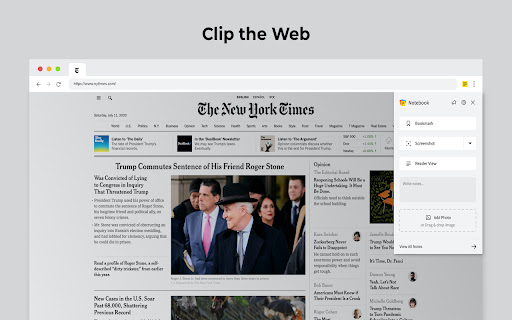
Doesn't work. To copy the actual article rather than just a screenshot, there is a "Reader View" button. But clicking it just displays a popup saying "We're Sorry! Notebook could not clean the article now. Please try after some time". What junk!
it's lagging all the time & take too long to open, Removed
I can't figure out how to use this. I've spent several hours looking for some instructions or a manual, someplace. It seems like people are just supposed to "know" this program!
Can not login to it at all. when ever try to log in it pops a window and keeps it blank
Bad. The screenshots are totally blurry.
This doesn't work. It opens up the login screen everytime, and the login process never gets completed. Useles..
After installing the extension I can not sign into my account.
It was okay, but it constantly placed a pop up menu bar a top my document. Worst yet if I opened the pop up menu, then I was unable to close it's window so that I could see my document. Leaving me to have to close the document and reload it again. Annoying. It's gone!
intrusive, why popping up if not requested?
Lacks any way to simply clip the contents of a page, with more or less intact formatting. "Clean View" isn't very useful for this, since many pages lose meaning when formatting is stripped; select & copy strips out all formatting, making the page content unreadable. Sadly, Evernote's clipper remains the only clipper associated with a viable service that can clip pages reasonably well. EDIT 2020: When viewing PDFs the clipper injects a widget into the upper-right part of the window which blocks access to Chrome PDF Reader's bookmark navigation. This effectively requires that I disable the plugin.
I CANNOT ACCESS ZOHO NOTEBOOK ONLY
What a terrible extension. The android app is so good, the chrome extension is quite the opposite.
doesnt work allways display the sign up message
Yet Another Extension for Chromebook that has NO "How To" instructions or info. WHY do Developers ASSUME that end users know by ESP or OSMOSIS how to utilize their Apps? I can't imagine it is due to my age; as I am pretty savvy about leaarning & figuring out many other technology soft & hardware. But Apps & Extensions seem to imagine that No Explanations are needed. I am removing this useless spacetaker now! Ahora!
Easy to clip pages, but when you are using Windows 10 (on a laptop/desktop) the ONLY way to VIEW your clips is by installing an ANDROID APP or iOS app. From a Chrome extension user experience... You clip on one device (Windows laptop), and access your content on your ipad, iphone or android device... NONSENSE! What a horrible customer experience. Why would I use this on my W10 laptop if I can't easily access all of my clips? I use all types of devices and like other users, we need immediate, anywhere access to the files, clips we capture. Like Nimbus Clipper & Evernote, each of these apps have a WEB-BASED access for everywhere access. Sorry, but I will never use such an extension, not until you provide browser access to my capture files. ZoHo, I love your apps, but What were you thinking?
Why can't I just see the notes in the web. I don't want the APP.
completely took ove my bloggr page an I couldn't edit my page.. ad I could nto get rid of it...
You can take notes, clips and all. It all looks cool, but, all that you save is gone in to a blackhole, somewhere on the cloud and you have no way to revisiting it via the PC browser \ chrome extension. A waste of time. Uninstalled the useless extension.
Voice feature is lovely and concept is awesome. HOWEVER, no desktop feature app like Keep makes it useless? Why would you roll this out? Makes no sense.
It kept telling me "No internet connection available to add note in Notebook" whenever I tried to do anything...
stupid app
Can't see the notes made. Useless
Each time that I try to get a screenshot,note o review it creates a NEW default notebook, now I have 8 defaults pads within the app.
Not working with my EU DC sign in. Crap
Useless
Its useless, the core feature of a notepad is writing notes - did you consider what is the reason of making notes ? To get back to them later... I couldn't find ANYWHERE where I can read my notes again. It's not good app...
I'd love to make this work and give Zoho Notebook a shot, but I'm constantly getting the following error: "Error while adding the note!"
This is useless if you can't read your notes back on your PC...
Total Garbage! Do not waste your time! When typing notes or titles some keys don't work. And the companion app is not compatible with older versions of Android and IOS.
I signed in using my google account in both my android app and the extension. But the notes are not getting synced :(
not working in chrome..
Well, unfortunately I cannot test and work with the extension since it's logging out every moment and it's always logged out on seperate/new tabs. Tried reinstalling several times, allowing all cookies, fresh chrome instalment and the issue stays. Hope a fix will come soon and I can change the review.
Worked with this app for many hours but can't seem to understand how it works. Even lost page with about 6 different clips (and oddly, pastes text clips in HUGE 20-24 point size). Previously worked with similar Windows apps (InfoSelect and Clipmate - both great and easy to learn). Is there any more detailed tutorial for Notebook Web Clipper than the :56 seconds one that flies by beyond understanding?
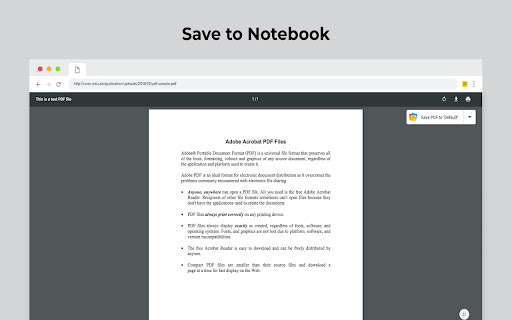
Annoying forced overlay that cannot be disabled, breaks browser functionality. When viewing pdfs the scroll bars break because this plugin forces an overlay save option. This option should not be force on a user but something that can be enabled. Optionally, this forced overlay is not even needed since you can just click on the plugin to get the options.
This extension does not work on Youtube webpages.
Mediocre
Permissions (6)
Permissions
Details
| Version | 3.3.7 |
| Updated | Feb 18, 2026 |
| Size | 2.74MiB |
| First Seen | Mar 28, 2026 |
More by Zoho Corporation




Popular in workflow


Popular Extensions

