
ChatGPT Shortcut - Open from the Address Bar
v1.4 Updated Oct 21, 2024 4.18MiB
⚠️Not updated in over a year
Description
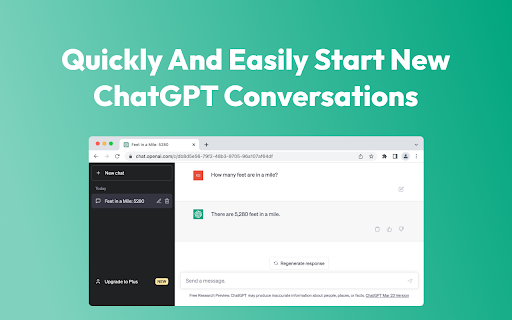
Start a new ChatGPT conversation from the address bar.
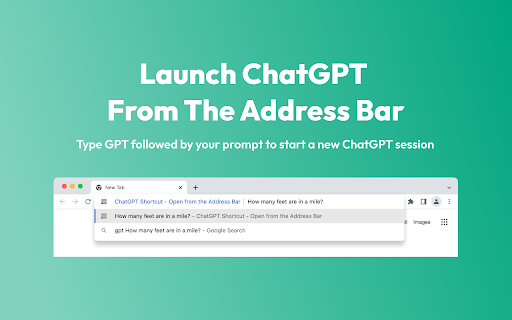
Type 'GPT' followed by your prompt in the address bar to open a new ChatGPT session.
Use this shortcut to access ChatGPT easier and quicker from anywhere in the browser.
HOW TO GUIDE:
1. Install ChatGPT Shortcut - Open from the Address Bar Extension
2. Log into ChatGPT with your browser (or create a free account)
3. In any tab, type 'GPT' in the address bar followed by your prompt
4. Press enter to open a new tab with ChatGPT and your prompt automatically filled in
Free tool with no account or sign in required. This extension does not store any data.
Reviews (5 cached)
★☆☆☆☆2024-06-02
Some Guy Online
Does not work, latest windows latest chrome, yes logged in to chatgpt, yes had the window in tab opened, yes tried both 'gpt' and 'GPT.'
★☆☆☆☆2023-12-04
Arjun Gupta
not working, will change review when this works
★★☆☆☆2024-11-16
Maxime C.
Works half the time, not really worth it in the end.
★★☆☆☆2023-11-19
Survy Vaish (Sarvagya)
Perhaps the api changed? It's not auto filling in the prompt. Is this an open source extension? Happy to help fix it and will also update the review :)
★★★☆☆2024-02-16
Braden Bisping
good extension, but a bit buggy at the moment. I turned on the setting to "Use GPT-4 when available with your ChatGPT account", but it is still opening in chat GPT 3.5. also, as other people have mentioned, it would be very nice to be able to customize the shortcut.
Permissions (3)
Permissions
activeTabℹ Can access the current tab when you click the extension scriptingℹ Can inject scripts into web pages storageℹ Can store data locally in your browser
Details
| Version | 1.4 |
| Updated | Oct 21, 2024 |
| Size | 4.18MiB |
| First Seen | Mar 26, 2026 |
More by Huge Software


Popular in workflow

Adobe Acrobat: PDF edit, convert, sign tools
by Adobe Inc.
331M
★ 4.40
workflow
331M
★ 4.40
workflow

AdBlock — block ads across the web
by AdBlock
62M
★ 4.48
workflow
62M
★ 4.48
workflow

迅雷下载支持
by Shenzhen Xunlei Network Technology Co., Ltd.
59M
★ 2.77
workflow
59M
★ 2.77
workflow

Adblock Plus - free ad blocker
by eyeo GmbH
41M
★ 4.39
workflow
41M
★ 4.39
workflow

Chrome Remote Desktop
by Chrome Remote Desktop Release Managers
38M
★ 3.14
workflow
38M
★ 3.14
workflow
Popular Extensions
Adobe Acrobat: PDF edit, convert, sign tools
by Adobe Inc.
331M
★ 4.40
workflow
331M
★ 4.40
workflow
AdBlock — block ads across the web
by AdBlock
62M
★ 4.48
workflow
62M
★ 4.48
workflow
迅雷下载支持
by Shenzhen Xunlei Network Technology Co., Ltd.
59M
★ 2.77
workflow
59M
★ 2.77
workflow

Grammarly: AI Writing Assistant and Grammar Checker App
by Grammarly
42M
★ 4.50
communication
42M
★ 4.50
communication
Adblock Plus - free ad blocker
by eyeo GmbH
41M
★ 4.39
workflow
41M
★ 4.39
workflow