
The Great-er Tab Discarder
Description


Reviews (8 cached)
It is not discarding or suspending anything. Either it is broken or not working.
Sort of works, but not as well as the old Great Suspender (no-track), before it became malware. Would be ideal if it mimicked the old extension, including "Suspend all this window" and "Suspend all in all windows". The discard function cripples my machine when restoring an old session in a way that Great Suspender never has. Need to uninstall as a result of that, 8-12x longer to restore than the old extension. "Not being sold to third parties, outside of the approved use cases" is unsettling. Data being sold is data being sold, I don't care if the use case is "approved" or not.
We will miss Great Suspender. This is the only similar extension available.
Work as intended. Would have loved to have the option where the extension takes a snapshot of the screen then suspends it. Resuming the tab would also directly remove the temporary snapshot. Would also loved for it to offer different tab title and color customization whenever a tab gets suspended i.e. being able to make suspended tabs to be shown clearly. If one or both gets implemented, i'll of course change the score to 5 right away.
It works, but none of these Great Suspender alternatives have the feature to save the time/position of YouTube videos automatically when suspending tabs.
Remains 'active' when restoring session with lots of tabs so can 'unload' them (like 'sloth' but without the silly popup issue), but would be way better if this extension could automatically open ALL tabs in 'unloaded' state ALL THE TIME, except for 'new tab' & directly opening a new page in the same tab by clicking a link. To rephrase this: The following should always be 'unloaded' & remain unloaded until viewed by the user ~> ~ Any 'page / tab / etc' opened by any user action that is not 'focused' as the 'active' tab (being viewed on screen by the user). ~ Any 'page / tab / etc' or group of them opened from 'sessions'. For example, when opening a session of over 100 tabs (just an example) all of them should be 'backgrounded' & not wasting resources, & ONLY download or do any 'activities' only AFTER they are clicked & viewed by the user. There is an extension for old Firefox called 'Bar Tab' that does this perfectly (for reference =) ~ Any 'page / tab / etc' opened during 'startup' that is not the active (viewable on screen) tab where page contents are shown. All other tabs should always 'start' in 'unloaded' state & never do ANYTHING AT ALL until AFTER the user clicks that tab to view it's 'contents'. As for NOT 'discarding' tabs, there should be an option to NEVER discard ANYTHING AT ALL (except maybe to 'disk' instead of 'RAM') after the user clicks & views the contents of that tab or group of tabs by physically browsing it to see their 'contents' on screen. In other words, when browsing Youtube, with a dozen tabs open, with videos paused at various spots, all the videos should always remain viewable & 'playable' at those same positions when the user clicks back to view the contents of those tabs. This helps speed the browsing 'process' on items the user likes, or everything =) Note: The option to only 'do not discard' on specific domains would be nice, as would the option to always discard certain domains when not viewed, with time delay options varying from minutes or hours all the way down to 'discard this tab whenever I leave this tab to visit another tab'. To rephrase this: The following should be discarded (at user option) ~> ~ The contents of a tab when the user clicks to another tab (either immediately or after user defined delay) ~ The contents of tabs described above only if they are under a certain user defined domain ('discard these domains' list) Note: A 'Safe List' to NEVER discard ANYTHING under certain domains (like for example 'youtube' =) More ideas at 'balkanguy (at) live (dot) com'. iCan pay U 4 various 'extension options' 4 this & other 'browser related' things if that helps =D
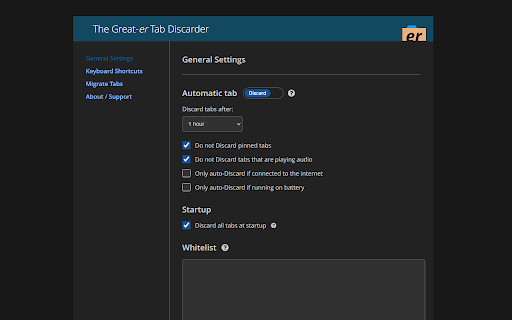
The key feature I wanted "Discard all tabs at startup" is not working for me. I'm on Vivaldi 6.1, started looking for an alternative to "Tab Suspender" as it made 6.1 crash. Sadly this one isn't it, too bad I like the simplicity of it.
It works. However, there are two other extensions with more features, or/and a different working mechanic what makes it possible to show a screenshot of the suspended tab without loading it (and waiting for it) again.
Permissions (6)
Permissions
Details
| Version | 1.4.0 |
| Updated | Jun 6, 2025 |
| Size | 284KiB |
| First Seen | Apr 1, 2026 |
Popular in functionality




Popular Extensions




