
Description


Reviews (13 cached)
Produces 3kb empty files.
There s none button whatsoever to convert the notion page; there s only one with 'buy the pro version', which means its only a paid version - there s none 'free version' am I right? :(((
Does not work
Only exported the first page of a multi-page document
Doesn't work and keep getting charged for it. WTF. Do not download. Will report this to my bank.
Followed the manual and did everything but the extension is unable to download the page. Is it because of multiple pictures used in the document?
not working
Notion to pdf not showing on the notion page
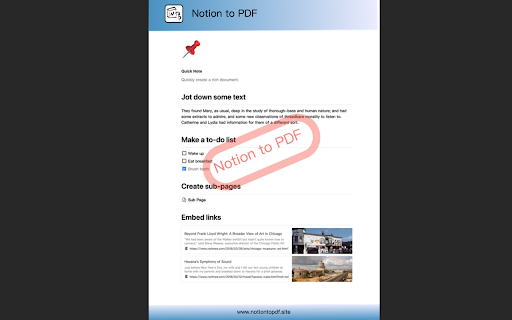
It seems to basically take screenshots of the page and paste them into a PDF which is less than ideal, since it cuts images in two and you can't mark or search for text. Hell, it even screenshotted the "Press 'space' for AI, '/' for commands..." line. As one can imagine, the quality of the screenshots is also quite dreadful. All of the customization options (and the removal of the ugly logo at the bottom of each page) is locked behind a $5/month (?!?!?!) sub. It _technically_ works, but I'd rather use Notion's built in export feature with all its faults over this.
Tragic. Doesn't work in any way. Exports 15 empty pages with watermark logos on it.
text is just waaaay too small on an A4 page. Literally the entire right half of the page is empty. The main problem seems to be that this extension apparently takes the HTML code and transforms in on a pdf. It never looks as good as it does in Notion. Without changing anything, sometimes the contents are shifted several centimeters to the right. I only use this because the internal Notion feature does not correctly transfer the table-format to pdf. Otherwise, it's far superior
A useful tool, especially for RTL languages that Notion doesn't support.
Can't export PDF files properly, text is not aligned and too small (Export page size: A4)
Permissions (4)
Permissions
Details
| Version | 1.1.0 |
| Updated | Mar 30, 2026 |
| Size | 690KiB |
| First Seen | Mar 30, 2026 |
More by windea.yu



Popular in workflow




Popular Extensions
