
⚠️Not updated in over 2 years
Description
How many times have you scrolled the webpage a certain distance and suddenly want to "peek" at sometime at the top or bottom of the webpage without losing your current scroll position?
If I scroll back to the top (or bottom) of the page to review part of the webpage, there is no guaranteed way to return to where I was.
On Windows systems, this is easy because when dragging the scrollbar using the mouse, if you keep the mouse button held down, and move the pointer sideways for about 100 pixels, the scrollbar goes back to its location before being dragged, and the webpage with it.
Mac systems have not implemented this super useful behavior, but with this extension you can now have a similar feature too.
To quickly scroll to another part of the webpage and easily jump back to the current position, simply drag the scrollbar to the desired part of the webpage, and without releasing he mouse button, drag the pointer away from the scrollbar at least 100 pixels away and then release the mouse button.
Limitation:
For performance reasons, only the top level scrollbar is supported. For scrollbars inside subsections of the webpage, it isn't supported.
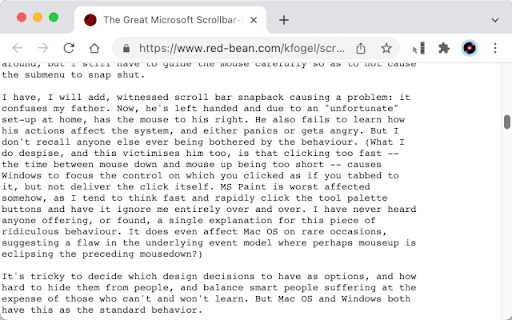
For a discussion on this behavior, please see this thread:
https://www.red-bean.com/kfogel/scrollbar-redux.html
Reviews
Loading reviews...
Details
| Version | 0.1.1 |
| Updated | Mar 6, 2022 |
| Size | 8.24KiB |
| First Seen | Mar 30, 2026 |
More by em_te

Google CDN to Microsoft CDN
by em_te
335
★ 5.00
accessibility
335
★ 5.00
accessibility

Scroll-Anywhere
by em_te
45
★ 3.33
workflow
45
★ 3.33
workflow

Secret Recovery Phrase Watcher
by em_te
11
★ 0.00
workflow
11
★ 0.00
workflow

Crouching Tracker, Hidden Email
by em_te
5
★ 0.00
social
5
★ 0.00
social
Popular in accessibility

Read&Write for Google Chrome™
by Texthelp
17M
★ 3.44
accessibility
17M
★ 3.44
accessibility

360 Internet Protection
by qihoosafe
17M
★ 4.54
accessibility
17M
★ 4.54
accessibility

Screenshot reader™
by Texthelp
7M
★ 2.57
accessibility
7M
★ 2.57
accessibility

OrbitNote
by Texthelp
7M
★ 2.95
accessibility
7M
★ 2.95
accessibility

Volume Master
by Peta Sittek
6M
★ 4.81
accessibility
6M
★ 4.81
accessibility
Popular Extensions

Adobe Acrobat: PDF edit, convert, sign tools
by Adobe Inc.
331M
★ 4.40
workflow
331M
★ 4.40
workflow

AdBlock — block ads across the web
by AdBlock
62M
★ 4.48
workflow
62M
★ 4.48
workflow

Grammarly: AI Writing Assistant and Grammar Checker App
by Grammarly
42M
★ 4.50
communication
42M
★ 4.50
communication

Adblock Plus - free ad blocker
by eyeo GmbH
41M
★ 4.39
workflow
41M
★ 4.39
workflow

Chrome Remote Desktop
by Chrome Remote Desktop Release Managers
38M
★ 3.14
workflow
38M
★ 3.14
workflow