
Description
Reviews (17 cached)
Coin mining! If you don't mind a ton of CPU, go ahead and use this.
Mines coins with Coinhive, costing you ~25% of your CPU just to show a timer.
Just link to website
It was different. It used to have some stat, internal and external counters and stuff. I don't know what happened.
the new UI is so ugly :(
Desktop Notifications don't work. Using Version 35.0.1916.153 m.
Why the app? Just use the url to go to the site like the app does.
It's just a link, it doesn't even work offline, and if you close the tab by mistake the timer won't work (I know this is hard for a webapp to prevent but at least there could be a warning before closing the page). In the website they say that installing the app is required for desktop notifications which wouldnt make much sense since there's a html5 API for that, without the need of an extension. Also the times are not customizable. I would recomend strict pomodoro" extension instead". It solves all of this, blocks procrastinating websites and it's open source.
Completely useless. It doesn't do anything that a simple timer can't do just by setting the timer to 25, 15, or 5 minutes.Garbage.
It's design is a little lacking. The main issue is the timer occasionally freezes and doesn't continue. Defeats the point. Will just go back to googling 'timer' and using the chrome result as a timer instead.
Desktop notifications not working as of 25th August 2014.
Not a lot to offer.
What happened to the old tomato-timer icon? The new one is just plain ugly, sorry.
I don't know if it is a joke, but the application is only an hyperlink to the principal page. I know how to put in practice the method but what happen if i don't have internet access at the moment? I thought that it was a chrome application
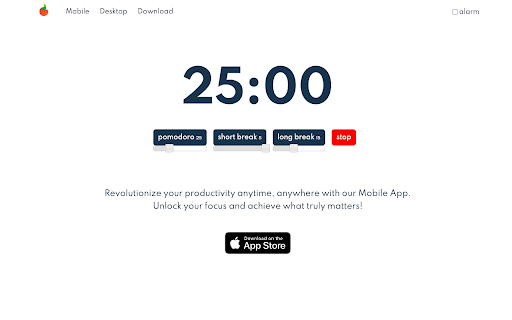
This extension is required for desktop notifications. If you don't need desktop notifications, just visit Pomodoro.me without downloading the extension. The only Pomodoro length available is 25 minutes. Some of us prefer to work in smaller or larger increments, so it would be nice if this were customizable. The short break can be set from 3 to 5 minutes, and the long break can be set from 10 to 30 minutes, which is adequate for me. I do like that you have to click to start the breaks instead of it automatically starting, so this gives me time to finish up what I'm doing before I start my break. I also wish you could select alarm volume/sound (the alarm is jarring) and that it would keep track of how many Pomodoro cycles you've done. I guess if you want those features, you have to download Pomodoro software, but this is the best in-browser option I've found.
I wish it automatically did the five minute break .
Very basic and straightforward. Biggest problem is that it doesn't track how many pomodoro's you've used and how many breaks you've taken.Find this essential and the extension's biggest oversite.
Permissions (1)
Permissions
Details
| Version | 1.0.4 |
| Updated | Apr 17, 2023 |
| Size | 12.01KiB |
| First Seen | Mar 29, 2026 |
Popular Extensions




