Typing Statistics | Auto Typer icon

Typing Statistics | Auto Typer

by Marsss Development

v3.4.8 Updated Jul 4, 2024 1.34MiB
CWS
1K
Users
★ 2.09
11 reviews
#18371
of 207.1K
workflow
#4915 of 31.8K
⚠️Not updated in over a year ⚠️Below average rating

Description

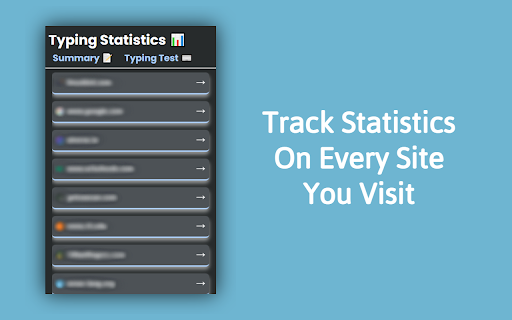
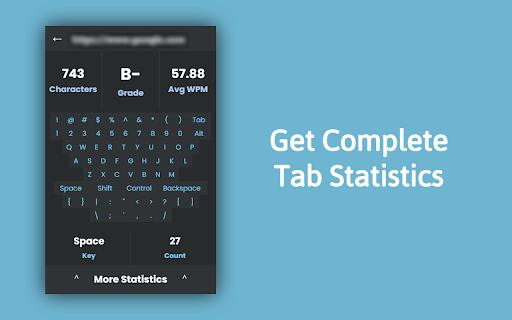
The Typing-Statistics Chrome extension is a tool that tracks and provides insights into your typing habits while using the Chrome browser. It offers valuable statistics such as the number of letters, words, and your typing speed in words per minute (WPM). Features: - Letter and Word Count: Get an accurate count of the letters and words you type while using Chrome. - Words Per Minute (WPM): Track your typing speed in real-time and measure your words per minute. This feature helps you monitor your typing progress and efficiency. - Individual Site Tracking: The extension can track typing statistics on a per-site basis, allowing you to analyze your typing performance on different websites separately. - Auto Typers: Have the extension assist you in achieving high WPM on sites like Type Racer and 10FastFingers. Usage: 1. Once the Typing Statistics extension is installed, it will automatically track your typing statistics while you use Chrome. You can access the extension's features and view your typing data by following these steps: 2. Click on the Typing Statistics extension icon in the Chrome toolbar. 3. A dropdown menu will appear, showing you a list of visited sites. Click into any arrow and you will be shown current typing statistics and options to access more details. 4. Explore the available options, such as viewing overall typing statistics, and site-specific statistics. 5. The extension will continuously update the statistics in real-time as you type, providing you with up-to-date information about your typing performance. UPDATES (v3.4.7 >> v3.4.8): - Fix data loading speed - Fix bugs
Typing Statistics | Auto Typer screenshot 1Typing Statistics | Auto Typer screenshot 2Typing Statistics | Auto Typer screenshot 3

Reviews (7 cached)

★☆☆☆☆2025-11-12
SUN VON

You need pro to use basic features, that even an amateur developer could make

★☆☆☆☆2025-05-30
A.B. Norman

Paid for Pro because price wasn't bad to keep track of my typing in Google docs but it shows I haven't typed anything under summary? I also don't see any in page tracker, which to my understanding there should have been. Very dissatisfied, probably will dispute the charge since this seems like just a scam.

★☆☆☆☆2024-06-05
Christal Taylor

doesn't work, was gave me an f when i was typing 100

★☆☆☆☆2024-04-13
Josh Gardner

this is the worst wy do we have to pay for everything

★☆☆☆☆2024-02-18
A.F. S.

Greedy developer, wants you to pay for everything. Possible malware, comes straight out of chinaman territory.

★☆☆☆☆2023-11-14
Carmen Sarratt

Trash everthing is pay (DONT USE THIS TRASHY THING) and the owner keeps yapping like blud stfu

★☆☆☆☆2023-09-14
Prakhar Gupta

Literally the entire functionality of the extension is paywalled. Pointless

Permissions (3)

Permissions

activeTab Can access the current tab when you click the extension scripting Can inject scripts into web pages storage Can store data locally in your browser

Details

Version 3.4.8
Updated Jul 4, 2024
Size 1.34MiB
First Seen Mar 30, 2026