
⚠️Not updated in over a year
Description
"Capture Inspiration. Keep It Forever." Clippe.me is your all-in-one Chrome extension for effortlessly saving and organizing content from across the web. With just one click, you can capture posts, pages and content from various social media platforms and websites.
Key Features:
★ One-Click Save: Instantly save any post or content with a single click on the Clippe.me icon seamlessly integrated in every post (in a non-obstructive way!) for your favorite platforms.
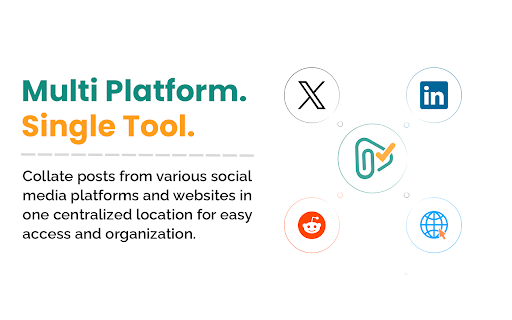
★ Cross-Platform Compatibility: Collate posts from LinkedIn, X (Twitter), Reddit, and any website in one centralized location.
★ Versatile Clipping: Save webpages or selected text on a page with a simple right-click, preserving the original source link for future reference.
★ Quick Tagging: Apply custom tags to your saved content for efficient organization and quick retrieval of related information.
★ Powerful Search: Easily find any saved content with our robust search function that scans through all your clipped posts and web pages.
★ Quick Access Side Panel: Access your saved content instantly with our convenient side panel, without leaving your current browsing session.
Clippe.me is perfect for:
― Content Creators: Save inspiration from top creators in your field across various platforms.
― Developers: Keep track of valuable articles, coding resources, and snippets shared by fellow programmers.
― Researchers: Easily collect and organize academic papers, data sources, and relevant discussions from social media and academic forums.
― Students: Compile study materials, reference articles, and helpful explanations from various online sources for easy revision.
― Journalists: Gather story ideas, sources, and background information from diverse platforms for comprehensive reporting.
― Digital Marketers: Save competitor strategies, campaign ideas, and industry trends from multiple social media channels in one place.
― Product Managers: Collect user feedback, feature ideas, and market insights shared across different platforms to inform product development.
― Designers: Curate visual inspiration, UI/UX discussions, and design resources from various websites and social media.
― Entrepreneurs: Save business ideas, market insights, and potential investor information from diverse online sources.
― HR Professionals: Compile job market trends, recruitment strategies, and potential candidate profiles from various professional networks.
― Hobbyists: Whether you're into crafting, cooking, or collecting, save ideas, tutorials, and rare finds from across the web.
― Travel Enthusiasts: Collect travel tips, destination recommendations, and hidden gems shared by fellow travelers on different platforms.
― Everyone: From detailed posts you want to read later to recipes you want to try, or unique gift ideas – save it all in one place.
No matter your profession or interests, Clippe.me streamlines your online research and inspiration gathering, making it easier than ever to save and organize valuable content from across the web.
Why Choose Clippe.me?
✔ Streamline your digital life by consolidating saved content from multiple platforms
✔ Never lose track of important information or inspiration again
✔ Boost your productivity with quick and easy content organization
✔ Enjoy a clutter-free browsing experience with our intuitive interface
Install Clippe.me now and revolutionize how you capture and organize digital inspiration!


Reviews (1 cached)
★☆☆☆☆2025-03-19
Jon
I installed the extension but it won't log in to google. "Error 400: invalid_request Custom URI scheme is not supported on Chrome apps. Request details: flowName=GeneralOAuthFlow"
Permissions (6)
Permissions
activeTabℹ Can access the current tab when you click the extension contextMenusℹ Can add items to the right-click menu identityℹ Can use your Google account identity notificationsℹ Can show desktop notifications sidePanel storageℹ Can store data locally in your browser
Details
| Version | 0.0.5 |
| Updated | Sep 26, 2024 |
| Size | 314KiB |
| First Seen | Mar 22, 2026 |
Popular in tools

Monica: All-In-One AI Assist & Smartest AI Agent
by Monica Team
3M
★ 4.89
tools
3M
★ 4.89
tools

Ad Blocker: Stands AdBlocker
by Stands
3M
★ 4.79
tools
3M
★ 4.79
tools

WPS浏览器助手:文档在线阅读编辑
by 金山PDF
2M
★ 2.90
tools
2M
★ 2.90
tools

Pie Adblock - A Powerful Free Ad Blocker
by Pie Extensions
2M
★ 4.90
tools
2M
★ 4.90
tools

Ecosia - The search engine that plants trees
by Ecosia GmbH
1M
★ 4.70
tools
1M
★ 4.70
tools
Popular Extensions

Adobe Acrobat: PDF edit, convert, sign tools
by Adobe Inc.
330M
★ 4.40
workflow
330M
★ 4.40
workflow

Chrome Remote Desktop
by Chrome Remote Desktop Release Managers
38M
★ 3.14
workflow
38M
★ 3.14
workflow

Cisco Webex Extension
by cisco.chromestore
24M
★ 2.34
social
24M
★ 2.34
social

Kami for Google Chrome™
by Kami
17M
★ 4.56
education
17M
★ 4.56
education

Read&Write for Google Chrome™
by Texthelp
17M
★ 3.44
accessibility
17M
★ 3.44
accessibility