Dark Mode for Google Chrome™ icon

Dark Mode for Google Chrome™

by freebusinessapps

v3.0.0 Updated Dec 31, 2022 283KiB
CWS
5K
Users
★ 4.31
51 reviews
#1417
of 31.8K
workflow
#397 of 4K
⚠️Not updated in over 2 years

Description

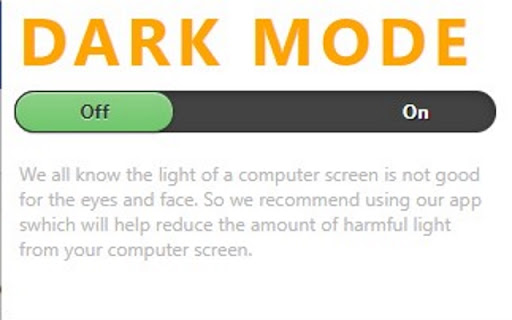
Want to rest your eyes from the glare of a computer screen? The best way to protect your eyes when you are using the computer at night is to have white font and a black background color for the website. If you want to continue using the computer for a long period of time and not have strained eyes, simply install our software Dark Mode for Google Chrome™ Our software allows you to turn the website into dark mode status where it uses white font and a black background. Simply press the software icon to turn dark mode on/off for the web page you are on. Disclaimer: Please note this extension is NOT made by Google and is made by an independent development team. All copyrights belong to their respective owners. Google doesn’t endorse or sponsor this Chrome extension. Dark Mode for Google Chrome™ is not owned by, is not licensed by and is not a subsidiary of Google Inc.
Dark Mode for Google Chrome™ screenshot 1Dark Mode for Google Chrome™ screenshot 2

Reviews (5 cached)

★★☆☆☆2022-02-01
Kaleigh Wilson

it worked for the website that popped up for it

★★★☆☆2023-10-31
SMR Support

worked perfect the first day. the next time i tried to use it, it was only making the headers and boarders dark while keeping everything else light. I feel theres no hope in finding the right dark mode for night sessions. - I guess I will continue using sunglasses...

★★★☆☆2023-10-06
Eric Ketzer

not bad at all. one of the rare dark extension without flashing white before arriving on a website. One of really bad thing though, it often totally covers pics with black on them...

★★★☆☆2021-04-27
e

worked for 1 website. the darkening was great on the website it did work on but otherwise it did nothing. i would give it 5 stars if it worked for more websites.

★★★☆☆2020-10-25
Blackie Nuff

It looked great at first, until I did an image search - the stupid thing blacks out all images. WHY? There are no settings except a stupid whitelist and that just essentially turns the effect OFF. Great for text, lousy for images.

Permissions (2)

Permissions

storage Can store data locally in your browser tabs Can see your open tabs and their URLs

Details

Version 3.0.0
Updated Dec 31, 2022
Size 283KiB
First Seen Mar 22, 2026