
⚠️Not updated in over 2 years
Description
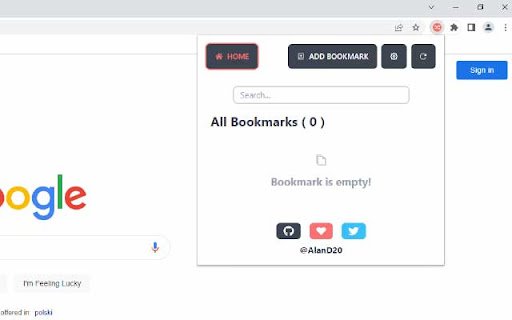
Save links for later use and open them manually or through the context menu. Right-click on any page to access the latest or randomly open a saved bookmark. It's easy and convenient.
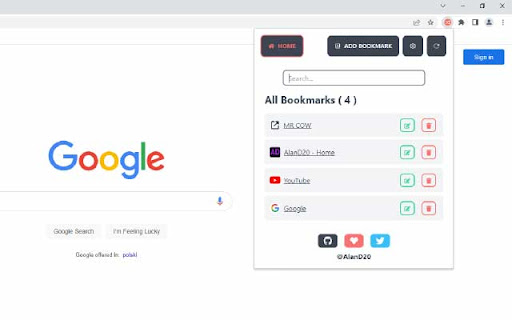
Access your saved links quickly and easily with our extension. Save websites and links for those moments when you need them most. Simply open the extension popup or use a custom keyboard shortcut to access your saved links without the hassle of going through numerous steps. You can also search for saved links.
* Features
- Custom keyboard shortcut can be set at chrome://extensions/shortcuts.
- Add/Edit/Remove bookmarks.
- By clicking on any saved bookmark, it opens it in a new tab.
- Enabling Sync Storage in the extension settings will sync your configuration and all saved bookmarks to your signed in Google Account.
- Disable/Enable Notification.
* Default Shortcuts (You may have to manually set in settings page):
- Ctrl + Shift + Y: Opens Extension popup.
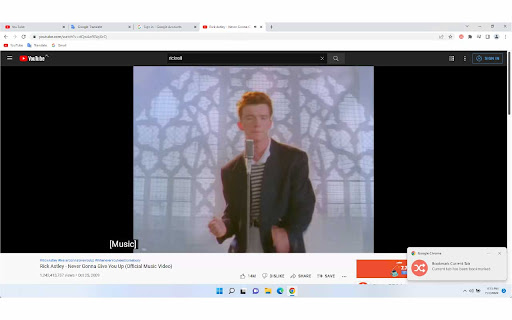
- Ctrl + Shift + Period (.): Saves currently opened tab in your bookmark.
- Ctrl + Shift + Comma (,): Opens random saved link in your bookmark list.
- Ctrl + Shift + L: Opens latest saved link in your bookmark list.
- Ctrl + Shift + P (Suggested): Saves all opened tabs to your bookmark list.
This extension is open-source under the MIT license.
Source Code:
https://github.com/AlanD20/random-link-opener
Download Latest From GitHub Release:
https://github.com/AlanD20/random-link-opener/releases
For Supports, Issues, Feedbacks, Contributions visit the repository issue section:
https://github.com/AlanD20/random-link-opener/issues


Reviews
Loading reviews...
Permissions (4)
Permissions
contextMenusℹ Can add items to the right-click menu notificationsℹ Can show desktop notifications storageℹ Can store data locally in your browser tabsℹ Can see your open tabs and their URLs
Details
| Version | 1.2.2 |
| Updated | Feb 28, 2023 |
| Size | 94.11KiB |
| First Seen | Mar 21, 2026 |
Popular in fun

Custom Cursor for Chrome™
by BLife Team LLC
5M
★ 4.67
fun
5M
★ 4.67
fun

Google Meet Enhanced Experience
by niritshlif
1M
★ 3.36
fun
1M
★ 3.36
fun

Cursor Style – Custom Mouse Cursors & Trails for Chrome™
by Oleksii Semeniuk
200K
★ 4.79
fun
200K
★ 4.79
fun

CS.Money Market
by CS.Money
200K
★ 3.03
fun
200K
★ 3.03
fun

Youtube TV On PC
by Danny Keeley
100K
★ 4.29
fun
100K
★ 4.29
fun
Popular Extensions

Adobe Acrobat: PDF edit, convert, sign tools
by Adobe Inc.
330M
★ 4.40
workflow
330M
★ 4.40
workflow

Chrome Remote Desktop
by Chrome Remote Desktop Release Managers
38M
★ 3.14
workflow
38M
★ 3.14
workflow

Cisco Webex Extension
by cisco.chromestore
24M
★ 2.34
social
24M
★ 2.34
social

Kami for Google Chrome™
by Kami
17M
★ 4.56
education
17M
★ 4.56
education

Read&Write for Google Chrome™
by Texthelp
17M
★ 3.44
accessibility
17M
★ 3.44
accessibility