
User Count Trend
Loading...
Description
# Enables youtube.com/tv#
1) Install plugin
2) Go to youtube.com/tv
3) Settings cog > Link with TV code
4) Open the YouTube app on your mobile device
5) Press your picture in the top right
6) Settings > Watch on TV > Enter TV code
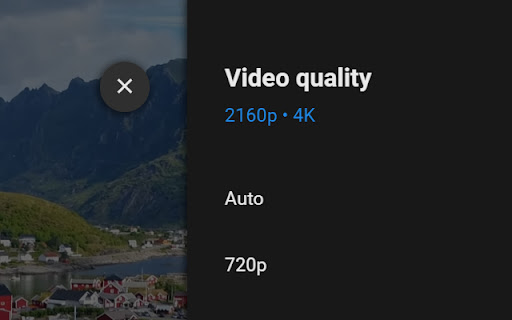
The video will automatically be set to the highest quality.
Press F11 when a video is playing to make it full-screen.
Enjoy :)
Note - there are some videos that YouTube will not allow high quality when using youtube.com/tv, I can not find a solution.
#Change Log#
v0.9 October 2024 - A fix to help improve video quality using the best available
v0.8 July 2024 - Rewritten due to Chrome forcing an update.
v0.6 April 2021 - Allowed F11 to work for full screen.
v0.5 March 2021 - Videos will now start on the highest quality YouTube has.

Reviews
Loading reviews...
Permissions (1)
Permissions
declarativeNetRequestℹ Can block or redirect network requests
Details
| Version | 0.9 |
| Updated | Jun 18, 2025 |
| Size | 43.95KiB |
| First Seen | Mar 21, 2026 |
Ad space
More by Danny Keeley

Popular in fun

Cursor Style – Custom Mouse Cursors & Trails for Chrome™
by Oleksii Semeniuk
200K
★ 4.79
fun
200K
★ 4.79
fun

TFT Trade Extension
by The Forbidden Trove
50K
★ 4.03
fun
50K
★ 4.03
fun

MemeBoard
by zettatekdev
40K
★ 4.83
fun
40K
★ 4.83
fun

nCage+
by 10e100dev
40K
★ 4.90
fun
40K
★ 4.90
fun

aB Hamster
by abowman
40K
★ 3.82
fun
40K
★ 3.82
fun
Popular Extensions

Cisco Webex Extension
by cisco.chromestore
24M
★ 2.34
social
24M
★ 2.34
social

uBlock Origin
by Raymond Hill (gorhill)
15M
★ 4.70
privacy
15M
★ 4.70
privacy

DuckDuckGo Search & Tracker Protection
by DuckDuckGo
4M
★ 4.24
privacy
4M
★ 4.24
privacy

Microsoft Defender Browser Protection
by Microsoft Corporation
2M
★ 4.15
workflow
2M
★ 4.15
workflow

Pop up blocker for Chrome™ - Poper Blocker
by dingosolutions
2M
★ 4.76
workflow
2M
★ 4.76
workflow