Neatly - Bullet Journal and Task Manager icon

Neatly - Bullet Journal and Task Manager

by Erfan Attarzadeh

v0.7.2 Updated Oct 23, 2025 1.71MiB
CWS
1K
Users
★ 4.25
60 reviews
#18369
of 207.1K
workflow
#4914 of 31.8K

Description

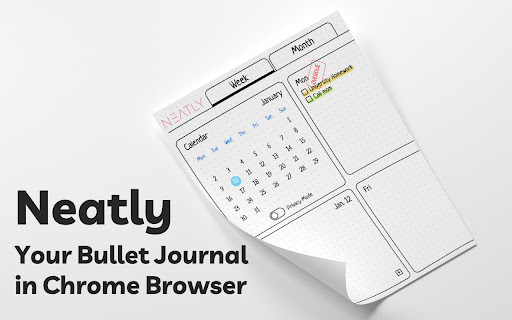
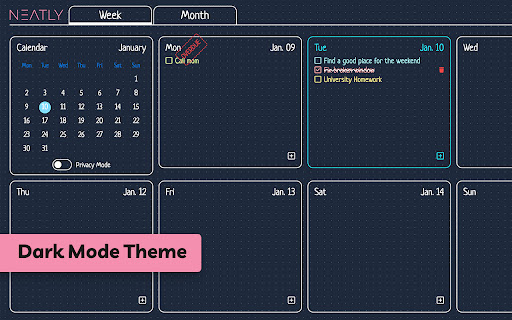
Hey There! If you are looking for a digital bullet journal and want to manage your tasks easily, we recommend this extension to you. Unlike other websites, you can use this Chrome extension whenever you open a new tab. This means you don't need to open a specific webpage or application to achieve to this. Current Features - Task management per week and month - Categorize your tasks into 5 colors - Highlighting overdue tasks - Showing last week's overdue tasks on each week - Privacy mode to hide your task from others - Dark mode for dark theme lovers - etc... Language and Calendar Support - English language and Gregorian calendar - Persian language and Solar Hijri calendar Privacy Policy - Your email is only used for account management and no promotional email will be sent to you. - Your input information, such as tasks and planning, is reserved for this extension and will not be given to third parties and will not be sold.
Neatly - Bullet Journal and Task Manager screenshot 1Neatly - Bullet Journal and Task Manager screenshot 2Neatly - Bullet Journal and Task Manager screenshot 3Neatly - Bullet Journal and Task Manager screenshot 4Neatly - Bullet Journal and Task Manager screenshot 5

Reviews (9 cached)

★☆☆☆☆2025-12-25
anannya chattopadhyay

its not connecting with google mail

★☆☆☆☆2025-12-19
Creatively-Lilly's Digital Products

Its seems extremely limited. I wanted minimal but this is...wow. I want to type information in, on different days that are within listed colors and cant. Even paste in lists from other docs, so that i don't have to retype them, and can't. So I'm removing it, but thanks for the opportunity. If Google Tasks was needed to run this ext. it would've been nice to know when I was being advised to list tasks, or before even. Had I not read the reviews after I began to get agitated, I would've never know that, and at this point I've wasted valuable time trying to complete something that should've been simple.

★☆☆☆☆2024-12-03
Perla Ramos

I can't even use it. It does not allow me to sign up at all.

★☆☆☆☆2024-09-06
Faeze Shahpoori

I'm not able to sign in

★☆☆☆☆2023-07-04
Yabya Kewat

4 July 2023, couldn't even signup. Just didnt work after download. Fix the extension bugs. Seems promising.

★★☆☆☆2025-05-25
lulu (match)

Doesn't work after I link my email, please give further instructions or fix.

★★☆☆☆2024-08-05
Suyash

Im not able to sign in

★★★☆☆2024-03-27
pinkflower

could someone tell me how to get over the ‘Sign up by google chrome account' part?

★★★☆☆2023-08-08
Kitt Fln

So far this is strait to the point, no frill digital Bujo. You can't edit a bullet once you enter it in so if you make a mistake, you have to rewrite it. Also you can only make bullets, not notes, habits. Its a weekly and monthly planner set up. But so far it helps me. I do like that you can color code your bullets,and it has a reminder for what each color means before you put it. I would like an option for Sunday starting weeks, That is my major complaint. since not eveybody likes a monday starting calender

Permissions (6)

Permissions

alarms Can schedule periodic background tasks identity Can use your Google account identity identity.email notifications Can show desktop notifications storage Can store data locally in your browser tabs Can see your open tabs and their URLs

Details

Version 0.7.2
Updated Oct 23, 2025
Size 1.71MiB
First Seen Mar 30, 2026