
⚠️Requests 1 sensitive permission ⚠️Below average rating
Description
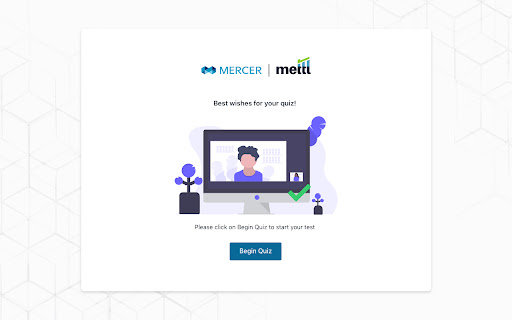
SecureProctor - A fully automated proctoring solution brought to you by Mercer Mettl.
SecureProctor is committed to providing you the best test-taking experience possible while protecting the integrity of your exam so that everyone has a fair chance to perform their best.
Please remember:
• SecureProctor will only monitor you during your exam session.
• Your personal information is safe and will never be shared or sold to a third party.
• SecureProctor will not access any personal data not required for the exam itself.
• Prior to installing the extension, Google Chrome will ask for your permission.
• The permissions you agree to are only required during the exam and will never be used outside of the exam session.
What does the Google Chrome Extension privacy disclosure really mean? Here is a short description that shows how we use these features:
• READ AND CHANGE ALL YOUR DATA ON THE WEBSITES YOU VISIT - SecureProctor uses this during your exam to ensure you remain on permitted pages or sites. For example, your admin might restrict the use of another webpage during the exam.
• DISPLAY NOTIFICATIONS - This permission allows the proctor to send you a notification while in your exam.
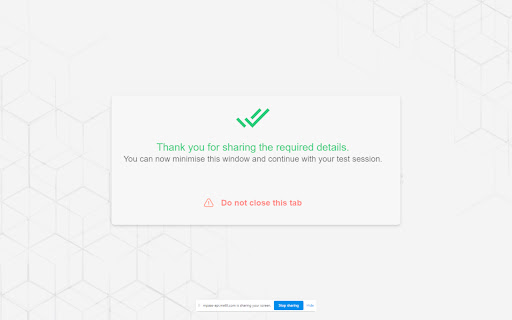
• COMMUNICATE WITH COOPERATING WEBSITES - During your exam, SecureProctor may need to communicate with your test delivery provider or learning management system to ensure all the necessary conditions are set for an optimal testing experience.
• READ AND MODIFY DATA YOU COPY AND PASTE - This prevents the use of copy and paste during the exam which protects exam integrity.
This brief explanation is intended to help demystify the Chrome extension privacy disclosure and give you a better understanding of why we use the extension. It's important to remember that we only monitor your activity for the duration of your exam session and take your data privacy very seriously. For more information on our privacy policy, please refer here https://mettl.com/privacy-notice/

Reviews (5 cached)
★☆☆☆☆2025-10-05
Azat Zalyaev
It keeps crashing. Doesn't work, I can't finish my test
★☆☆☆☆2024-11-21
ROHITH
Anyway to get around?
★☆☆☆☆2021-05-05
smk
Crashes the Quanta LMS
★☆☆☆☆2021-04-28
Hrishikesh Patil
Keeps forcing full screen even in tests which are open book
★★★☆☆2020-09-04
Marchie Uzochukwu
is helpful
Permissions (7)
Permissions
browsingDataℹ Can delete browsing history and data contentSettingsℹ Can change content settings like JavaScript and cookies per-site managementℹ Can manage other installed extensions scriptingℹ Can inject scripts into web pages storageℹ Can store data locally in your browser system.display tabsℹ Can see your open tabs and their URLs
Details
| Version | 11.4.6 |
| Updated | Oct 28, 2025 |
| Size | 7.86MiB |
| First Seen | Mar 26, 2026 |
Popular in workflow

Adobe Acrobat: PDF edit, convert, sign tools
by Adobe Inc.
331M
★ 4.40
workflow
331M
★ 4.40
workflow

AdBlock — block ads across the web
by AdBlock
63M
★ 4.48
workflow
63M
★ 4.48
workflow

迅雷下载支持
by Shenzhen Xunlei Network Technology Co., Ltd.
59M
★ 2.77
workflow
59M
★ 2.77
workflow

Adblock Plus - free ad blocker
by eyeo GmbH
41M
★ 4.39
workflow
41M
★ 4.39
workflow

Chrome Remote Desktop
by Chrome Remote Desktop Release Managers
38M
★ 3.14
workflow
38M
★ 3.14
workflow
Popular Extensions
Adobe Acrobat: PDF edit, convert, sign tools
by Adobe Inc.
331M
★ 4.40
workflow
331M
★ 4.40
workflow
AdBlock — block ads across the web
by AdBlock
63M
★ 4.48
workflow
63M
★ 4.48
workflow
迅雷下载支持
by Shenzhen Xunlei Network Technology Co., Ltd.
59M
★ 2.77
workflow
59M
★ 2.77
workflow

Grammarly: AI Writing Assistant and Grammar Checker App
by Grammarly
42M
★ 4.50
communication
42M
★ 4.50
communication
Adblock Plus - free ad blocker
by eyeo GmbH
41M
★ 4.39
workflow
41M
★ 4.39
workflow