
⚠️Not updated in over 2 years
Description
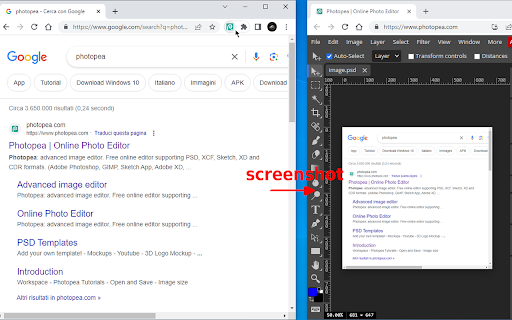
Right-click and send images right to Photopea.
If you have an instance of Photopea open, the image will be sent there.
Browse and edit your images, faster.
Should work for Image Elements, and Video Elements too. ;D
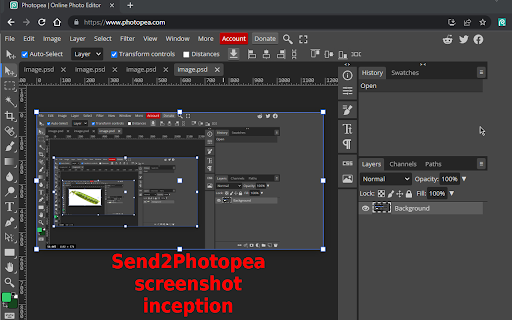
Now you can also right-click on the extension button and choose "Take page screenshot..." to send a screenshot to Photopea.
... and choose to open Photopea in incognito if it's not already open (tick "Use incognito..." from the extension button context menu).
TIP: to take screenshots of YouTube videos right-click twice on the video to get past the custom context menu and to the native one that will show a "Send to Photopea" entry (or use the new picker feature) ;)
Right-click on the extension button and select "Toggle element picker..." to activate a picker that let's you visually choose the element to send to Photopea.
When it's active you can fine-tune the selection with Q/A keys, and then press SPACE to send the highlighted element.
The highlighted elements' background should turn green if it's actionable.
In this way you're also able to send images and videos behind an overlay (e.g. vimeo).
Experimental support has been added for SVG and CANVAS elements (via picker).
Please file bugs/feature requests at https://github.com/azrafe7/send2photopea/issues
I frequently use this extension in combination with my other extension (WebClip Element) to clip elements on a page and then send them to Photopea.
CODE: https://github.com/azrafe7/send2photopea
CHANGELOG: https://github.com/azrafe7/send2photopea/blob/main/CHANGELOG.md
WebClipElement: https://chrome.google.com/webstore/detail/webclipelement/ndkjiolmefobbpbiejfnihoccngfbpjh
DISCLAIMER: I'm not affiliated with Photopea, just a big fan of it. :D


Reviews
Loading reviews...
Permissions (4)
Permissions
activeTabℹ Can access the current tab when you click the extension contextMenusℹ Can add items to the right-click menu scriptingℹ Can inject scripts into web pages storageℹ Can store data locally in your browser
Details
| Version | 0.3.99 |
| Updated | Feb 13, 2024 |
| Size | 30.06KiB |
| First Seen | Mar 27, 2026 |
More by azrafe7

Black & White Web
by azrafe7
2K
★ 4.29
fun
2K
★ 4.29
fun

Element Zapper
by azrafe7
1K
★ 3.86
workflow
1K
★ 3.86
workflow

Standalone WhatsApp Web
by azrafe7
263
★ 5.00
social
263
★ 5.00
social

POPElement
by azrafe7
63
★ 5.00
functionality
63
★ 5.00
functionality

PIPElement
by azrafe7
42
★ 5.00
functionality
42
★ 5.00
functionality
Popular in workflow

Adobe Acrobat: PDF edit, convert, sign tools
by Adobe Inc.
331M
★ 4.40
workflow
331M
★ 4.40
workflow

AdBlock — block ads across the web
by AdBlock
62M
★ 4.48
workflow
62M
★ 4.48
workflow

Adblock Plus - free ad blocker
by eyeo GmbH
41M
★ 4.39
workflow
41M
★ 4.39
workflow

Chrome Remote Desktop
by Chrome Remote Desktop Release Managers
38M
★ 3.14
workflow
38M
★ 3.14
workflow

Microsoft Single Sign On
by Microsoft
36M
★ 2.27
workflow
36M
★ 2.27
workflow
Popular Extensions
Adobe Acrobat: PDF edit, convert, sign tools
by Adobe Inc.
331M
★ 4.40
workflow
331M
★ 4.40
workflow
AdBlock — block ads across the web
by AdBlock
62M
★ 4.48
workflow
62M
★ 4.48
workflow

Grammarly: AI Writing Assistant and Grammar Checker App
by Grammarly
42M
★ 4.50
communication
42M
★ 4.50
communication
Adblock Plus - free ad blocker
by eyeo GmbH
41M
★ 4.39
workflow
41M
★ 4.39
workflow
Chrome Remote Desktop
by Chrome Remote Desktop Release Managers
38M
★ 3.14
workflow
38M
★ 3.14
workflow