
ChatGPT Assistant For Quora™
v1.3.0 Updated Jan 10, 2024 2.11MiB
⚠️Not updated in over 2 years
Description
Elevate your content game with ChatGPT - the ultimate browser extension for unleashing the power of ChatGPT on Quora!
Here is a guide on how to use it:
1. Highlight any online content with your mouse.
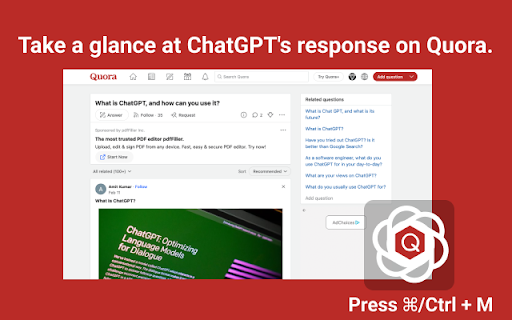
2. Open the extension window by clicking on Cmd+M (Mac) or Ctrl+M (Windows).
3. Select the action you wish to perform, such as creating a reply, comment, shortening the content, or adding some fun.
4. Click on the switch icon and the extension will automatically take you to https://chat.openai.com/chat.
5. On https://chat.openai.com/chat, click the "Copy to" button and the extension will help you copy the ChatGPT response back to the Quora page.
6. That's it! You now have an 80% completed response at your fingertips.
Features:
Easily access extension by clicking in the toolbar. The popup will appear and you can start an AI conversation.
Quickly access chat.openai.com/chat from the navigation bar pressing space.
Get answers from web pages on popular.
We strive to keep up with the fast-paced development of GPT-3 to bring you the best possible experience.
If you encounter an error, try opening OpenAI again. The service may be under high demand.
If you continue to experience issues, please report a bug in the review section of our extension's page.
If you have any difficulties reach out to WhatsApp ID: +86 180 2303 4541 or email to nathanskovalchik9095@gmail.com
Reviews
Loading reviews...
Permissions (2)
Permissions
activeTabℹ Can access the current tab when you click the extension storageℹ Can store data locally in your browser
Details
| Version | 1.3.0 |
| Updated | Jan 10, 2024 |
| Size | 2.11MiB |
| First Seen | Mar 27, 2026 |
More by radarlinkedin



Popular in workflow

Adobe Acrobat: PDF edit, convert, sign tools
by Adobe Inc.
331M
★ 4.40
workflow
331M
★ 4.40
workflow

AdBlock — block ads across the web
by AdBlock
62M
★ 4.48
workflow
62M
★ 4.48
workflow

迅雷下载支持
by Shenzhen Xunlei Network Technology Co., Ltd.
59M
★ 2.77
workflow
59M
★ 2.77
workflow

Adblock Plus - free ad blocker
by eyeo GmbH
41M
★ 4.39
workflow
41M
★ 4.39
workflow

Chrome Remote Desktop
by Chrome Remote Desktop Release Managers
38M
★ 3.14
workflow
38M
★ 3.14
workflow
Popular Extensions
Adobe Acrobat: PDF edit, convert, sign tools
by Adobe Inc.
331M
★ 4.40
workflow
331M
★ 4.40
workflow
AdBlock — block ads across the web
by AdBlock
62M
★ 4.48
workflow
62M
★ 4.48
workflow
迅雷下载支持
by Shenzhen Xunlei Network Technology Co., Ltd.
59M
★ 2.77
workflow
59M
★ 2.77
workflow

Grammarly: AI Writing Assistant and Grammar Checker App
by Grammarly
42M
★ 4.50
communication
42M
★ 4.50
communication
Adblock Plus - free ad blocker
by eyeo GmbH
41M
★ 4.39
workflow
41M
★ 4.39
workflow