Description

Reviews (16 cached)
Have no idea how to use this. I will be removing it. There are no directions and i can see that several people have also asked the same thing and the creator has not responded to any of them. I do not recommend this!!!
IDK if its me, but when I click on this extension a youtube video for some animated movie opens up...
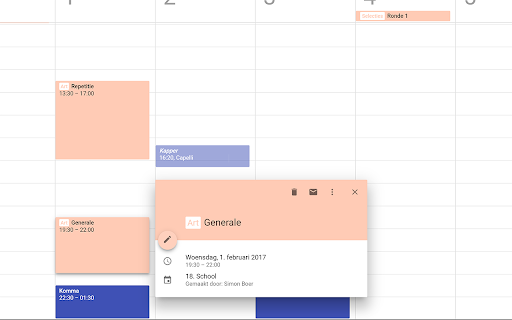
HELP ! I try to understand xho this works ... and I didn't found ... Please, someone could give a concrete example of how it works ? Example : Event Name is Doctor Smith and I want to add a tag so the result is HEALTH Doctor Smith , whatever the coloror the size of HEALTH , just a tag. Could you give me a simple explanation (so i can make a simple copy/paste of your syntax to try ) ?? Thx for all
Is this extension even working still? I can't get it to work and there are no instructions either.
I tried to make it work but there are no clear instructions. It woudln't hurt to have a visual walkthrough as to how to make this work since it is somewhat counterintuitive. I already spent too much time trying to make it work and nothing. Maybe it is outdated and no longer working.
Really wanted this extension, as I need to be able to highlight scheduled events in color in order for a calendar to be useful. But no matter what I tried, could not get it to work. The "options" tab remains greyed out, and there are no directions anywhere; the developer's site has nothing.
Does not work at all. Uninstalling
Not working
Confirmed as broken in February 2024, unfortunately. :/
use to work fantastically, stopped between last week and this week. bring back the labels!
Great extension but it is not working for my calendar anymore.
I was wondering how to use it - the Google or Perplexity search did not get any results
Used to work, now the tag has disappeared
This is a great idea, but unfortunately, the extension is unusable for people who either use colons in event titles (e.g., "Email Jackie re: starting project") or receive invitations to events that have colons in the title (e.g., "Session 1: Blah Blah Blah"). As soon as I installed it, several events within the next week suddenly had "tags" that were actually just the first chunk of the event title. It seems like this should be easy to customize. Theoretically, I might set my tag signifier to a symbol I rarely use in event titles, like ^ or \, and the problem would be solved completely. But alas, when I tried to manage my settings, I was only able to turn the extension on or off. When I tried to go to the app website, it showed only a CGI video about something unrelated. For reasons that are a mystery to me, the app also turned one of my events transparent and italicized the title, even after I removed the colon that was originally in the title. The issue didn't resolve until I turned off the app entirely. Bummer :(
I downloaded it but i am not able to make it work. How am i supposed to add tags? Thanks.
I love it but after the last update all of my tags look black :/
Details
| Version | 1.1.0 |
| Updated | Feb 28, 2024 |
| Size | 15.28KiB |
| First Seen | Mar 31, 2026 |
Popular in workflow




Popular Extensions
