
Description
Reviews (11 cached)
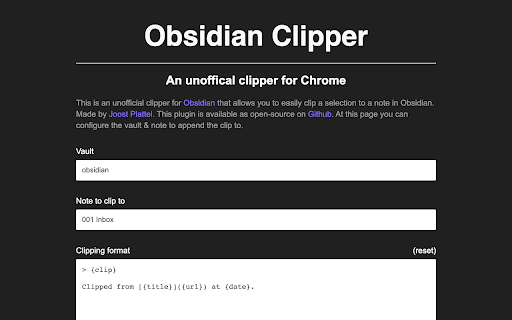
Doesn't work
Test succeeds but doesn't work on any sites.
dont work
This doesn't work, at least not on Brave. I tried it six months ago and it didn't work then either, so at least it's consistent.
Unfortunately, it doesn't work. When I click the extension button, it shortly switches to a new tab which automatically closes. No note is added to Obsidian and the browser returns to the incorrect tab, it's not the tab from which I wanted t clip. Funny way of making me think it works: the "test" button on the settings page is actually the only one that does add a clipping to Obsidian...
Couldn't get it to work with Opera on MacOS Sonoma. I can test the settings successfully from the extension settings page, it does add a new note with a test clip, but trying to use it normally (select webpage content, click the extension button) flashes a blank tab, then nothing. No new clip in Obsidian.
Doesn't work on Kubuntu Chrome The "Test configuration" adds a new note, but without any resemblance to my configuration, and trying to add text from any other page simply does nothing
Doesn't work on OSX version of Chrome. When clicking the clipper icon, a dialogue appears that mentions Github and immediately disappears and nothing else happens.
I couldn't get this to work at all. I looked at the other suggestions but to no avail. It constantly pops up with a dialog telling me that "https://jplattel.github.io wants to open this application." and would disappear after 1 or 2 seconds, mostly not giving me a chance to click on Allow and when I do manage to click it in time, it creates a page with a link but the content only shows a "," and not the actual web content I wanted
I'm probably doing something wrong but I just get a one line with Clipped from (URL). No content.... This is very similar as just dragging over...
1. Doesn't work with YouTube comments 2. When using the same note for clippings the formatting gets all messed up 3. Wish there was "Clip selection to Obsidian" in the context menu when selecting the text instead of having to click the extension icon
Permissions (4)
Permissions
Details
| Version | 0.5.0 |
| Updated | Aug 17, 2022 |
| Size | 309KiB |
| First Seen | Mar 26, 2026 |
Popular in workflow




Popular Extensions
